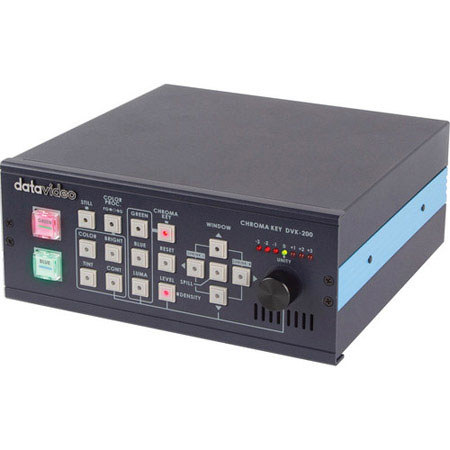
Datavideo DVK-200 Stand Alone Chromakey Solution
SKU: VDDVDVK200
This item is no longer available.
Share:
Overview
Compare
Learn
Specs
Protection
About Datavideo DVK-200
The Datavideo DVK-200 is a robust stand-alone live chromakey solution. With the DVK-200 you can connect a range of video and computer equipment, including DVI, Y:U:V, S-Video (Y/C) and composite video. You can also key with several colors: blue, green, white or black. Backgrounds sources can be switched to either S-Video (Y/C), Composite Video or DVI.
Designed with education, small studios, wedding videographers and smaller production companies in mind, the DVK-200 enables users to create stunning virtual studio effects without the need for complicated computer software. You can play clips, create still backgrounds or embed live footage into a PowerPoint presentation for broadcast or webcast. It also conveniently supports either PAL or NTSC video standards. The CKL-200, dual color (green & blue) LED light ring and retro-reflective backdrop cloth complement the DVK-200 perfectly for chromakeying the easy way.
Datavideo DVK-200 Features
- Key out backgrounds select blue, green or luminance
- Built in shrink function reduces white or black edges on a subject
- Spill adjustment removes unwanted color cast on the subject
- Available to support either PAL or NTSC video standards
- Key out level adjustment reduce the shadow after keying
- Built in TBC (Time Base Corrector)
- Subject Density makes the subject become more or less defined
- Crop/adjust window select areas of screen window to be keyed
- Built in color processor, brightness, contrast, color and tint adjustable (tint is only NTSC)
- Perfect accessory the CKL-200 dual color light ring and retro reflective cloth (not included)