Search

Email Advantages
Get your FREE
email updates from
Adorama:
Expert tips
Special offers
New products
First Name
Email
Privacy Policy

HACKER SAFE certified sites prevent over 99.9% of hacker crime.

BBB Logo

BizRate Customer Certified (GOLD) Site

Adobe

Our Price

$589.95

Quantity:

Need Help? Call Our Experts!

1-800-223-2500

Hours of operation

Item Includes Description Features Specifications

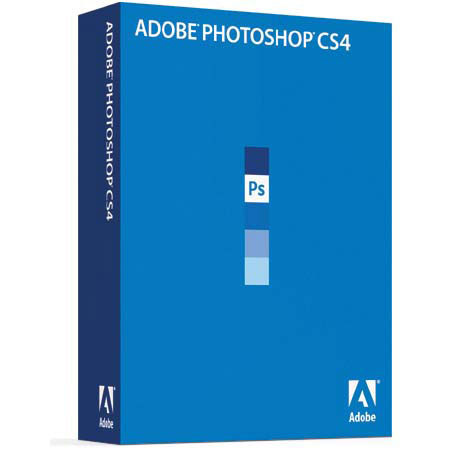
Adobe Photoshop CS4 11.0 Image Editing Software for Windows

Mfr. Part: 65015634     SKU: ABPSCS4W

Adobe Photoshop CS4 11.0 Image Editing Software for Windows
enlarge image

Product Rating Write a Review

Description

The Adobe Photoshop CS4 software provides improved access to its unrivaled power through a more intuitive user experience, greater editing freedom and significant productivity enhancements. Navigate around images more naturally with fluid canvas rotation and enhanced pan and zoom tools. The DNG format helps promote archival confidence, since digital-imaging software solutions will be able to open your raw files more easily in the future.

Features

Easily access full editing power: Take greater advantage of all that Adobe Photoshop CS4 offers with a more intuitive user interface and features that put you in control
Adjustments panel: Simplify image adjustment by easily accessing every tool you need to nondestructively adjust and enhance the color and tone of your images; on-image controls and a wide variety of presets are also included in the new live and dynamic Adjustments panel
Masks panel: Quickly create and edit masks from the new Masks panel. This panel offers all the tools you need to create editable pixel- and vector-based masks, adjust mask density and feathering, easily select noncontiguous objects and more
Smart Filters: Experiment by adding, adjusting and removing filters from an image without resaving the image or starting over to preserve quality. Nondestructive Smart Filters allow you to see the changes without altering original pixel data
Smart Objects: Perform nondestructive scaling, rotating and warping of raster and vector graphics with Smart Objects. Even preserve the editability of vector data from Adobe Illustrator software
Industry-leading color correction: Enjoy dramatically enhanced color correction with reengineered Dodge, Burn and Sponge tools that now intelligently preserve color and tone details
Channel Mixer: Take advantage of a host of presets in the Channel Mixer to create high-quality grayscale, sepia tone, or other tinted images
Black-and-white conversion: Instantly convert color images to black-and-white with easy-to-use presets and then make on-image adjustments of tonal values and tints to immediately see the results. Even create and save your own custom presets
32-bit high dynamic range (HDR) support: Combine multiple exposures into a single, 32-bit image that preserves the full range of a scene - from the deepest shadows to the brightest highlights. Image processing and alignment algorithms deliver superior results
Richer painting and drawing toolset: Create or modify images with a wide assortment of professional, fully customizable drawing tools, paint settings and artistic brushes
Expert retouching: Retouch images more easily and precisely by previewing source pixels within the cursor of the Clone Stamp and the Healing Brush. Set multiple source points, scale and rotate in the Clone Source palette
Perspective-based editing: Create packaging mockups and more with Vanishing Point, which lets you create multiple planes in an image, connect them at any angle and then wrap graphics, text and images around them
Content-Aware Scaling: Use the new and revolutionary Content-Aware Scaling feature to automatically recompose an image as you resize it, smartly preserving vital areas as the image adapts to the new dimensions
Extended depth of field: Combine a range of images, each with a different exposure, color and focal point - with options to preserve tones and colors - into a single color-corrected image
Flexible layers: Achieve sophisticated results by superimposing images, text and effects on hundreds of layers. Organize layers with up to five levels of nesting and save them in different combinations as Layer Comps
360-degree panoramas: Automatically stitch horizontal or vertical photos to create seamless panoramas - even 360-degree spheres - using Photomerge technology
Auto-alignment of layers: Create accurate composites with the enhanced Auto-Align Layers command. Move, rotate, or warp layers to align them more accurately than ever before
Auto-blending of images: Easily create a single image from a series of shots that have different focal points with the enhanced Auto-Blend Layers command, which smoothly blends color and shading and now extends your depth of field, automatically correcting vignettes and lens distortion
Quick Selection tool: Loosely draw on an image area and the Quick Selection tool automatically completes the selection for you. Then use simple sliders to preview and refine your selection
Panel management: Maximize your screen space while keeping essential tools accessible. Arrange panels in convenient, self-adjusting docks that can be widened to full size or narrowed to icons or even a thin, self-revealing strip at the edge of your monitor
File display options: Easily work with multiple open files by using tabbed document display or n-up views
Efficient file management with Adobe Bridge CS4: Get instant access to Adobe Bridge CS4 with faster start-up, use new workspaces to jump to the right display for every task, easily create web galleries and PDF contact sheets and more
More powerful printing options: Get outstanding prints with superior color management, tighter integration with leading printer models and the ability to preview out-of-gamut image areas
Customized workspaces: Set up and save custom menus, keyboard shortcuts and workspaces for quick access to exactly what you need
One-click color adjustments: Make sophisticated color adjustments instantly with one-click presets in Curves, the Channel Mixer and the Black and White conversion dialog box

Specifications

Processor requirement Windows1.8GHz or faster processor
Operating system requirement WindowsMicrosoft Windows XP with Service Pack 2 (Service Pack 3 recommended) or Windows Vista Home Premium, Business, Ultimate, or Enterprise with Service Pack 1 (certified for 32-bit Windows XP and 32-bit and 64-bit Windows Vista)
Minimum RAM Required512MB of RAM (1GB recommended)
Hard-disk space Required1GB of available hard-disk space for installation; additional free space required during installation
Display Required1,024x768 display (1,280x800 recommended) with 16-bit video card
Some GPU-accelerated features require graphics support for Shader Model 3.0 and OpenGL 2.0
Drives RequiredDVD-ROM drive
Internet connection requiredBroadband Internet connection required for online services
Softwares requiredQuickTime 7.2 software required for multimedia features
WarrantyAdobe warranty


100 in 100: Don't be a super soaker saturater 100 in 100: Cornering Curves and leveling Levels 100 in 100: Should grandma's face be as smooth as a baby's?

 
Home · Shopping Cart · Account Info · Contact Us · New Products · Specials · Links · FAQ · Site Map · Closeouts · Cameras/Lenses · Flash/Lighting · Filters · Photo Essentials · Digital · Tripods · Binoculars/Scopes · Filing/Storage · Video · Audio Visual · Film · Darkroom · Underwater · Bags/Cases · Digital Prints · Used Equip. · Digital Cameras · Rental Department

Adorama Camera, Inc. 42 West 18th Street New York, NY 10011  Any problems with this site please contact Webmaster