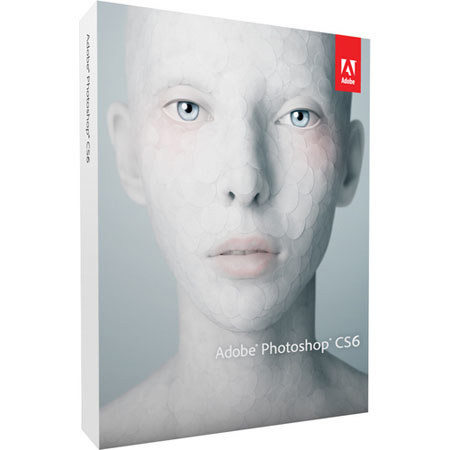
Adobe Photoshop CS6 Image Editing Software for Windows
SKU: ABPSCS6W
This item is no longer available.
Share:
Overview
Compare
Learn
Specs
Protection




About Adobe CS6
Adobe® Photoshop® CS6 the world's best digital imaging software delivers magic that helps you bring your creative vision to life. Edit raw image files and other photos with state-of-the-art photo editing. Create compelling HDR images, black-and-whites, and panoramas. Retouch images with astonishing ease and control. Design anything you can imagine at amazing speed. Paint and draw naturally and expressively. Even put your ideas in motion by intuitively creating stunning videos
Content-Aware Patch Patch images with greater control using Content-Aware Patch, the latest addition to the Content-Aware family of technologies, which allows you to choose the sample area it will use to create your patch.
Mercury Graphics Engine and 64-bit support Count on the new Mercury Graphics Engine for blazingly fast performance when editing with key tools, and take advantage of cross-platform 64-bit support to speed up imaging tasks and process very large images faster.*
New and reengineered design tools Create superior designs fast. Get consistent formatting with type styles, use vector layers to apply strokes and add gradients to vector objects, easily create custom strokes and dashed lines, quickly search layers, and more.
Intuitive video creation Bring Photoshop editing power to your video footage. Easily enhance any clip using the full range of familiar Photoshop tools, and create videos using an intuitive set of video tools.
Adobe Photoshop Camera Raw 7 plug-in Bring out the best in your JPEG and raw files with improved processing and an enhanced control set; reveal every detail in the highlights of an image while still retaining rich detail in the shadows; and much more.
All-new Crop tool Crop images fast and with greater precision using the all-new, nondestructive crop tool. Manipulate your images on canvas, and take advantage of the Mercury Graphics Engine to see your adjustments happen live.*
Superior auto-corrections Quickly enhance your images with powerful Auto Curves, Levels, and Brightness/Contrast controls. Intelligence from thousands of hand-retouched images is built in to give you a better starting point for making adjustments.
Intelligent lens correction Easily straighten objects that appear curved in panoramas or photos shot with fisheye or wide-angle lenses and perform automatic lens corrections using tools that make adjustments based on your lenses' characteristics.
Superior HDR imaging Create photo-realistic or surreal HDR images with exceptional speed and control. Get great results with automatic ghost removal, and precisely control tone mapping and adjustments.
Rich painting toolset Simply by painting with presets, get realistic color blends with the Mixer Brush, use Bristle Tips for lifelike strokes, draw naturally with erodible pencils and pastels, easily create the look of an oil painting, and much more.
Tools for intelligent selections Create precise selections and masks, enabling you to easily adjust or preserve skin tones; easily select intricate image elements, such as faces, hair; and more.
Puppet Warp Precisely reposition any image element to create a more visually appealing photo. For example, easily straighten an awkwardly bent arm. Powered by the new Mercury Graphics Engine, Puppet Warp lets you edit with fluid responsiveness.*
Background save and Auto-recovery Let the auto-recovery option preserve your edits without interrupting your progress. And keep working even while saving the largest of Photoshop files in the background.
New Blur Gallery Quickly create photographic blur effects using a simple new interface with on-image controls. Create tilt-shift effects, blur everything and then sharpen one focal point, or vary the blurriness between multiple focal points. The new Mercury Graphics Engine delivers immediate results.*
Dozens of user-inspired improvements Save time with more than 65 new creativity and productivity enhancements that originated as suggestions from Photoshop users via Facebook, Twitter, and more.
Modern interface Work with a fresh, elegant Photoshop interface featuring dark background options that make your images pop, and benefit from hundreds of design touches that create a smoother, more consistent editing experience.
Compatibility with Adobe mobile apps Extend your creativity beyond Photoshop CS6 with Adobe Touch Apps and Photoshop companion apps (sold separately). Intuitive touchscreen features provide ease of use and precise control for a variety of creative tasks.
* Some GPU-enabled features are not supported on Windows XP.