
This item is no longer available.
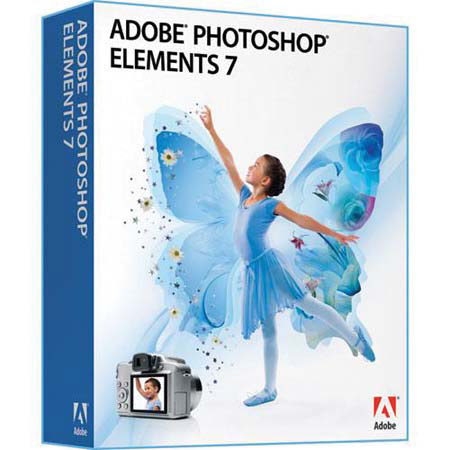
The Adobe Photoshop Elements combines power and simplicity so you can make ordinary photos extraordinary; tell engaging stories in beautiful, personalized creations for print and the web; and easily find and view all your photos. Give your creations a whimsical or dramatic new look with the latest assortment of inspiring ideas, seasonal artwork, templates and tutorials - delivered regularly to your software. Help protect your photos from computer loss and hard-drive crashes with automatic online backup and 20GB of storage - that's up to 15,000 photos.
Show off your favorite photos from any web-enabled computer. Create public or private online galleries for family and friends to enjoy. And get new sharing templates delivered regularly to your software. Easily tag photos with keywords that represent people, places, or events. You can instantly view every photo you've ever taken of your dog, for example, by simply clicking on its tag. Find photos in a flash by typing keywords for tags, dates and other file information into a new search box. Simultaneously select a specific photo area and apply incredible effects with a single stroke of new Adobe Smart Brush. Improve lighting, add rich textures and more with eight libraries of over 50 sophisticated effects.
You took five shots of your subject, but pedestrians and cars distract from the scene in every one. Now, use Adobe Photomerge Scene Cleaner to simply brush away any elements that changed positions between photos and create a composite with just the look you want. Never let a frown or a closed pair of eyes ruin a group photo again. Photomerge Group Shot lets you easily combine the best facial expressions and body language from a series of group shots to create a single perfect composite. Quickly create professional-looking photo books with flexible options that allow you to view spreads, flip through your book and rearrange pages - all with fewer clicks than ever before.
When your book is finished, just click the Order button to have it professionally printed, hardbound and delivered to your door. Create a personal web travelogue for friends and family, or just relive memories of your journey by viewing and sharing your photos on an interactive map based on the locations where they were taken. Showcase your photos in one-of-a-kind Online Albums with your choice of dynamic, animated templates - including new visually stunning options. Adobe Flash technology lets viewers interact with your photos for an entertaining experience. Easily order prints, share photos and photo creations on the web, share on CEIVA Digital Photo Frames and more from within Photoshop Elements. With all your photos at your fingertips, you can quickly select the ones you want and upload them to a variety of online offerings.