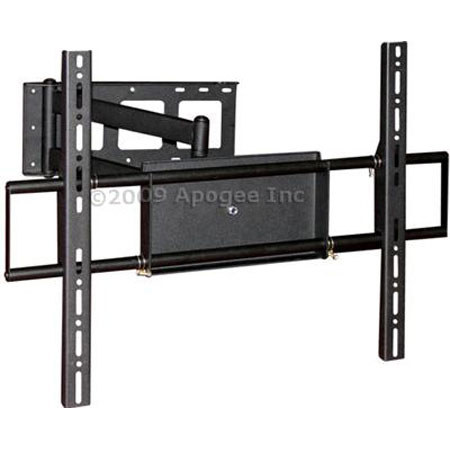
Audio-Technica Apogee 32-50" Corner Tilt Swivel Arm Wall Mount Bracket HDTV Plasma LCD VESA 600X400
SKU: APWALLMWA8
This item is no longer available.
Share:
Overview
Compare
Learn
Specs
Protection
About Apogee 32-50" Corner Tilt Swivel Arm Wall Mount Bracket
Complete your home theater set-up with this adjustable tilting/swiveling wall mount that will accommodate your 32"-50" LCD/Plasma television.
This wall mount also features an extra long extension arm that can reach out up to 24". All wall mounts are perfect for installation in your home theater and boardrooms.
Securely and easily mount your LCD TV, flat panel and HD TVs like a pro with easy to follow-instructions.
Adjustable/Tilting wall mount installs your screen close to the wall for a perfect display for boardrooms, digital signage, or hometheaters.
The mount includes simple to align brackets and a unique wall plate that can be mounted to two wood studs, or concrete.
How can you tell if your TV is VESA compliant?
Although the vast majority of TV's are VESA compliant, there are some models that are not. Please consult your TV product manual for more information. Most manuals indicate the exact VESA standard necessary for mounting, or simply indicate the VESA mounts are supported in general. If this is the case, simply purchase a wall mount within the TV size guidelines of your TV.
What is VESA?
VESA is a set of standards for the manufacturing of flat screen televisions and PC monitors. Most manufacturers comply with this standard by adhering to an industry wide "hole pattern" on the back of their displays for mounting purposes.
How do you measure your TV's VESA standard?
Look for the 4 mounting holes on the back of your flat screen television. Take both a horizontal and vertical measurement (in mm). This is your VESA Standard. A VESA hole pattern is measured in both horizontal and vertical distance betweenmounting holes. For example, VESA 75 x 75 means your TV mounting holes are 75mm apart horizontally and 75mm apart vertically.