

This item is no longer available.
Review Summary
2012-02-19T19:00:00
Good little private "cloud." Web interface is a little kludgy if you don't want to load their software.
DAVID K.
2011-11-20T19:00:00
Love it. Can share pictures of the kids with their grandparents without emailing bursts of pictures. Very simple to use and can even access drive from my phone.
JB H.
2011-09-03T21:00:00
It's really a great idea brought to life, the ability to access one's files anywhere in the world where there is internet access. Easy to set up for me. The hub itself is relatively inexpensive and works great, at least presently. For steady, reliable performance one needs to consider using server quality, pricey hard drives, and of course speed of connection is as good as the network's, both at the place of connection and where the device operates.
aUser
2011-09-03T21:00:00
It allowed me to share and access photos remotely with no problem. The slide show feature was nice. It takes way too long to share videos as the file needs to be rendered or optimized.
Share f.
2011-08-08T21:00:00
[...] Setup was extremely easy. Most importantly it's extremely easy to use. With plug-in software, using Explore, it acts just like an additional hard drive – both locally and remotely! Best computer network item since….my home network!
Lemon C.
What Is Pogoplug? Share Everything...
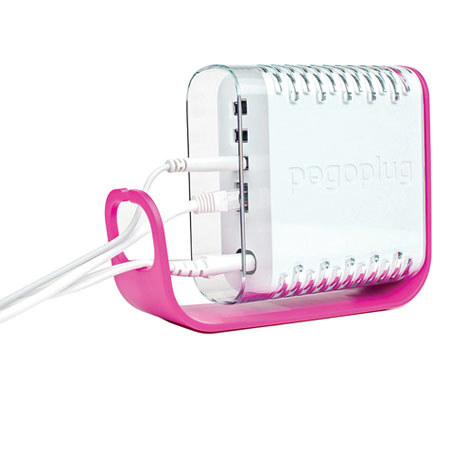
The Pogoplug connects your USB drive to the Internet so you can easily share andaccess your files from anywhere. The Pogoplug is the perfect accessory to your connected life. Imagine accessing all your files and media at home from any laptop or desktop computer, anywhere in the world, or sharing this content with friends and family without having to upload. There's even an iPhone application so you can always "phone home" to get your files.
The 60 Second Setup:
Connecting your Pogoplug is really that easy (opening the packaging may take longer than the install)! Once you connect it to your home network and your external hard drive, just visit our website to complete the installation. No need to configure ports, routers, IP addresses, firewalls, or any other complicated setup.
Plug your Pogoplug into a wall socket or power strip
Connect your Pogoplug to your router with the supplied network cable
Connect any external hard drive or memory stick to the USB.
From your computer, go to my.Pogoplug.com and type in your unique Pogoplug registration code
That's it! Your drive is now online and ready to use