
This item is no longer available.
Works Great - No tweaks needed!
I bought these to upgrade RAM from 800 Mhz to 1066 Mhz. Using them in a Gigabyte GA-MA785GM-US2H motherboard with BIOS upgraded to version F12F. CPU was an AMD Phenom II X4 955 BE, later upgraded to a Phenom X6 1100 T. Tested RAM with Memtest86 V 5.1, and it worked fine with all MB default (auto-detect) settings with both CPUs. I didn't have to tweak any voltages, and system is stable. Very happy with purchase and shipping was extremely quick, as usual!
This is the best upgrade for AMD Phenom II processors
This is the best upgrade for AMD Phenom II processors, they work great, the only thing that needs to be done is to up your memory voltage since after doing research to 2.23V, I found out mother boards default @ 800Mhz which will create a BSOD on the PC if the voltage is NOT adjusted. Please adjust your memory voltage thru AMD BIOS immediately after instlling memory to avoid BSOD. The memory will work great and the it is to be noted that the BSOD is at no fault of the brand new memory stick w...
View full Review
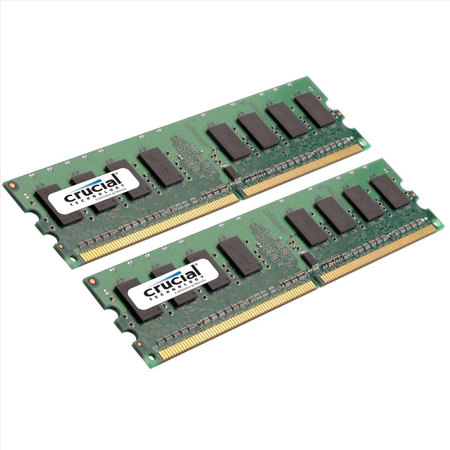
The Crucial 4GB Kit (2GBX2) 240-pin DIMM Memory Module (1066MHz) is designed for Desktop Computers. A dual inline memory module (DIMM) consists of a number of memory components (usually black) that are attached to a printed circuit board (usually green). The gold pins on the bottom of the DIMM provide a connection between the module and a socket on a larger printed circuit board. The pins on the front and back of a DIMM are not connected to each other.
240-pin DIMM is used to provide DDR2 SDRAM memory for desktop computers. DDR2 is a leading-edge generation of memory with an improved architecture that allows it to transmit data very fast. Each 240-pin DIMM provides a 64-bit data path.
To use DDR2 memory, your system motherboard must have 240-pin DIMM slots and a DDR2-enabled chipset. A DDR2 SDRAM DIMM will not fit into a standard SDRAM DIMM socket or a DDR DIMM socket.
The number of black components on a 240-pin DIMM can vary, but it always has 120 pins on the front and 120 pins on the back, for a total of 240. 240-pin DIMM is approximately 5.25 inches long and 1.18 inches high, though the heights can vary. 240-pin DIMM has only one notch within the row of pins. The notch in a 240-pin DDR2 DIMM is closer towards the center of the module.






