
This item is no longer available.
CG-350 HD/SD Character Generator Software
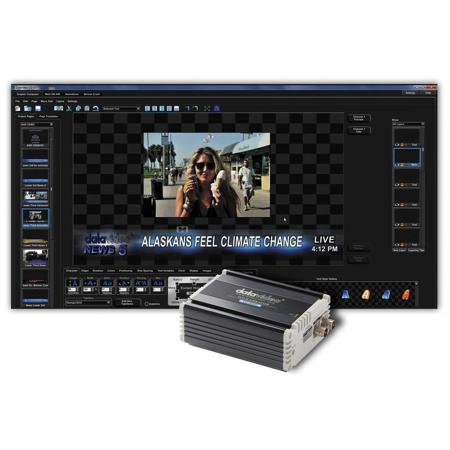
The CG-350 is an extremely powerful titling program designed especially for the live broadcast and video post production environment. It comes with a very flexible, easy to use, Title Compose program for creating high quality title pages . Once the title pages have been composed, they can be displayed automatically or completely under Manual Control. A display list can be created ahead of time to make on air usage a simple, one keystroke operation or you can randomly select the title pages while on air. Even with a display list, you still maintain the flexibility for those last minute changes.
CG-350 can also be used to display standard format graphic images as well as text animation sequences. Text animations sequences are created by the title composer using the text FX features. Title pages, graphic images and text animation sequences can be freely intermixed with one another in any order. Title pages can contain Text, background color boxes, geometric shapes, full color graphic images as logos and either a background graphic or background video. The text is created using truetype typefaces and can be sized, kerned, rotated and italicized. Each character can have up to two edges and three shadows. The character's edges and shadows can be colorized with a solid color, a vertical color spread, a color gradient (4pt, 5pt or linear) or textures.
Media Catalogues
The Media Catalogue is divided into three groups based upon the type of images that the software can display. These are titles, text animations and graphic images. These images can be quickly added to the Display List Editor to create a display list.
• The Title Catalogue shows the pages in the current project
• The Text Animation Catalogue shows the text animations that have been created and pre-rendered with the Title Composer
• The Graphic Image Catalogue shows the graphic images stored in the folders that are included in the Catalogue
Display List Editor
The Display List Editor is used to create and edit display lists. You can add, delete and duplicate images here. An image can be added here by double clicking it in the Media Catalogue or dragging it from the Media Catalogue and dropping it into the Display List. You can also change the order of the images in this window using "drag and drop". This will change the order that the pages will be displayed. You can also randomly select the next page to display for those "last minute" changes.
Preview Window
The program previews an image before it is displayed to ensure that the wrong one won't be shown. The Preview Window previews the next Image to be shown. Use "drag and drop" to drag the page to be previewed from either the Display List or the Media Catalogue. Double clicking on an image in the Display List can also be used to select an image to be previewed. The size of this window can be controlled from the "View" Menu.
Preview Control Buttons
The Preview Control Buttons are used to control the previewed image. It has the following buttons:
Edit Title
This button will start the Title Composer and load the previewed page into it.
Start Auto Sequence
This button starts automatically sequencing the images in the Display List.
Page Off
This button removes the image from the video output.
Display Previewed Page
This button displays the previewed page on the video output.
Display Image and Preview Next
This button displays the previewed page (just like "Display Previewed Page"). It also previews the next page in the Display List.
• Work on the fly or run programmed events
• Easy to master
TC-200 Character Generator Kit
Datavideo's CG-200 and TC-200: an innovative HD CG system for mobile broadcasting, live conferences and dynamic video presentations. Using a standard laptop, it enables users to create and deliver attractive on-screen graphics and titles in real-time. It is easy to operate, designed to be intuitive and responsive under the pressure of a live event. CG-200 and TC-200 works with standard Windows laptops with an HDMI interface and supports vision mixers with and without a DSK. Until now, real-time PC titling software has required an additional SDI adapter card to be fitted into a desktop PC. For live programming on location, a computer-based character generator can be problematic, in terms of the physical bulk of the PC, the need for an additional screen and the power requirement. CG-200 and TC-200 makes professional CG on the run a reality.
DSK mode
As software only, CG-200 and TC-200 can work with a vision mixer equipped with a DSK. In this mode, CG-200 and TC-200 can be set up as the key source or fill source. It can work with any vision mixer (such as the Datavideo SE-2800 and SE-3000) that has a downstream keyer (DSK).
Overlay mode
The Title Overlay mode overcomes the lack of a DSK in the vision mixer. Using the small external TC-200 hardware unit, The HDMI output from the laptop is embedded with the SDI output from a camcorder, VTR or vision mixer.
• Live Title Generator
• No additional PCI card required
• Supports DSK function (via HDMI) or SDI overlay function (with optional TC- 200)
• Support HD/SD SDI input and output in Overlay mode
• Supports HD video with 1080i 50/ 59.94/60; 720p 50/59.94/60
• Supports SD video: 576i/480i
• Title editing on laptop
• Compatible with Windows 7/8
• Supports all Windows fonts
• Multi-language support
• Supports animation including JPG, TAG, GIF, BMP, PNG
• Supports scrolling
• Title editing patterns include Slide, Reveal etc.
• Easy logo set up
• TC-200 working voltage is 7-15V. It can be used with 7.2V & 14.4V batteries






