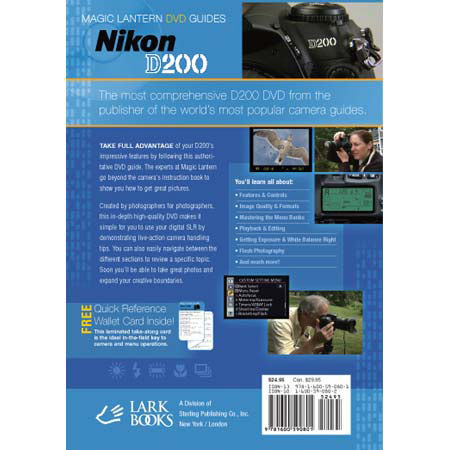
Magic Lantern DVD: Magic Lantern DVD Guide for Nikon D200 Digital SLR Camera

SKU: DVDD200

This item is no longer available.

Overview
Compare
Learn
Specs
Protection

Reviews about this item

Review Summary

2007-04-30T21:00:00

Rated 5 out of 5

HELPFUL PRESENTATION

Fine presentation with great production values. D200 owners should buy this and stay away from the inferior "Jump Start" DVD. Study of the Nikon instruction manual and viewings of this DVD will help anyone who is wanting to become better acquainted with the very complex D200. I am pleased to have this quite helpful tool. I'm spoiled, so please release a Volume Two for even more indepth details to help the D200 enthusiast.

Captain I.

2006-11-20T19:00:00

Rated 4 out of 5

For those who hate to read.

I watched this DVD a number of times and found the explinations and visual presetation better suited for learning the camera and its functions in a short span of time. The video does come up short on the more envolve issues though.

Bob

DVD: Magic Lantern DVD Guide for Nikon D200 Digital SLR Camera #1600590802 Specifications

Related Articles & Videos

About DVD: Magic Lantern DVD Guide for Nikon D200 Digital SLR Camera #1600590802

It's like having a Nikon D200 expert right in your living room!

TAKE FULL ADVANTAGE of your camera's impressive features by following this authoritative DVD guide. The experts at Magic Lantern go beyond the camera instruction book to show you exactly what you need to know to get great pictures.

Created by photographers for photographers, this over seventy-five minute in-depth, instructional DVD is like having a one-on-one workshop with a Nikon D200 digital SLR expert right in your own home! You can learn at your own pace and easily navigate between different topics and review specific chapters at anytime. Whether this is your first digital SLR or you are an experienced digital photographer, you'll soon be taking great pictures and expanding your creative boundaries with your Nikon D200

You'll learn all about: • Features & Controls • Image Quality Settings • Recording Modes • Menu Banks & Custom Settings • Playback & Editing • Focus Modes • Flash Photography • Getting White Balance Right • Recommended Settings for Shooting and more...