2009-02-19T19:00:00
Rated 5 out of 5
Just what I expected
Finding specific addresses in strange towns, and finding places to eat.
Hughw
2009-02-19T19:00:00
Rated 5 out of 5
i would buy this product again
I like that it can fit into your pocket, and it is easy to read. It is very easy to put in addresses.
2009-02-19T19:00:00
Rated 4 out of 5
Generally WONDERFUL, ACCURATE and TIME S
What an AMAZING and WONDERFUL DEVICE. A MUST for anyone who does any traveling either locally or out of state. Provides EASY TO USE DIRECTIONS and MENUS and provides EXCELLANT TIME SAVING ways to get there. How did we get along all these years without it?
Shappie
2009-02-08T19:00:00
Rated 5 out of 5
Great product
We used our new Garmin to guide us from the Raleigh, NC area to Ft. Lauderdale, FL, without consulting maps. It did great, and we've named the female-sounding voice Maude. She expressed annoyance when we went off the route for a refueling stop, but otherwise did fine.
suzminaz
2009-02-07T19:00:00
Rated 5 out of 5
Great GPS unit for the money
I use the GPS unit mostly for navigating in rural areas and occasionally cities. The interface is exceptionally user-friendly, and the manual is pretty much unnecessary. The screen is very readable, and easily visible to both driver and passenger. I live on a state-maintained gravel road, and the unit shows every curve on it. A really great small GPS unit for the price.
Vic
2009-02-07T19:00:00
Rated 5 out of 5
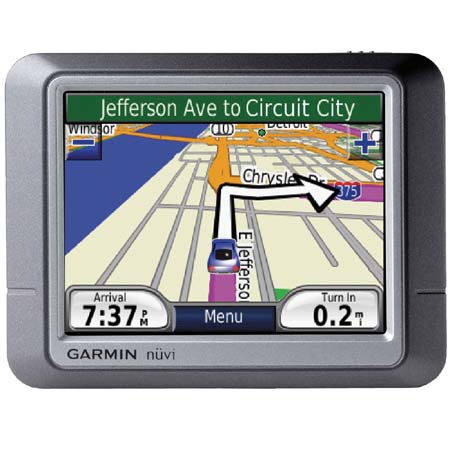
Garmin Nuvi 260W
This was my first experiece with a GPS. We traveled 1700 miles to Scottsdale, Az. and it put us right in the parking lot. This device makes traveling so much safer by telling you ahead of time about your next turn and what lane to get into. This is really beneficial when your behind a semi trailer. I would recommend the Garmin Nuvi 260W to anyone. The price is right for what you get. We named our GPS Gladys. While we were in Arizona we did a lot of site seeing and ate at a lot of great restaurants which was made easy with the GPS. We brought our laptop along and all we needed was a name. Locating the location and address was a snap. Put it into the GPS and your off. Try it/you will like it
Blaze
2009-02-07T19:00:00
Rated 5 out of 5
How did I survive without a GPS.
The 260w is very easy to use. The directions are accurate and precise. The text to talk feature is great. I would not buy a GPS without text to talk.
photog g.
2009-02-05T19:00:00
Rated 4 out of 5
This is an excellent GPS -
Use this product to get to unknown destinations.
Especially good when you have no idea where you are going. Saves having a map in one hand and trying to drive at the same time.
Bob b.
2009-02-05T19:00:00
Rated 4 out of 5
Excellent Product
Finding restaurants in an area is a very nice feature.
Rich
2009-01-23T19:00:00
Rated 5 out of 5
Great product - exactly as advertised.
Great GPS for the money.
Drew
2009-01-20T19:00:00
Rated 5 out of 5
garmin nuvi 260w
I liked the highlighted route on the screen and the and the text to speech commands.It would also tell you the second turn in advance.
muskie m.
2008-06-21T21:00:00
Rated 4 out of 5
Good Unit for Price
Purchased for smart, directionally challenged son going to college. So far he has used it for getting around town (Dallas) and some longer trips and it has worked very well. Only one time did it get a little confusing. Am looking at purchasing 2nd for daughter. Have recommended to others looking to purchase GPS for their family. Personally I found it located satellites quickly when turned on, was easy to navigate and set up and created route that I would have taken.
planophotographer