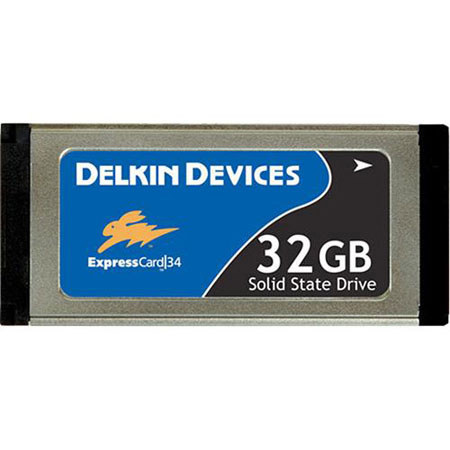
Delkin Devices 32GB ExpressCard 34 Pro Solid State Drive for Computers with ExpressCard Slots

SKU: ICDDE34SSD32

This item is no longer available.

Overview
Compare
Specs
Protection

Reviews about this item

Review Summary

2014-05-02T21:00:00

Rated 1 out of 5

CRASHES MAC MBP

This item crashes my MPB. The Grey Curtain Of Death (kernal panic ???) falls and I need to do a hard shutdown -- losing all work in progress. Tried installing the Delkin driver, but it says its not required for my computer https://delkin.com/support/drivers/

Me

2010-01-22T19:00:00

Rated 5 out of 5

EXCELLENT PRODUCT

Faster than my old method (UDMA CF card in a PCMCIA adapter). More capacity too. Great price. Well satisfied.

SNOWMAN

Delkin Devices 32GB ExpressCard 34 Pro Solid State Drive Specifications

  • Capacity

    32GB

  • Read speed

    48 MB/sec

  • Write speed

    27 MB/sec

  • Supports

    Window's ReadyBoost to improve system memory and increase performance

  • Dimensions (Width)

    1.3" (34mm)

  • Warranty

    Delkin warranty

  • UPC Code

    750323668080

About Delkin Devices 32GB ExpressCard 34 Pro Solid State Drive

FEATURED REVIEWS

EXCELLENT PRODUCT

By SNOWMAN

Faster than my old method (UDMA CF card in a PCMCIA adapter). More capacity too. Great price. Well satisfied.

The Delkin 32GB ExpressCard 34 Pro Solid State Drive provides reliable storage for computers with ExpressCard slots. The Delkin ExpressCard Pro offers hi-speed transfer rates by utilizing the PCI Express port. ExpressCard is available ExpressCard/34 form factor. Because the connector is 34 mm wide, Delkin's 34 mm ExpressCard Solid State Drives will fit into both 34 mm and 54 mm card slots.

Delkin Devices 32GB ExpressCard 34 Pro Solid State Drive Features

  • Reliability: Rugged, durable and more stable than traditional magnetic HDDs, Delkin's SSDs are made with non-volatile NAND flash. These drives, have no mechanical failure points therefore, have a higher tolerance to shock/vibration, temperature and altitude
  • Speed: Solid State technology eliminates seek time and rotational latency as the drive doesn't have to spin up to run. Users can increase efficiency by storing and booting operating systems and other applications directly from the SSD instead of a traditional HDD
  • Power Consumption: Because SSDs have no mechanical parts to draw power, they use much less energy than traditional hard disc drives and even hybrid drives. For the mobile user, SSD is the ideal storage solution
  • Capacities: Delkin's SSDs utilize the PCI-E interface which provides faster read/write speeds than the USB 2.0 interface