2015-03-26T21:00:00
Rated 4 out of 5
Does everything advertised
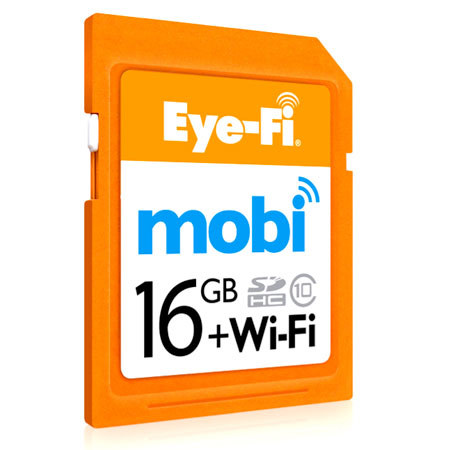
I did a lot of research on wifi enabled sd cards and this one had the best reviews.
Not exactly plug-in-play but the wifi config instructions are pretty easy to follow.
I highly recommend.
CALEB W.
2014-05-12T21:00:00
Rated 5 out of 5
A very practical product
A great product for photografers
Atilio
2013-08-27T21:00:00
Rated 5 out of 5
Love this card
I used this card when I'm on my photo shoot and picture download to iPad
Pat
2013-07-15T21:00:00
I have been using Eye-Fi cards from the time they were invented,and was waiting impatiently for a card that would work without the Internet ,on an outdoor location.Though the Pro card did have a direct mode which worked well ,Mobi is all I need.Simple to set up ,works great with my iPad.I shoot on Raw+ Jpg,and transfer only JPGs to iPad to review. I have been using wi-fi transmitter with all my canon slrs,costing $699, and here comes a simple sd card which may not give live view or transfer from a longer range but seems to transfer fast enough and is rather tenacious! If the wifi link is interrupted due to camera being out of range,or being switched off in between transfer,it resumes transfer automatically when camera is turned on and brought closer to the iPad .i am using the ShutterSnitch though instead of the Eye-Fi App on the iPad
HARMIT S.
2013-07-06T21:00:00
Rated 1 out of 5
Waste of money
I went out a few times with this card using a Fuji X100s. The first thing that is annoying is getting the card to show up on a iPhone then when it does it's always losing connection. You must shoot either jpeg or jpeg + raw as the card won't read the embedded jpeg from the raw files. This was before I even went out to shoot some photo's.
So I went out and used the camera as I normally would and what a disaster that was when using it. Maybe I was expecting more but be prepared to wait for the photo's to show up on your iOS device. it would take upto 30 seconds to a minute to show up and thats if I got lucky it showed up at all. Once it got to the phone it was great as I could look at the photo and zoom in.
The worst part and what made my mind up was when I got home was #1 the Lexar card reader couldn't read any of the photo's. I ended up having to use the camera to upload the Raw files to the computer. #2 was only 15 out of 50 photos were transferred over as the other photo's just disappeared from the card.
So as far as I can tell the one I have is no good and a waste of money. Buy a name brand SD card as I never lost photo's from one of those to date.
Joseph M.