2018-04-01T20:00:00
Rated 5 out of 5
Convenient
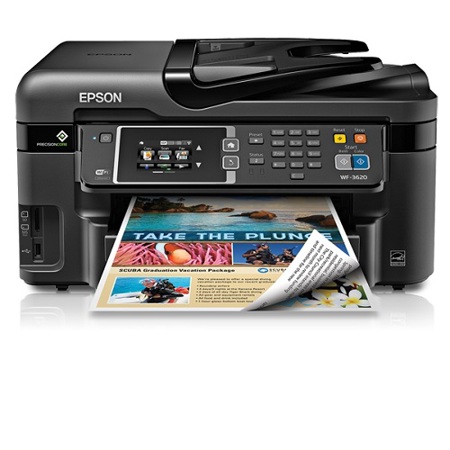
The WF - 3620 is not just a “printer” it is a small office!
Jobseeker
Originally posted at

2018-03-29T20:00:00
Rated 2 out of 5
Great Price, Okay Product.
I bought this item a couple months ago and it has worked ever since. The wifi antenna is weak, the ink runs out fast, and it doesn't accept faxes.
Other than that it prints just fine.
Zakk
Originally posted at
2018-03-25T20:00:00
GOOD SO FAR
WIRELESS E.
Originally posted at
2018-03-23T20:00:00
Rated 5 out of 5
Great Quality & Easy to Use
I bought this printer about 6 months ago for another employee at work and she loved it. I started using it and liked it so much I got another. The software is easy to install and you can't find a better quality for the price and features.
MrsBarb
Originally posted at
2018-03-20T20:00:00
it's the best printer ever and low cost but it since to stop making this printer which is kinda not happy about it. it's the best one dont know why epson stop making it!!!! please bring it back i will need more of this printer for my business need when the ones i have gets old>>
jason x.
Originally posted at
2018-03-20T20:00:00
Rated 4 out of 5
WF-3620 good, but..
Good printer, but problems with drivers and firmware connected to Macs.
geek1
Originally posted at
2018-03-14T20:00:00
Rated 3 out of 5
good after you figure out how to set up wi fi which is diffi
great AFTER I figured out how to set up for Wi-Fi. The little logo for wifi is easy to miss. the directions of what to do for wi fi could not be found as it took a long time to figure out how to set up wi fi.
Had to call EPSON to walk through steps to get a driver, Just a lot of work to finally set up.
However on March 14 the customer service was great to set up the system after about 30 minutes of the process.
Doak
Originally posted at
2018-03-08T19:00:00
Rated 5 out of 5
Happy! Happy! HAPPY!
My experience has been very positive. I have used a plethora of during my professional history, spanning 50+ years, and found it comparable to the most expensive office machines.
Taljr44
Originally posted at
2018-03-06T19:00:00
Prints header but not the report under it.
Prints calendar information where it should be...but not the calendar,
Prints 3 lines of red blocks on the alignment test.
Never had problem on old Epson Workforce 840.
PR R.
Originally posted at
2018-03-04T19:00:00
Rated 4 out of 5
have the ease of scanning and faxing
i glad I bought the all in one
JLChavira
Originally posted at
2018-03-04T19:00:00
Rated 5 out of 5
Great and easy to use!!!!
I have been using this printer/fax/copier for a couple of years now and it is so convenient and automatically updates! Great for any office!
american f.
Originally posted at
2018-03-01T19:00:00
Rated 2 out of 5
disappointed for the moment
The printer was running well up until a few weeks ago when I began to notice that about every y12-15 lines was blurred badly. The only way it prints well is if it is on high quality printing. anything other than that will not work and have this issue.
Ken2523
Originally posted at
2018-02-27T19:00:00
Rated 5 out of 5
Easy set up
I just got this printer, set up was easy as long as you follow the START HERE. Have run this printer, fax and scanner through all of its functions and all work well. If I have any issue later will write another review.
Roy 1.
Originally posted at
2018-02-27T19:00:00
Rated 5 out of 5
works so GOOD!
Bought this a while ago. I am so happy I did.
DebbieDew
Originally posted at
2018-02-26T19:00:00
Rated 5 out of 5
At home business
I use this for my small at home business and it is a gem. I do a lot of scanning and emailing and this is absolutely perfect for me.
Tam66
Originally posted at
2018-02-26T19:00:00
Rated 1 out of 5
a piece of junk
i bought this computer about 2 years ago and i have had to reinstall the computer more times than i can count. if the update is installed it quits working. has been a severe problem. if i could afford another printer i would buy one and it would not be an epson,
barbwire
Originally posted at
2018-02-24T19:00:00
Rated 1 out of 5
Ink Glutton
I have had this one for a year, and I have had nothing but problems with the ink and the constant need to clean the print head. To illustrate: I put a new black ink only 3 days ago and have been fighting with this piece of junk since to print. I have cleaned the heads literally a dozen times. I have not had ONE useful print since and now it is telling me I am low on ink. Spent all this time and money on test. I will not buy another Epson. No help anywhere either. I guess we all have come to expect that even these folks only want a thumbs up or a like, and provide NO Customer support whatsoever. Very frustrated and disappointed.
Pathetic
Originally posted at
2018-02-24T19:00:00
Rated 1 out of 5
I would give this a zero if I could.
Terrible printer, wasted SO much money on ink cartridges because mine were apparently empty.... even though I could shake them and hear the liquid inside of them. Tried everything and couldn't get it to work. Went to contact Epson support and the "submit" button was missing.... HMM.. beware!! I've owned the printer for one year and almost 2 months.
Joan14
Originally posted at
2018-02-24T19:00:00
Rated 5 out of 5
Great features, very good print quality, easy to use.
This machine was easy to install, easy to use and has very clean and clear printing.
CABOB74
Originally posted at
2018-02-23T19:00:00
Rated 1 out of 5
Epson WorkForce WF-3620 All-in-One Printer too complicated
Loading the paper is too complicated. The menu is too complicated. Resolving flashing lights is too complicated. Keep it simple stupids. And a big manual to boot so finding answers takes time. Pass on thi model.
Isaac
Originally posted at
2018-02-17T19:00:00
Rated 5 out of 5
Love this printer !
I’ve used this printer for at least a year no complaints . Easy to use, does awesome job!
Angie568
Originally posted at
2018-02-16T19:00:00
Rated 1 out of 5
Won't Print
New ink cartriges and It goes through all the motions and clicks and gears running but prints blank pages.
booger
Originally posted at
2018-02-14T19:00:00
Rated 1 out of 5
Worest printer I have ever bought
Bought the printer 2+ months ago I have trouble with it from day one. Will never buy another Epson for home or offices again!
jhcoolworld
Originally posted at
2018-02-14T19:00:00
Rated 1 out of 5
Not Impressed
I bought this to replace an NX420 which I had for years and which eventually quit.
Loved that one - it was user friendly and did a great job. The WF-3620 is quite the opposite - not user friendly and can be extremely frustrating at times. I definitely would not buy another nor would I recommend it. I'll be much more particular if I ever have to buy another printer.
barriesurfer
Originally posted at
2018-02-13T19:00:00
Rated 4 out of 5
Works well, but tends to break down
I bought the first one back in I think 2016. After several months, it broke down under warranty. Epson sent me a refurbished model in July 2016. That worked until Feb. 2018 and Epson sent me another refurbished model. Epson was very helpful in getting me it up and running. I am hoping I do not have another breakdown because I like the ease of using and the quality and speed of printing.
DKArizona
Originally posted at
2018-02-12T19:00:00
Rated 3 out of 5
Printing problem.
I bought mine few months ago and it's printing the page partially..
Benjie
Originally posted at
2018-02-12T19:00:00
Rated 1 out of 5
Stopped working in less than 6 months
Purchased this printer, ironically, to replace another printer that stopped working suddenly. It stopped working in less than 6 months. My use was minimal. Maybe once per week, at most. I got the dreaded error 0x97 which means that to repair the printer would cost me more than the printer itself did. Thanks a lot, Epson.
Joanndith
Originally posted at
2018-02-12T19:00:00
Rated 2 out of 5
Not happy.
Bought for graphics work and doesn't print bright and clear.
Toni8
Originally posted at
2018-02-12T19:00:00
Nice
Trucos
Originally posted at
2018-02-11T19:00:00
Rated 4 out of 5
Just installed update
We have had this printer for months (over a year?) and have 2 computers. this computer did not receive the updates as did the other one. I am now looking forward to being able to use the printer from MY OWN computer.
sueh
Originally posted at