


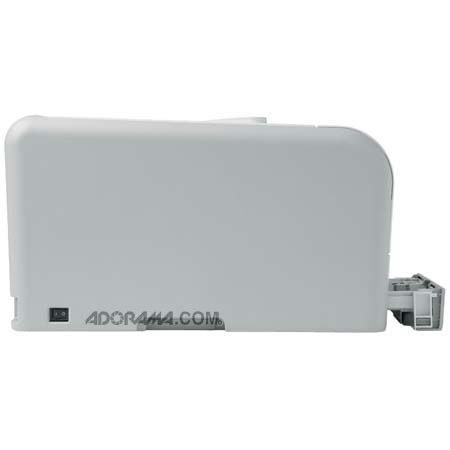

This item is no longer available.
Review Summary
2011-10-16T21:00:00
This puppy rocks!!! I was tired of buying all that pricy ink!!! Even with the cost of new toner, I still won't have spent that much money, plus the FREE SHIPPING was worth the time and effort. THe staff at Adaroma is top shelf in my mind and I have urged my friends to look and compare. Thank you for an awesome shopping experience.
DONALD D.
2011-09-06T21:00:00
Purchased this for a Sister who makes her own cards. She loves it.
MARLENE P.
2011-09-05T21:00:00
These printers (4) have replaced the HP Pro8000 and the Pro5400 printers that are just not reliable. Hp customer service is non-existant. Since this unit has proved its reliability we continue to purchase more units.
Purchasing
2010-12-21T19:00:00
I bought this printer at the end of September, 2009. We brought it home, but it wouldn't work at all, so we had to return it and exchange for the same model. When we got the replacement home, it was very difficult to unpack. We wanted it for the network, but soon after we got it, we couldn't send to it. It took awhile to find out what was wrong. Turned out the cable connection in the printer was loose. The service person to whom I spoke insisted that it would have to be packed and returned, so we decided we could just keep from moving the printer so the cable stayed in the right place. Periodically, we have to remove the cable from the printer and replug it. Shortly after the printer was one year old, we started getting an error 51.23 turn off and back on. At first we would get this a couple of times and then the printer would print. As time went by, we would have to turn off and on and remove sheets of paper until now (printer is 1 year, 3 months old) it gives us this error every time. The only answer we can get is to take or ship it to an HP service center and pay for repairs. The other bad thing about this printer is toner prices. To replace all four toner cartridges is at least 33% more than the printer cost in the first place! Pathetic.
GEGram

2010-11-04T20:00:00
I have an HP laser jet 1200 that just pumped out copy after copy for 2001 but I really wanted a laser that did color also. This CP1215 seems to be the workhorse my 1200 was. I've had it two months now and my pages are beautiful. I use the grayscale setting to save toner on simple stuff but the colors are beautiful. I do wish the paper drawer was more easily accessible. I use a lot of different paper and I became spoiled with the open tray on the old 1200. Cartridges are easy to change out and the compact lines make it so easy to work with. I'm very, very happy with this printer!
Ruth721
2010-09-10T20:00:00
My husband says I have no need of a color laser printer, BUT, I do! I love the speed, clarity, color and ease of printing. I've had no trouble with this printer at all.
woli
2010-08-08T21:00:00
low toner use. economical for color copying good for envelopes
Ken
2010-07-29T20:00:00
This is a solid color laser printer at a reasonable price. However, I just purchased IMacs and was upset when I found out that there are no drivers for Macs with this printer. Now I have to look for another printer. HP, please create drivers for Macs with this printer!!!
LMCB
2010-07-08T20:00:00
I bought this printer about a year ago and loved it with XP. Recently bought an I-Mac and was totally shocked to find it has no Mac driver available. I've been thoroughly happy with print quality...I print a lot of color brochures and tutorials out using it. My biggest negative beside the Mac driver is the fact that the printer cartridges "run out" very quickly. I did find a way to override using the software and so far things are good. No wonder HP wants you to send in to "recycle" the cartridges--they still have a lot of toner left in them if you don't use override! HP is one of the leading printer suppliers--they should definitely have MAC drivers for their products.
Cyndee
2010-06-23T20:00:00
I purchased this printer last November with high expectations as I have always received a quality HP product. Within 2 months of owning the printer the error messages started. The first of which was a constant paper jam error, when there was no paper jam. I was constantly having to reset the printer to clear. Shortly after that we started getting errors that say the back door was open when it was not. The printer sat, disconnected for about 3 months until, in a moment of desperation, I decided to mess with again to see if I could resolve the issue. Oddly enough, it began working again with no errors. Well, that was short lived (about 10 pages into printing) as the back door error has appeared again and we are unable to print. While the print quality if fantastic when it does work, I certainly would not recommend this printer to anyone.
socaligirl
2010-05-03T20:00:00
Not Mac compatible, which is a real pain. It works well with my HP laptop, but my other computer is a Mac and I have to email myself to print. There's no reason for this...my very old Laser IIP had no problem with the Mac. HP can and should fix this! Still, I'm buying one for my mom because it's a good printer for the money and she works on a PC.
VickiJ
2010-05-01T20:00:00
I bought the CP1215 in Nov 2009 to replace an old HP LaserJet IIP B&W workhorse after 20 years. The software installation process is easy and the small footprint makes this printer ideal for tight places. The printer in idle mode is dead quiet, during startup it self cleans and the sound is noticeable for a few minutes. There is no LCD display; instead you are guided by lights if a paper jam occurs. It ships with cartridges (4 of them) at half capacity or less, so be prepared to buy new ones soon. Toner can be expensive, at $55-$70 a cartridge. I recommend printing in black to save on color toner. The printer uses a 150 sheet tray versus 250 sheets found on higher end models. In general, neutral photos print quality is very good as well as color documents & graphics. However, for pictures that are not neutral, the printer’s hue process is on the dark side resulting in dark prints. Results may vary depending on type of paper too (i.e. glossy, matte, brochure). The color print speeds are slow and find myself waiting longer then I should for a print. If your budget for a LaserJet is tight, I would recommend the CP1215 for a home or small office applications. For larger office and advance features I would recommend the CP2025dn-- it has the LCD panel, 250 sheet tray, higher image processing and faster print speeds. Of course, it costs more and it's bigger.
Marky
2010-04-23T20:00:00
Great printer for the price. I have used it for professional looking brochures and many other projects. Good value for the performance. Cartidges are rather expensive - but seem to last.
softwarejunkie
2010-02-08T19:00:00
Bought this to replace an older color laser. It is quieter than the older one and is very fast for an entry model. We use it for church choir menus and many other things. We bought it on sale and love it.
Jdaces
2010-02-05T19:00:00
Brand new printer getting problem (remove shipping lock from yellow cartridge) as i have taken all locks from toners when i contacted hp booked a complaint, 2 business working days of course hp customer support is good but i purchased on Friday so i have to wait till Tuesday. its was an urgency. i own the brand new printer still i have to take prints from outside.
vsoori
2010-02-05T19:00:00
Good quality but slow reproduction speed. If time is of the essence, this printer is not for you. If there is a method, program, or setting for increasing print speed it is not clear.
GPEG77
2010-01-25T19:00:00
I have had this printer for several months and think its great. I use it just for color jobs, and have another B/W printer because of the cost of running this machine. We use if for color photo prints which I find the quality comparable to commercial prints. We also make greeting cards with home art work on card stock paper. The resolution exceeds that of my B/W printer, and there have not be any reliability problems. I used a refurb cartridge so far without any problems, and it was much cheaper than new. I miss the bypass tray, and wish I had spent a little more to get the model with it.
crashemhard
2010-01-23T19:00:00
Most temperamental laser I have ever had. Problems connecting wirelessly; problems with the printer thinking supplies empty when new; no printer drivers for Mac users; not great with networks. I basically hate this printer.
Donrich
2010-01-19T19:00:00
I really do love this printer. I got this printer when the model was brand new on the market. HP had a great deal going and the local box store sweetened it even more with a trade-in (we were doing "green" that year) so it cost less than a comparable b&w laser printer. After nearly two years of use, I can heartily recommend it. It replaced a 100 lb Minolta color laser printer (I donated it to a school and they love it) that was great in its time but too bulky and slow for my wants. I looked carefully at the estimated page use per color (6000 for the Minolta vs. 2000 or so for the HP and $150 per/cartridge Minolta vs $75 per cartridge HP). The Minolta was definitely more cost-effective to keep, but in the end, I went for the HP because I wanted something that was faster, smaller, and easier to get replacement cartridges for. I can actually move this printer without straining, and unlike my previous printer, it didn't break the rollaround stand it was on. I can walk into any office supply store and can almost guarantee there will be a cartridge when I need it. I knew the toner would deplete fairly fast and, to replace toner is almost the cost of new printer, but that's life in Color Laser Land, regardless of brand or cartridge capacity. I've had it for nearly two years and have only gone through one set of cartridges (the original ones). I've replaced the black twice, so for my printing needs this baby is fine. If you stagger out the cartridge replacements, then it's not quite so painful. I didn't need a lot of features as this is for home use. I wanted quality color printing at a fairly rapid speed and for this, this little laser is sweet. Unless you're doing very high quality photos, printing to good quality copier paper will serve you well, certainly it works fine for classroom and general office work. If you want a highspeed color laser with more toner capacity, then you need to look at something a bit higher on the price scale, but frankly, for most home users, speed is not a necessity. If replacing the color cartridges gives you heartburn, then get a black and white laser for everyday use and reserve this one for the things that really require color -- or get an inkjet (which isn't as fast as a laser, and the ink still bleeds if the paper gets wet). If there is a good chance your printouts will get wet, whether because of work environment or Mother Nature, then laser printing is a must. I've only had one problem with a paper jam that locked up my print queue so I had to reboot my computer, but that was user-induced (the jam), so really, this printer has been no-muss, no fuss. I would absolutely buy this printer again. Can't go wrong for initial cost, ease of use and finding replacement supplies, and most of all, the print quality.
Flit
2010-01-11T19:00:00
1. the cartridges are expensive 2. if the black runs out you can´t print even a single page in blue or other color, it just stops working 3. my printer stopped working even thou the black was not finished I had never shaken the cartridge, it stops because a hardware chip tell the printer it is empty. This Is in my opinion a fraud, selling this printer like this. I always print with economical fonts so the cartridge is not empty. The printer count the pages printed and stops even thou you would like to try. the worst that would happen is a blank page.
Valdemar
2009-12-29T19:00:00
I bought this printer for grad school; printing papers, presentations and the like. It has performed quite admirably. I do find it somewhat humorous that it would be more economical to throw the printer away and buy a new one rather than replace all four cartridges, but I understand supplies are where HP makes its money. This is an entry level color printer. Do not expect to print archive quality photos with it. It is a great everyday printer, especially for students or SOHO use. Good replacement for an inkjet, or to supplement a black and white laserjet. A bit on the slow side, but printing is usually the last step in my process, so it hasn't been an issue. The single tray is a little inconvenient, so I tend to send envelopes and other single-feed jobs to my black and white laser. If you want to print photos, get a photo printer. If you want an excellent color printer to handle your everyday home or office printing needs, the CP 1215 is a good choice.
26yrITPro
2009-12-29T19:00:00
This product was an amazing deal. I love that I can now print pictures and documents at a fraction of the cost I used to. The print quality is good on regular cheap paper, but amazing on the specific HP glossy/laser and brochure papers. I can do everything from printing my everyday home spreadsheets to printing off wedding programs for friends saving them tons of $$$. HP, well done on creating a solid product at an amazing price point. The've proven again that they are the benchmark for all other printer companies.
ScottFromCanada
2009-12-23T19:00:00
What the heck? Every other HP device for the last decade has worked well with the Mac. This really is unexpected and disappointing. Why? Boo to HP this was a Christmas gift and I had to return it.
jcf123
2009-11-08T19:00:00
I have never owned a printer that heats up and creases the envelope flap when printing envelopes. The fact that you have to take out the paper to insert envelopes is a pain too. It constantly is "configuring". This is the worst printer HP has ever made.
nan102
2009-10-28T20:00:00
Great color, slow but does a terrific job. The only problem is that all four ink cartiages have to have ink, before it can print. I thought I could use just the black ink, and the answer is NO. Three colors of ink cost $232.00, Ouch......I do not do a lot of color printing and the printer was bought 12/08. I will probably buy another printer the next time I run out of color ink and just iuse black ink. . If you can afford the ink; then Go For It.
tuff02
2009-09-01T20:00:00
If speed is important in your schedule, please reconsider and NOT purchase this model. Did not pay much attention to the 8 PPM for color and found out when printing an address on envelope. Printer would stop to cool down before continuing to print the third envelope. I guess its a good feature if you have alot of time to wait.
BEHO
2009-08-25T20:00:00
We bought one of these by mistake only to find out that HP does not have any Mac OSX drivers for it, and for some reason is not planning to offer them in the future. If you need a Mac-compatible color laser printer, one apparently needs to spend an extra $100 and get the HP C1518. We just swapped ours out for the 1518. Yes, you can find out that it is not Mac-compatile if you look hard at the small print on the box or at the bottom of the specifications here, but I had thought by now that all HP laserprinters woud be universal machines. Given the apparent similarity between the 1215 and the 1518 (they use the same toner cartridges even), WHY AREN"T THERE MAC DRIVERS FOR THIS PRINTER? Is this some sort of nefarious market segmentation ploy to extract additional money from Mac users? One can only guess.......
Nick371
2009-06-13T20:00:00
this is a good product for a very small business that does not print large quanities. the print quality is suitable for the price, however it prints very slow. when you maximaize the print limits, you are looking to purchase another printer for larger jobs.
frustrt3
2009-04-28T20:00:00
I use this printerwith the HP 2500 seriesTouchsmart tablet laptop. The software was surprisingly easy to install, considering Vista doesn't make anything easy. I've used the printer to print a variety of documents. The cartridges are also easy to install and remove.The clarity is great. I use general laser quality paper have no problem printing graphics. I'm glad I got a color laser instead of another deskjet. Time will tell how long the cartridges last. 2 negatives: the footprint is much larger than I expected and it is slow. For some reason, my yellow cartridge ran out long before the others. The end result is worth it, though. I wish the cartridges were a little less expensive, but I guess that's the price one pays for flexibility. In the long run, I believe this printer will be more cost effective than a deskjet.
Maxie
2009-04-02T20:00:00
Running Windows XP Home. So far it works. Setup is easy. Most everything else is junky. If you are printing web pages or anything containing pictures, they are almost black. We had an earlier 2500n color Laserjet printer that was great, except the operating cost of cartriges and drum was prohibitive. Very few controls for color. I have it set for -5 black density on all four settings (contrasts, highlights, midtones, & shadows), -2 on all but yellow on the others, and photos still print with shadows nearly solid black. I have calibrated my monitor and although the color test page prints fine, that seems to only apply to pure spot colors. Options for the print dialog box cannot be saved. Every time you change documents, even within the same program, it reverts to default settings. If you generally use HP Color Inkjet Paper on the Presentation setting, you cannot save it. Color options also revert to default when you change jobs. It has four settings. I get the best results using the "photo" setting, but even those require making the photos look really washed out on the monitor and are impossible to use if you switch to another printer. Printing on glossy paper for a brochure is impossible. Toner collects on the back side of the paper, leaving smudges. It is relatively quiet, although slower than the inkjet printer it replaced, but overall quality is terrible. Why would anyone want a color injet printer that can't print decent graphics?
DesktopPublisher2009

Accidents happen where life happens. Protect your favorite Adorama products and purchase a protection plan to stay covered from accidental damage, mechanical or electrical failure, and more.

If we can’t fix it, we’ll replace it at no additional cost.

Protect your product from drops, spills, and more.

Enjoy your gear without fear. We have you covered!

When regular use of your product over time results in mechanical or electrical failure.

We will never charge you a deductible after the purchase of a plan.

Our claims process is simple & easy and our customer service team is happy to help.
Adorama Protect powered by Extend is available for purchase to customers in the United States. Not available for purchase Internationally or in U.S. Territories.
Browse our FAQ
Up to 12 ppm
Up to 8 ppm
Up to 12 ppm
As fast as 24 sec
Up to 600 x 600 dpi
Up to 600 x 600 dpi
HP ImageREt 2400, Ultraprecise toner, HP edge-enhancement technologies
Up to 150 sheets
Up to 150 sheets
Sheets: 150, transparencies: 50, post-cards: 50, envelopes: 10
Up to 125 sheets
Up to 125 sheets
Up to 25,000 pages
250 to 1000
Paper (bond, brochure, color, glossy, letterhead, photo, plain, preprinted, prepunched, recycled, rough), transparencies, labels, envelopes, cardstock
1
Manual (driver support provided)
150-sheet input tray: 76 x 127 to 216 x 356 mm
4 (1 each black, cyan, magenta, yellow)
Black, cyan, magenta, yellow
Hi-Speed USB 2.0 port
1 USB
None
16 MB
16 MB
No
Host-based
Custom RISC Processor
Installer, driver, status application and toolbox
Based on installed typefaces on host computer; installer installs 80 scalable TrueType screen fonts
6.2 B(A) (printing at 12 ppm)
Windows 2000; Windows XP Home; Windows XP Professional; Windows Server 2003; Windows Vista(R) Ready
Windows 2000, Windows XP Home, Windows XP Professional, Windows Server 2003, Windows Vista(R) (32 and 64 Bit), 512 MB RAM, 350 MB hard disk space, CD-ROM drive, available USB port
No
No
Yes
10 to 80% RH
Input voltage 110 to 127 VAC (+/- 10%), 60 Hz (+/- 3 Hz); 220 to 240 VAC (+/- 10%), 50 Hz (+/- 3 Hz)
15 to 32.5° C
399 x 453 x 254 mm
17.6 kg
HP 1 year limited warranty

Required
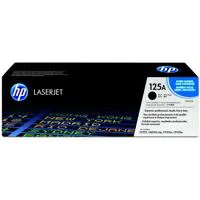
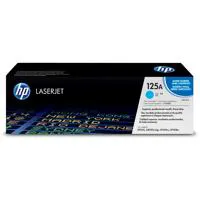
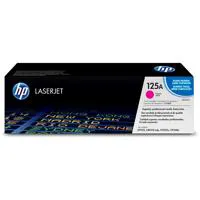

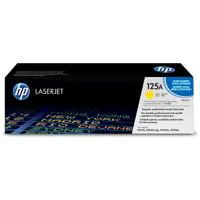
The HP Color LaserJet CP1215 is a color printer with 12 pages per minute print speed. It makes high-quality color laser printing incredibly easy and more affordable than ever with its lowest-priced color LaserJet.
Quickly print business documents with vibrant color enabled by this compact printer and next-generation HP ColorSphere toner.
Supported operating systems Microsoft Windows 7 ready. For more information go to http://www.hp.com/go/windows7. Some features may not be available. Windows Vista, Windows XP Home, Windows XP Professional, Windows Server 2003, Windows 2000
Join VIP PRO
Earn 2X Points + Exclusive Perks!
Request a Callback
Chat one-on-one with an expert
Sell or Trade your Gear
Get started in 3 easy steps