



This item is no longer available.
Review Summary
2010-12-02T19:00:00
I bought one a year ago. It is slow, uses a lot of ink and the ink is not cheap. It makes a lot of noise when the gears are ratcheting. And now it started eating paper. I have an old 5700 series deskjet at work that is a real workhorse. Uses very little ink and the cartridges are a lot cheaper. 94/95. The 1660 is supposed to be an improvement? The only good thing about the 1660 is that I got a $50 rebate when I recycled it and bought a Kodak 5250 wireless.
JJINFLA

2010-12-01T19:00:00
I bought this printer on nov. 29 for college. I used it once to print six pages, then it stopped printing. Don't waste time with this.
wolfff
2010-11-25T19:00:00
Not happy with it at all. Makes ugly loud noise when you try to print and wrinkles the paper alot when it grabs it!
Grandmom
2010-11-23T19:00:00
I just bought this product earlier and I am so excited to use it turned out to be disappointed because I still need to buy a separate USB to use it. I assumed there's already a USB cable included like usually all the printer does but it's just kinda annoying that you can't use it right away just because there's no usb with the package.
ztahl
2010-11-22T19:00:00
The price is great, but the product is horrible. The printing quality is poor. I used this printer about 15 times and then it broke down and is unable to be fixed. Of course, it broke down right after the 6 month warranty had expired. I hadn't even made it through the initial printing cartridge before the printer broke down. So IF you are going to buy this printer, don't buy a bundle of print cartridges to go with it, because the printer won't last long enough to use them. This is the last time I buy a low-end printer. I would have been better off paying 10 or 20 more dollars and getting a printer that will last more than 7 months.
chacha179
2010-10-21T20:00:00
We bought this printer yesterday for use at our home office. Once we got it hooked up we tried printing a test page 4 separate times. Each instance had the same result-paper jam. The sheet did not even get started before it would jam up. Now we are in the process of getting a different printer today. HP printers have usually been good to us and have bought many over the years for our various businesses. Hopefully, this was just a defect on this particular printer, but I'm not going to get a replacement of the same model to find out.
steelerklyn
2010-10-17T20:00:00
CAN NOT CHANGE THE FONT. THE PRINT IS TOO LARGE. I CAN CHANGE IT ON THE SCREEN, BUT THE PRINT CONTINUES TO BE TO LARGE AS PRINTED. MY NEW HP COMPUTER THAT I GOT FROM HP ON LINE IS GREAT. DT
OCIE
2010-10-13T20:00:00
My printing needs had greatly diminished since my last HP, so when i needed a new one, I was amazed at the price, but somewhat skeptical. Not to worry! If HP puts their name on it, it works!!! Although much slower and without all the bells and whistles of their higher-priced printers, it DOES print quite well. Sharp and clear. Just remember it is only going to print, and though slow, it does it very well. If your printing needs are not vast or if money is an issue, consider this good little printer.
heismine
2010-10-09T20:00:00
This printer is excellent for the price - print-wise. I am a graphic designer and was impressed with the speed and quality of print for documents. However, after installing this printer, all of my USB devices were no longer recognized properly and my computer kept crashing. It took 2 weeks and many hours scouring 100s of forums to try and find a fix. Out of coincidence, I happened to unplug everything to clean out the inside of my computer. I seriously thought my computer was dying. Hoping a good cleaning would help, I plugged in my card reader - it worked. I plugged in my flash drive - it worked! I plugged in the printer - test page printed. Plugged in my ipod - ubs device not recognized!! unplugged the printer, restarted the computer, plugged in the ipod - viola!! It was reconized by itunes and everything worked great. Unfortunately, I will only be plugging in the printer when it is needed. Beware of this issue if you intend to buy it.
rainingjewels
2010-10-09T20:00:00
I couldn't give it 1 star because it does have times where it goes a while without paper jamming. I've wasted a lot of paper and ink because of this printer always jamming up. Either it jams or will still pass paper through, crumpling it as it goes. Beware of the refund/return period. I assumed 30 days so wasn't able to return this, as it was only something like 15 days.
Richa323
2010-09-27T20:00:00
I purchased this printer a few months ago. I was totally pleased with the quality of the print and the speed of the printer. For a low priced printer the few photos I printed were excellent. It is a little noisy but not too bad. I don't really like all of the pop-ups everytime I log on or try to print, but I assume that is part of the software and will be the same with any HP printer. Last night after a few months, but past the 90 day limited warranty, I got a paper jam. I have had very few problems with paper jamming with this printer. There is no easy remedy to accessing a paper jam since the printer is of light weight and fragile plastic. When I pulled the paper out, it still would not work and I explored further and something that had broken fell out. Long Story short, I have already purchased ink cartridges and have partially used cartridges so I will be purchasing the same printer again since cartridges these days cost more than some of the printers and the other printer that uses the same cartridges has horrible ratings and the new one only has one recent rating and uses different cartridges. I don't feel I can wholeheartedly recommend the printer to others. I do not do alot of printing and a paper jam should not break the printer when removed.
kaygee
2010-09-26T20:00:00
The printer is nice and compact. The print is sharp. The problem is the paper feed. With 8.5 x 11 the paper will usually feed well but not always. With a half-sheet of paper (8.5 x 5.5) you'll be lucky to get even 1 printout that doesn't twist on entry and then crumple within. This was a temporary fix for my other printer before I moved back to the states. I should have spent more money and then sell it later.
SMD2010
2010-09-24T20:00:00
I am in graduate school and write papers each week. I also have lots of reading to print from online PDF assignments, so you could say I am a heavy user of printers. This is my fourth HP printer, and the cheapest at $35. I have a freebie from Apple which does everything but I don't need all the bells and whistles. This little work horse is fast, easy to set up and operate, works on my wireless system, and is basic -- BUT, it inhales ink. I have gone through a new HP cartridge in half a day. That is ridiculous, I have printed less than 100 pages today. Printed lots of visual b/w and color images today, but I've never used a cartridge up in half a day. So you decide.
azindn
2010-09-23T20:00:00
Just recently started looking for a small printer to go with my laptop. Came across this one on a clearance endcap at Target. Marked down to $20. I couldn't pass it up. Very nice printer for what I wanted it for and can't beat the price. One of my luckier bargains.
jekyll
2010-09-19T20:00:00
Purchased this printer in early May. Had trouble with it not printing and had to disconnect cords frequently to reset after only a month or so but was willing to put up with the inconvience. Just after waranty expired, it began making a very loud clacking just before printing. It's still working, but very disruptive in the office environment.
redhead1
2010-09-06T20:00:00
This is the worst Printer I have purchased in 15 years.......The only good thing is the price. I've had nothing but problems printing. Sometimes, it takes 30-40 seconds to transmit a signal to the printer. Then it won't print. I have replaced the printer cable, the original black" defective" ink cartridge, wasted tons of paper printing one liners. I have stopped & restarted the print spooler several times, in order to print a single page. Tech support has tried several fixes that last one or two days..... Spent hours on phone with support.This has not been a good experience and I would not recommend this printer.
papapete
2010-08-30T20:00:00
I would not buy this printer again. It is not up to the standards of quality that I've come to expect from HP printers. It occasionally crunches paper, and I only use HP paper. It hangs about once a day, requiring a re-boot to get my document to print. I've also had trouble getting documents to print accurately. There seems to be a problem with margins that I can't figure out.
workponies
2010-08-25T20:00:00
I am very frustrated with this printer. Yes it was only $30. but I didn't expect to have paper jams and problems deleting print jobs. As one other reviewer said, deleting print jobs causes the print spooler to go into such a state that the only way to fix it most of the time is to unplug the printer or restart your computer. Very annoying. Even though the print cartridges are cheap, it seems that I go through them much faster than my other HP printer (which I loved by the way!)...so in the long run, printing is more expensive. I've only had the printer for 2 months and I have already put new cartridges in. I do like the features. And when it works, it prints a nice sharp black and white page. You must switch to higher quality photo printing to print a photo, even on white paper, without lines running through it. Bottom line - if you don't pay much, don't expect much.
HPuser12
2010-08-15T20:00:00
I was a little dubious at first, but I am well pleased with my purchase. I have bigger, more expensive printers at work, but this little HP, my home printer for kids, etc., holds its own against them. Can't beat the cost of cartridges, prints a nice, quick page and color is pretty darn good. I bought one for my mom and will be buying another two shortly for my sons to take to college. Just can't beat it.
kjmcgrath
2010-08-11T20:00:00
I love this printer. So much better then the one I had before..Good price to.
fever
2010-08-01T20:00:00
I have an xp and a vista.On the xp, I had to install and uninstall the driver so many times that I can't count it .If you cancel a print ..it creates an error...and so on.If at least you can select what you want to install will be great if you have to install and uninstall everyday the same driver.Did I said it takes forever to install the driver..I think about 30 min and the same to uninstall. On the vista it took me about 5 hours just to find a way to install it. The printer is working fine when it does.
lora
2010-07-20T20:00:00
Despite its claim on the box, this printer is not compatible with Windows 7 64-bit. HP's support were no help, insisting that it was a fault with Windows and I had to call Microsoft. Microsoft, as usual, were no help, and blamed the computer manufacturer (Dell). Dell said they had nothing to do with 3rd party printers. HP refuses to do anything about this.
GrandpaChet
2010-07-17T20:00:00
Since I do not print all that much, I was looking for a new printer to replace my current "ink hog." I just wanted a basic, simple printer that had affordable ink cartridge replacements. (my old printer replacements were very expensive) I chose this printer based on the price, the inexpensive ink cartridge replacements and from reading the reviews listed here. I couldn't be happier with this printer, it's affordable, makes crisp, clean copies and (compared to my old printer), it runs quiet.
Jred
2010-07-10T20:00:00
Just received the printer July 9th, 2010 and finally got it running the next day. I bought it for an older computer that my Mother uses for printing recipes and coupons. It runs very nice and the print quality for the price is unbelievable. One major con is with the installation. The specs stated that you needed Windows XP with Service Pack 1 or higher. Lo and behold when using the installation disk it stopped because Serve Pack 2 wasn't installed. After updating the operating system the installation went smoothly. It could be a little queiter but that seems like nit picking. Overall this printer gets a 5 star rating. Well worth the money and set up was very easy
AnOldHippie
2010-07-10T20:00:00
For under $30 dollars ,it's an excellent printer! Pictures come out Photo Shop perfect and the price of ink low. I had an Epson before this Hp and Photos came out terrible and I paid $70.00 dollars for that one.
robowelder69
2010-07-09T20:00:00
After only two months of purchasing this printer I began to have problems. The print heads wouldn't return to home, And just one problem after another.
westsidelord
2010-07-05T20:00:00
I have always purchased HP printers and have always had great results. However the D1660 has to be worst printer I have ever bought, This is a real dud. I needed a simple printer for my home office that did just that...Print. I have had the printer for a month and have not had 1 day that it worked without having issue. The printer constantly get documents stuck in the printing que and you have to go thru the process of 'trying' to delete the document which has never been an easy and quick process. Most of the time I have to unplug the power cord before it will delete the document & reset the printer. I also ran out of ink after a week and half. The ink cartridges have a tendency to get stuck. When the printer is started back up it has started making a machine gun sound. I intend on trashing this printer & buying a printer that is of higher quality and has a higher performance standard. When I need to print a document I need that document then and do not have the time to constantly trouble-shoot and fix the printer. I donot recommend this printer.
jea56
2010-06-30T20:00:00
My single function Lexmark Z816 inkjet printer finally wore out after several years of satisfactory performance. I shopped Office Depot and Staples and they each had about 20 multi-function inkjets and only 3 single function which ranged in price from $79.00 to $149.00 and didn't arouse my interest. I prefer for my purposes a single function inkjet printer with a small footprint that is good for photos as well as text. I then went to Walmart. They had several single function. The HP Deskjet D1660 caught my eye at a price of $29.00. I was expecting to have to pay from $80.00 to $150.00. I then checked the features I was interested in ... small footprint, reasonable speed in both black and color, and good photo/graphics specs. It uses 2 ink cartridges the same as my Lexmark at a price and production quantity per cartridge better than my Lexmark. So I bought it. It took me about 20-30 minutes to install. The speed and both text and photo quality appeared to me to be superior to the Lexmark. But after printing 15 pages it stopped printing and gave me a message that it was off-line. And it wouldn't start up from a computer command to print. So I uninstalled it, unhooked the power and computer connections and went through the installation protocol again. That solved the problem and it has been doing a beautiful job ever since. I don't believe I could find a better performer in a single function printer for my purposes, particularly for $29.00.
oldshepbarks
2010-06-24T20:00:00
As cheap as it is - you get what you pay for - this is not worth the money. It'll work fine for about a month, and then it goes brain dead. The frustration of dealing with a brain dead printer is beyond annoying. Spend your money elsewhere.
Student56
2010-06-14T20:00:00
I printed out a dxdiag report just now. It is a half page long, but dense B&W. It took five seconds to spool and start and five seconds to print. Fast draft which is almost indistinguishable from normal took half the time to print. Fantastic for a for such an inexpensive printer. I've had mostly HP printers over the years and am satisfied with all of them. The only thing, as with most HP printers, is that the software is not really that great. I never use it and avoid installing it, except for the drivers of course. I gave this software a chance and as always it wound up getting uninstalled. Judging the printer only, 5 stars.
12Jesse7
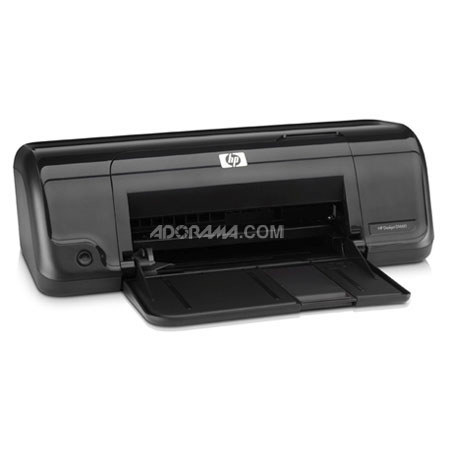
Print confidently and get HP reliability and performance with the HP Deskjet D1660 Color Inkjet Printer. The simple design gives you only the features you need and want to pay for, while conveniently designed to fit in small places or wherever you need it.
Get up to three times more black pages and two and a half times more color pages using optional high capacity cartridges, plus the improved design places the cartridge in the center of printer for easy access. The HP Deskjet D1660 is ENERGY STAR qualified recognized for energy efficiency which will save you money while helping to reduce environmental impact.
It features a paper saving printing option that lets you print multiple pages onto each side of the paper helping to reduce environmental impact and save you money. And it only features one button, the Power button, for easy printing.