Overview
Compare
Accessories
Specs
Protection

Reviews about this item

Review Summary

2019-08-30T20:00:00

Rated 1 out of 5

What happened to the LaserJet?

I wanted to wait a little while before posting this review, but I have had it! This thing is a piece of junk! What happened to the LaserJet i used to know?? This printer is really a disappointment. We print a lot of labels for our business and it just doesn't do the job. The picture are too dark, the pictures smear a lot and I am getting streaks at least once a week. The cleaning cycle and I are nearly best friends. I have done a lot of reading on the HP Help page and things are not getting better. Hopefully someone reads this and gets in touch as there is much more to this story. Sadly I have to say stay away from these color printers!

JaxStraw63

2019-07-07T20:00:00

Rated 5 out of 5

Outstanding

As usual, I am not disappointed in purchasing a HP printer. For the past 20 years all of my printers have been HP, and I wii not purchase any other.

ciko22

2019-07-07T20:00:00

Rated 5 out of 5

Works every time!

This printer is better than the one I had at work! It’s huge—but I love it. Previous printers dropped off the WiFi. This one never does. It was easy to install on my desktop— and my laptop and iPhone had no problems with it either. I am so happy with my purchase. Oh and it’s fast, too!

Benga

2019-07-07T20:00:00

Rated 5 out of 5

Works every time!

This printer is better than the one I had at work! It's huge-but I love it. Previous printers dropped off the WiFi. This one never does. It was easy to install on my desktop- and my laptop and iPhone had no problems with it either. I am so happy with my purchase. Oh and it's fast, too!

bgpo

2019-01-27T08:51:34

Rated 4 out of 5

HP wireless laser printer

It tends to print darker than the image, but HP keeps up with Microsoft upgrades which is +++. I'll not lose this printer to changes to the operating system.

WENDY E.

2018-12-18T13:35:10

Rated 5 out of 5

Love it so far

I may be bias because my old printer was a nightmare, and this one is a dream by comparison. It came timely, and I set it up easily on two computers and my phone. So far I love it!

DEBORAH B.

2018-10-31T20:00:00

Rated 5 out of 5

Yay!

I can print directly from my phone, in color, without having to worry about drying out ink cartridges.

AARPcustomer311

2018-10-10T20:00:00

Rated 3 out of 5

Excellent Printing Quality...But

I am very impressed with the print quality of this printer. However I have had several problems with the printer. The driver has needed to be replaced quite a few times since I purchased it less than 6 months ago. This printer uses a ton of ink and the cartridges are very expensive. If all you want to do is print a few documents daily, I highly recommend this printer. If you want to print in bulk or print anything other than paper documents (ie -labels, stickers, etc) this printer is not worth the time and/or money.

USAFS

2018-06-22T20:00:00

Rated 5 out of 5

Great features

Easy set up, user friendly , hooked up to WiFi was easy monitor for toner was easy to look at

NEBIL t.

2018-02-05T19:00:00

Rated 5 out of 5

Great machine

needed to updated and this one did it all for me - good price - nice features and love the air print!

Dutchchic

2017-05-29T20:00:00

Rated 3 out of 5

Not Reliable

Had troubles with nvram on a consistent basis after about 8 months of owning product, contacted support, followed their troubleshooting steps, printer worked for a few more months, then out of warranty

crbishop3

2017-04-09T20:00:00

Rated 2 out of 5

Not compatible with Microsoft Publisher 2013

I unfortunately spent 2 hours with an HP tech trying to get the printer to print correctly. I use Microsoft Publisher to print different types of documents. I was getting blotches on the pages and my borders were being cut off when trying to print. Had no trouble for 3 years with my Laserjet 400. The tech tried 3 different print drivers and each one created a different problem. The tech said that the Laserjet 452 has a problem picking up the formatting in Microsoft Publisher 2013. I am returning the printer with no solution.

Barbhp63

2016-10-27T20:00:00

Rated 5 out of 5

This printer is perfect for business checks

I bought this laser printer to work with my Quickbooks accounting system and print all of my business checks. It is working perfectly and I love the part that I can print out color spreadsheets to watch our accounting history.

Theresa777

2016-07-07T20:00:00

Rated 1 out of 5

INK HOG!!

The quality of print is very good, however, this printer goes through ink cartridges every 6 weeks...NO WAY these cartridges produce 2300 pages per cartridge as this site states. Now the black cartridge is on back order? Probably because it needs to be replaced so frequently; it's hard for HP to keep up with supply & demand. I would NOT recommend purchasing this printer...the price to purchase the unit is good....the upkeep of for the INK is NOT worth it. HP used to produce quality printers but the last 3 I've purchased have been a huge disappointment!!

TBECC

2016-05-11T20:00:00

Rated 5 out of 5

Great color printer, awesome features

This printer makes an awesome job at it and the cartridges last a lot! Enven the included ones are: K: 2100 pages CMY: 1100 pages rated (YMMV ;) This makes this printer my choice for work with planner stickers! I really sponsor this printer with anyone I encounter. The experience is awesome, feels and looks as a premium product. Keep it up HP! :D

DJIsm

2016-05-09T20:00:00

Rated 3 out of 5

Don't buy if using legal paper

I bought the extra tray hoping that I could use one of the trays for legal paper, but the drawer sticks out 2 inch in front of the printer. Very bad to have the tray sticking out of the front. You can't close the drawer all the way.

Rosebud12

2016-03-20T20:00:00

Rated 5 out of 5

This is the finest printer I've ever owned.

The set up was incredibly easy (Windows 7 enterprise). This printer is FAST, and the color beats the enterprise printers we have in our office. The two-sided manual duplex printing is very easy as well. This is simply the best printer I've ever owned and the price is unbeatable.

DDRCHICAGO

Select a plan in the Add Protection section above and purchase with this product by clicking “Add to Cart”.

image-protection

TRUSTED PROTECTION PLANS, EXCEPTIONAL SERVICE.

Invest In Your Gear and Peace Of Mind!

Accidents happen where life happens. Protect your favorite Adorama products and purchase a protection plan to stay covered from accidental damage, mechanical or electrical failure, and more.

Repair or Replacement

Repair or Replacement

If we can’t fix it, we’ll replace it at no additional cost.

Accidental Damage

Accidental Damage

Protect your product from drops, spills, and more.

Peace of Mind

Peace of Mind

Enjoy your gear without fear. We have you covered!

Malfunction Protection

Malfunction Protection

When regular use of your product over time results in mechanical or electrical failure.

Zero Deductible

Zero Deductible

We will never charge you a deductible after the purchase of a plan.

Customer-Focused Support

Customer-Focused Support

Our claims process is simple & easy and our customer service team is happy to help.

Adorama Protect powered by Extend is available for purchase to customers in the United States. Not available for purchase Internationally or in U.S. Territories.

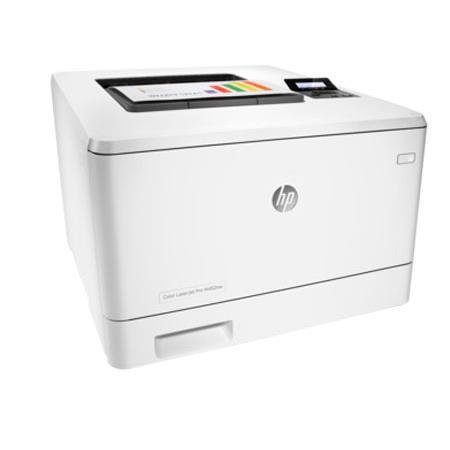
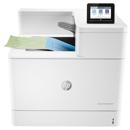
HP M452nw Specifications

  • Print speed

    Black/Color:
    Normal: Up to 28 ppm

  • First page out (ready)

    Black: As fast as 8.9 sec
    Color: As fast as 9.5 sec

  • Print quality

    Black / Color (best): 600 x 600 dpi, Up to 38,400 x 600 enhanced dpi

  • Duty cycle (monthly, A4)

    Up to 50,000 pages

  • Recommended monthly page volume

    750 to 4,000

  • Print technology

    Laser

  • Processor speed

    1200 MHz

  • Print languages

    HP PCL 6, HP PCL 5c, HP postscript level 3 emulation, PDF, URF, PCLm, Native Office, PWG Raster

  • Display

    2-line backlit LCD graphic display

  • Replacement cartridges 1

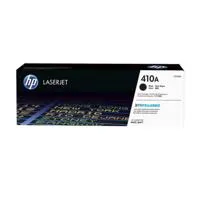
    HP 410A Black LaserJet Toner Cartridge (Approx. 2300 pages) CF410A
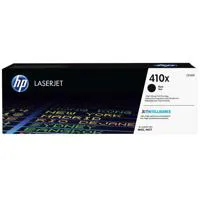
    HP 410X Black LaserJet Toner Cartridge (Approx. 6500 pages) CF410X
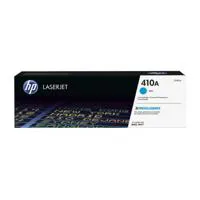
    HP 410A Cyan LaserJet Toner Cartridge (Approx. 2300 pages) CF411A
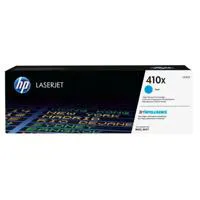
    HP 410X Cyan LaserJet Toner Cartridge (Approx. 5000 pages) CF411X

  • Replacement cartridges 2

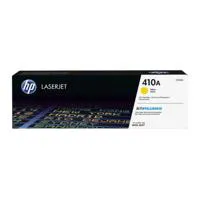
    HP 410A Yellow LaserJet Toner Cartridge (Approx. 2300 pages) CF412A
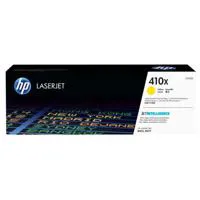
    HP 410X Yellow LaserJet Toner Cartridge (Approx. 5000 pages) CF412X
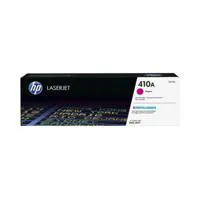
    HP 410A Magenta LaserJet Toner Cartridge (Approx. 2300 pages) CF413A
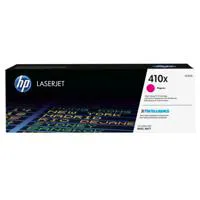
    HP 410X Magenta LaserJet Toner Cartridge (Approx. 5000 pages) CF413X

  • HP ePrint capability

    Yes

  • Mobile printing capability

    HP ePrint
    Apple AirPrint
    Wireless Direct Printing
    Mopria-certified
    Google Cloud Print 2.0
    Mobile Apps

  • Wireless capability

    Yes, Built-in Wi-Fi
    Authentication via WEP, WPA/WPA2, WPA Enterprise
    Encryption via AES or TKIP
    WPS
    Wi-Fi Direct Printing

  • Connectivity, standard

    Hi-Speed USB 2.0 port
    Built-in Gigabit Ethernet 10/100/1000 Base-TX network port
    Easy-access USB

  • Network ready

    Standard (built-in Ethernet, Wi-Fi)

  • Minimum system requirements

    Windows XP (SP2) (32-bit) or newer
    233 MHz processer or higher
    512MB RAM
    400MB available hard disk space
    CD-ROM or Internet
    USB or Network connection
    Mac OS X v 10.7 or newer
    Internet
    USB or Network connection
    1GB available hard disk space

  • Compatible operating systems 1

    Windows OS compatible with In-Box Driver:
    Windows XP SP3 all 32-bit editions (XP Home, XP Pro, etc.)
    Windows Vista all 32-bit editions (Home Basic, Premium, Professional, etc.)
    Windows 7 all 32- & 64-bit editions
    Windows 8/8.1 all 32- & 64-bit editions (excluding RT OS for Tablets)
    Windows 10 all 32- & 64-bit editions (excluding RT OS for Tablets)

  • Compatible operating systems 2

    Windows OS compatible with Universal Print Driver:
    Windows XP SP3 32- & 64-bit editions (XP Home, XP Pro, etc.)
    Windows Vista all 32- & 64-bit editions (Home Basic, Premium, Professional, etc.)
    Windows 7 all 32- & 64-bit editions
    Windows 8/8.1 all 32- & 64-bit editions (excluding RT OS for Tablets)
    Windows 10 all 32- & 64-bit editions (excluding RT OS for Tablets)

  • Compatible operating systems 3

    Mac OS:
    OS X 10.7 Lion
    OS X 10.8 Mountain Lion
    OS X 10.9 Mavericks
    OS X 10.10 Yosemite
    Mobile OS (In-OS drivers): iOS, Android, Windows 8/8.1/10 RT
    Linux OS (In-OS HPLIP)
    SUSE Linux (12.2, 12.3, 13.1)
    Fedora (17, 18, 19, 20)
    Linux Mint (13, 14, 15, 16, 17)
    Boss (3.0, 5.0)
    Ubuntu (10.04, 11.10, 12.04, 12.10, 13.04, 13.10, 14.04, 14.10)
    Debian (6.0.x, 7.x)
    Other OS: UNIX

  • Memory

    Standard / Maximum: 256MB NAND Flash, 128MB DRAM

  • Paper handling input, standard

    50-sheet multipurpose tray
    250-sheet input tray

  • Paper handling input, optional

    Optional 550-sheet tray

  • Paper handling output, standard

    150-sheet output bin

  • Output capacity

    Up to 150 sheets

  • Duplex printing

    Manual (driver support provided)

  • Media sizes supported

    Tray 1, Tray 2: Letter, legal, executive, Oficio (8.5 x 13" / 215.90 x 330.20mm), 3 x 5" / 76.20 x 127.00mm, 4 x 6" / 101.60 x 152.40mm, 5 x 8" / 127.00 x 203.20mm, envelopes (No 10, Monarch)
    Optional Tray 3: Letter, legal, executive, Oficio (8.5 x 13" / 215.90 x 330.20mm), 3 x 5" / 76.20 x 127.00mm, 4 x 6" / 101.60 x 152.40mm, 5 x 8" / 127.00 x 203.20mm
    Automatic duplexer: Letter, legal, executive, Oficio (8.5 x 13" / 215.90 x 330.20mm)

  • Media sizes, custom

    Tray 1: 3 x 5 to 8.5 x 14" / 76.20 x 127.00 to 215.90mm x 355.60mm
    Tray 2, optional Tray 3: 3.94 x 5.83 to 8.5 x 14"/ 100.08 x 148.08 to 215.90mm x 355.60mm

  • Media types

    Paper (bond, brochure, colored, glossy, letterhead, photo, plain, preprinted, prepunched, recycled, rough), postcards, labels, envelopes

  • Media weight, supported

    Tray 1: 16 to 47 lb (up to 52 lb with HP Color laser glossy photo papers); Tray 2: 16 to 43 lb (up to 47 lb with postcards, up to 52 lb with HP Color laser glossy photo papers); optional Tray 3: 16 to 43 lb (up to 47 lb with postcards, up to 40 lb with HP Color laser glossy photo papers); Automatic duplexer: 16 to 43 lb

  • Power

    110-volt input voltage: 110 to 127 VAC (+/- 10%), 60 Hz (+/- 3 Hz)
    220-volt input voltage: 220 to 240 VAC (+/- 10%), 50 Hz (+/- 3 Hz) (Not dual voltage, power supply varies by part number with # Option code identifier)

  • Power consumption

    570W (Active Printing)
    17.6W (Ready)
    2.4W (Sleep)
    0.6W (Auto-On/Auto-Off, via USB connectivity)
    0.05W (Shutdown or Off)

  • Operating temperature range

    15 to 30 deg. C / 59 to 86 deg. F

  • Operating humidity range

    20 to 70% RH (non-condensing)

  • Acoustic power emissions (ready)

    4.8 B(A)

  • Acoustic pressure emissions bystander

    49 dB(A) (active, printing)

  • Dimensions (W x D x H)

    Minimum: 16.2 x 17.8 x 11.6" / 411.48 x 452.12 x 294.64mm
    Maximum: 16.2 x 24.9 x 11.6" / 411.48 x 632.46 x 294.64mm

  • Weight

    38.6lbs / 17.51kg

  • UPC Code

    888793383001

14 Accessories for HP LaserJet Pro M452nw Wireless Color Laser Printer, Up to 28 ppm Black/Color, 600x600 dpi, 300 Sheet Standard Paper Capacity

  • All Accessories (14)
  • Cables & Adapters (3)
  • Cleaning Accessories (1)
  • Ink & Toner (4)
  • Toner Cartridge (4)
  • Legacy Paper (1)
  • Copy Paper (1)

About HP M452nw

FEATURED REVIEWS

This is the finest printer I've ever owned.

By DDRCHICAGO

The set up was incredibly easy (Windows 7 enterprise). This printer is FAST, and the color beats the enterprise printers we have in our office. The two-sided manual duplex printing is very easy as well. This is simply the best printer I've ever owned and the price is unbeatable.

This printer is perfect for business checks

By Theresa777

I bought this laser printer to work with my Quickbooks accounting system and print all of my business checks. It is working perfectly and I love the part that I can print out color spreadsheets to watch our accounting history.

Ideal printing performance and robust security for how you work. This capable color printer finishes jobs faster and delivers comprehensive security to guard against threats. Original HP Toner cartridges with JetIntelligence produce more pages.

Fast printing. Strong protection
• Grab pages and go - without waiting around. This printer wakes up and prints faster than the competition
• Keep printing safe from boot up to shutdown with security features that guard against complex threats

More. Pages, Performance and Protection
• Get the most prints for your money - with Original HP High Yield Color Toner cartridges with JetIntelligence
• Count on professional quality at high speeds with HP ColorSphere 3 toner
• Help ensure you're getting the authentic HP quality you paid for with innovative anti-fraud technology
• Print right away with preinstalled toner cartridges. Replace them with optional high-yield cartridges

Easy management. Efficient printing
• Easily manage tasks directly at the device. The 2-line LCD display is simple to read and operate
• Set up this printer fast and easily manage device settings to help increase overall printing efficiency
• Easily manage devices and settings using HP Web Jetadmin with a suite of essential management features
• Print using less energy than competitors-enhanced by Original HP Toner cartridges with JetIntelligence

Stay connected with easy mobile printing options
• Easily print from a variety of smartphones and tablets-generally no setup or apps required
• Count on wireless direct printing in the office-from mobile devices-without accessing the company network
• Easily access, print and share resources with Ethernet and wireless networking

What's in the box:

  • HP LaserJet Pro M452nw Wireless Color Laser Printer
  • 4x Preinstalled Introductory HP 410A LaserJet Toner Cartridges Black (Approx. 1200 Pages)
  • Cyan (Approx. 1200 Pages)
  • Magenta (Approx. 1200 Pages)
  • Yellow (Approx. 1200 Pages)
  • In-Box Documentation (Getting Started Guide; Install Poster)
  • Software Drivers and Documentation on CD-ROM
  • Power Cord
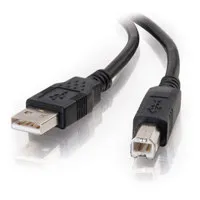
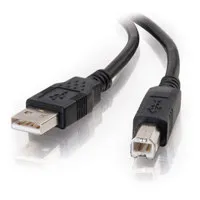
  • USB Cable
  • HP 1 Year Bench Repair Limited Warranty