2012-04-15T21:00:00
Rated 5 out of 5
Great Card!
Awesome product. Get my image as I expected.
TRULY W.
2012-02-26T19:00:00
Rated 5 out of 5
Works as expected. No problems.
Works fine. No problems.
RANDAL K.
2012-01-04T19:00:00
Rated 5 out of 5
Great Product
Video weddings, special events
joemdg5
2012-01-01T19:00:00
Rated 5 out of 5
Works as expected
Black and gold color is as good as it gets.
Wendi
2011-11-20T19:00:00
Rated 5 out of 5
Best SD Card ever.
I'm starting a visual investigation project in my university with my colleagues. Bought this item for its reliability, so far has surpassed all my expectations. The best feature is its high speed writing, I would recommend it to anyone who's starting in photography.
Eduardo R.
2011-11-13T19:00:00
Rated 5 out of 5
Best SD ever...
Really good product...
Eduardo R.
2011-11-08T19:00:00
Rated 5 out of 5
Super Fast SDHC Card
Recieved free download for Image Rescue 4 too!
chief
2011-09-22T21:00:00
Rated 5 out of 5
Fast and reliable SD card
Got 2 of those, and extremely happy with them.
Great for a full day taking pictures! A must have to any traveller!
Thibault R.
2011-09-03T21:00:00
Rated 5 out of 5
I would buy this product again and again
I use it for recording videos and it great, I love it. It is easy to use and comes handy when I need it most.
kathy
2011-09-03T21:00:00
Rated 4 out of 5
Very good choice
I bought the card for my EOS 60D and was very pleased with the performance and features to value ratio. Can't go wrong with it.
Mutriu
2011-07-04T21:00:00
Rated 1 out of 5
not working at 44mbps
cannot sustain a 44mpbs stream, my old sandisk extreme class6 had no problem at this speed : don't buy lexar
amanieux
2011-03-26T21:00:00
Rated 3 out of 5
Not as fast as older slower rated card
I tested this card with a raw burst until the buffer filled (16 to 17 shots) in my new Canon 60D DSLR and compared to other cards. Here are the times from shutter press until all data was written to the card:
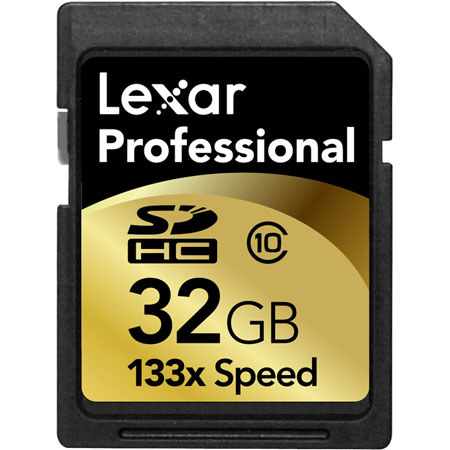
Lexar Professional 133x class 10 32GB (this card): 30 sec.
SanDisk Ultra II 15MB/s class 4 4GB: 21 sec.
An old PQI 150x 512MB card and a <1 year old RiData Lightning class 10 16GB were both faster, about the same as the SanDisk. A Panasonic class 4 2GB card was slower, about 40 sec.
All cards were low level formatted and tested at least four times each.
Fast R.
2011-03-25T21:00:00
Rated 5 out of 5
Fast works on Canon 60d movie mode
Bought this SD card. Previous card was not fast enough and would shut down during movie mode on my Canon 60D. The Lexar Professional worked with out error.
KDH
2011-03-12T19:00:00
Rated 4 out of 5
Good cards so far!
After researching SDHC cards for my D7000, I decided to try the Lexar 32 gig cards. I am using two of them- one being used as a backup.
Even though I've only had the cards for a month, I've put well over 2,000 raw images (plus a few HD video clips) on them without any hiccups or problems.
Speed-wise, I chose the Lexars because they were supposedly one of the fastest-writing SDHC cards on the market. The cards are indeed fast when shooting JPEGs or compressed raw files, but they have a tough time when shooting uncompressed, 14 bit raw files at 6 fps- this problem has only been encountered twice, though, and are very extreme instances that would probably challenge any SD card.
Value-wise, I feel the cards were a great deal, especially when one considers the capacity, reliability, and speed of them.
Tony