QPcard Colorkit 1, Color Accuracy Solution for Digital Photographs.
SKU: IMQPK
This item is no longer available.
Share:
Overview
Compare
Learn
Specs
Protection
About QPcard Colorkit 1, Color Accuracy Solution for Digital Photographs. #GQP251
Digital cameras, like film cameras, have problems with color accuracy. The good news is that now there is a solution for accurate color from digital cameras, QP Colorkit 1.
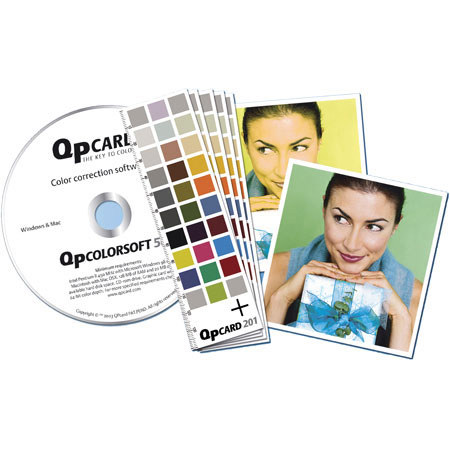
The QP ColorKit makes balancing mixed lighting conditions simple! The QP 201 color swatches included in the QP ColorKit give the software a specific color reference by which to automatically balance your digital shots. The QP Colorkit is very easy to use and includes: 5x self-adhesive QP201 Colour Swatch Cards and a QP colorsoft 501 color correction Software CD (for Windows or Mac OSX).
The QPcard 201 is used with the software in QPcolorkit 1. The QPcard 201 is a 5-1/2" x 1-5/8" (142mm x 40mm) cardboard card with 30 color, gray, black & white patches. Four of these, in the corners, are standard 18% gray tone to help the software check the evenness of the incoming light. There are five gray shades between black and white, and 20 different colors.
When taking one picture or a series of pictures under the same lighting conditions, simply start by first taking a picture of QPcard 201. Load all your pictures into your computer and use the QPcolorsoft 501 software for instant automatic color correction. You can easily create personal color correction profiles for specific lighting with a specific camera. Just load all the pictures taken with your camera into your computer and batch process them utilizing your personal profile.
When you take an ordinary family picture or similar, simply shoot your picture capturing a QPcard 201 card into part of the frame. By taking the rest of the pictures under the same lighting conditions and loading all your pictures into your computer & running the QPcolorsoft 501 software, instant color correction is all yours!