Software & Tutorials
Photo & Graphics Software
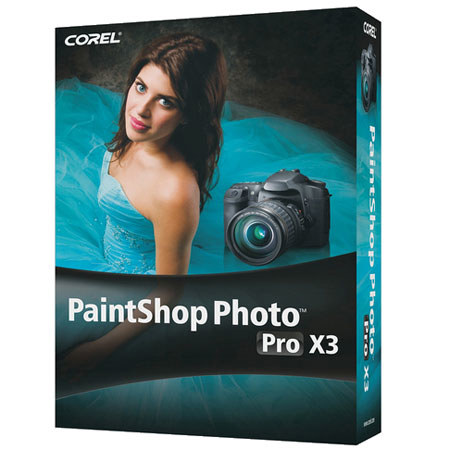
Corel Paintshop Photo Pro X3 Photo Editing Software
Corel

Corel Paintshop Photo Pro X3 Photo Editing Software

SKU: ISWCPSPX3 MFR: PSPPRX3ENMB
We ran out of this Item Temporarily. Please note: You can order this now and have us ship it as soon as it arrives. We will not charge your card for any backordered items, until it is ready to actually ship.
Why Adorama?
Easy Returns, Fast Shipping, Trusted for over 35 years.

Need help? Call 800-223-2500 / 212-741-0052

Our Price

$49.95
Free shipping
Qty:

Add to Wishlist

About this item

PaintShop Photo Pro X3 is the most rewarding way to enhance your photos and create professional-looking images. Now with a complete RAW workflow, this photo-editing software lets you manage, adjust, edit and share your digital photos-all in one place. Accelerate the way you organize, rate, tag and sort with new photo management tools. Make automatic fixes in the enhanced Express Lab or go deep with a full set of advanced photo-editing tools. Then upload to Flickr, Facebook and YouTube, create high-quality photo books and projects, print, email or back up photos on disc. It's your entire photo workflow in one high-performance package.

Key Features

  • Photo Organizer: Customize your digital workflow with new photo management capabilities. Use multiple views, including thumbnails and image previews, to quickly select photos.
  • RAW Lab, Image Quality and Control: Make RAW adjustments during the loading process and work with even more RAW camera formats - faster than ever before.
  • Easy Batch Processing: Make adjustments to one photo, then easily apply the same changes to multiple other photos right in the enhanced Organizer.
  • Speed and Performance: Get more speed and editing horsepower with more multi-threading support for multi-core processors.
  • Express Lab: Apply common edits in just one click. Remove noise, sharpen images and quickly adjust contrast, local tone mapping and more.
  • Smart Carver: Seamlessly remove objects from an image with professional quality. The Smart Carver also lets you expand or contract objects without distortion.
  • Vibrancy: Boost color in the least saturated areas of a photo without affecting the rest of the image.
  • Object Extractor: The integrated Object Extractor isolates an object - even challenging cases such as flyaway hair and fuzzy pet fur - so it can be copied to a new background or a new background can be pasted behind it.
  • On-Image Text Editing: With the updated text engine, it's easier, faster and more natural to apply text to an image. Adjust font, color, placement, position, size and wrapping of the text in context of the image. Reselect the text on the image and continue typing, or apply text on a path.
  • HD Video Slideshows: As an increasing number of DSLR cameras capture HD video, PaintShop Photo Pro now offers tools that let you combine photo and video projects. Create HD slideshows and movies of your photos and videos, all with the same tool.
  • Windows 7 Compatibility: PaintShop Photo Pro X3 is fully compatible with Windows 7, as well as Windows XP and Windows Vista. Take advantage of new Windows 7 speed and performance to experience a whole new level of creativity.
  • Corel Painter Photo Essentials 4: This fun program lets you turn a photo into a unique work of art in just 3 easy steps
  • KPT Plug-in Filters: A natural addition to your photo-editing program, KPT plug-in filters help you quickly create remarkable image transformations and original effects. PaintShop Photo Pro X3 includes KPT Goo, KPT LensFlare, KPT Projector and KPT Equalizer.
  • Easy Photo Sharing: Quickly share photos and videos directly on Flickr, Facebook and YouTube. You can also email, print at home or order prints online.
  • Built-in Photo Projects: Using the new Project Creator, its fast and simple to make great-looking photo books, HD slideshows, collages, cards and more.
  • Learning Center: The award-winning Learning Center empowers anyone to harness the power of advanced photo editing, regardless of your previous software experience.
  • Makeover Tools: Make sure the people in your photos look their best with tools that are fun and easy to use. Help your subjects look thinner in seconds, whiten bloodshot eyes, smooth wrinkles, paint on a tan and remove blemishes.
  • Remove Digital Camera Noise: Remove "noise" artifacts that interfere with the clarity of your digital image - faster than ever! One-Step Noise Removal smoothes photos with a single click. Digital Camera Noise Removal gives you precise control over how these corrections are applied.
  • Layer Styles: Easily apply artistic effects to individual layers, such as drop shadows, embossing and reflections.

Technical Specs

System Requirements Microsoft Windows 7, Windows Vista or Windows XP with latest service packs installed (32-bit or 64-bit editions)
1.5 GHz processor (2 GHz or higher recommended)
1 GB of RAM (2 GB or higher recommended)
3 GB of free hard drive space
Minimum display resolution: 1024 x 768 (24-bit color)
Windows-compatible DVD-ROM drive for installation
Internet connection required for online features