onOne

Adorama

Our Price

$99.95
Quantity:

Need Help? Call Our Experts!

800-223-2500 / 212-741-0052

Hours of operation

Item Includes Description Features Specifications

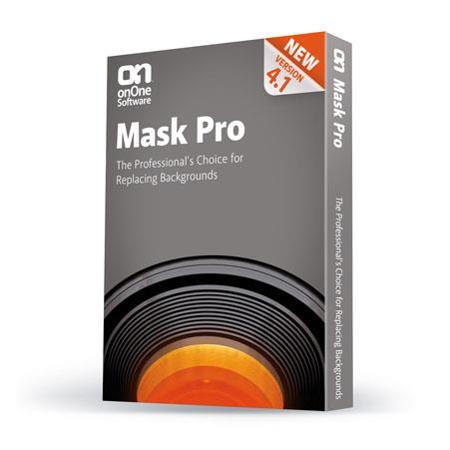
onOne Mask Pro 4.1, Plug-in Masking Software for Windows and Macintosh, Full Version.,onOne plug-ins now compatible with Photoshop CS5 include

Mfr. Part: MPR40211     SKU: ISWOMP4

onOne Mask Pro 4.1, Plug-in Masking Software for Windows and Macintosh, Full Version.,onOne plug-ins now compatible with Photoshop CS5 include
enlarge image

Free Shipping view details

Product Rating
(2 Ratings)
32

Description

Mask Pro 4 provides a complete collection of Photoshop plug-in tools that allow users the unprecedented flexibility of tackling the most challenging masking job. This version focuses on teaching the user how to best use each comprehensive toolset for masking a wide range of images. Mask Pro 4 provides support for Wacom Pen Tablets including pressure sensitivity. If a user presses hard with their pen, they will get a hard edge to their mask. If they press lightly, they will get a soft, subtle edge to their mask.

Mask Pro 4 uses the concept of "keep colors" and "drop colors" chosen by the user and then based on user selections, the Mask Pro algorithm will remove only the selected colors from an image. When a "drop color" is found in another pixel, Mask Pro will remove only that color value from the pixel, leaving that pixel semi-transparent. This allows Mask Pro to minimize the edge halo effect often seen when masking a transparent object or edge.

Users can now have multiple navigator windows open, each showing a different view from the original unmasked imaged, the masked image against a solid color background, the masked images above the new background, black and white mask, and even the exclusive clean-up mask view. Additional refinements like seeing numerical values in tool palettes, auto-scrolling when the edge of the image is hit, a hot-key to constrain the pen tool to 45 degree angles and enforcing highlighted zones all make Mask Pro more functional for power users and easier to learn for novices.
Features

Built-in video tutorials and tips: Each tool palette now has built-in tips for using the tool as well as built-in video tutorials. This makes it easier for users to find the information that they need when they need it.
Wacom tablet support: Users will now be able to take advantage of pressure sensitivity with brush tools to easily vary the hardness (sharpness) of the masks edge.
Keep/Drop detail palette: The Keep/Drop detail palette lets users see the exact colors that are being selected with both eye-droppers and highlighter tools. This makes it easier to see if the user has selected the wrong color on accident; or if the user has the same color in both keep and drop areas.
Improved navigator windows: Users can now have multiple navigator windows open, each showing a different view from the original unmasked imaged, the masked image against a sold color background, the masked images above the new background, black and white mask, even the exclusive clean-up mask view.
Additional refinements like seeing numerical values in tool palettes, auto-scrolling when the edge of the image is hit, a hot-key to constrain the pen tool to 45 degree angles and enforcing highlighted zones all make Mask Pro more functional for power users and easier to learn for novices.
NEW Built-in video tutorials and tips for each tool.
NEW Support for pressure-sensitive Wacom drawing tablets.
NEW Keep/Drop detail palette for precise color selections and control.
Improved navigator windows let you see your mask and composite while you work, in realtime.
Auto-scrolling when you approach the edge of the screen so you don't have to switch tools or reposition the image manually.
Numeric values in tool palettes for consistent feedback.
Pen tool can now be constrained to 45 degree angles for easy masking of geometric shapes.
Touch-up tools now respect areas defined by Keep/Drop highlighters.
Clear Keep or Drop palettes with a simple click.
Easily toggle between Keep and Drop eye droppers with a hot-key.

Specifications

Min Operating SystemWindows: Microsoft Windows XP (Home or Professional)
Macintosh: Apple Mac OS X 10.4.4 or higher.
Memory512mb.
Software RequiredWindows: Photoshop Elements 4 or higher, Photoshop CS2
Macintosh: Photoshop Elements 3 or higher, Photoshop CS2.