onOne

Adorama

Our Price

$49.95
Quantity:

Need Help? Call Our Experts!

800-223-2500 / 212-741-0052

Hours of operation

Item Includes Description Features Specifications

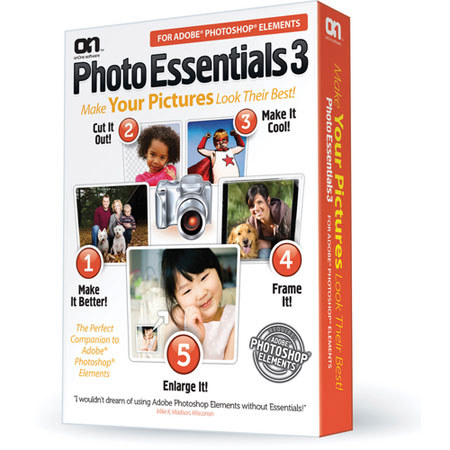
onOne PhotoEssentials for Adobe Photoshop Elements 3, Full Standard Plug-in Version Software, Compatible with Macintosh & Windows

Mfr. Part: PEXE30101     SKU: ISWOPEE3

onOne PhotoEssentials for Adobe Photoshop Elements 3, Full Standard Plug-in Version Software, Compatible with Macintosh & Windows
enlarge image

Free Shipping view details

Product Rating Write a Review

Description

The PhotoEssentials 3 Software Plug-in for Adobe Photoshop Elements from onOne Software is a plug-in application for use with Adobe Photoshop Elements versions 6 and 8 for Mac and versions 6, 7 and 8 for Windows. The software features tools that can be used to enhance your Photoshop workflow and create professional-quality images.

The easy-to-use Make It Better tool can be used to enhance the color, brightness and contrast of your images. You can use the Cut It Out tool to remove backgrounds from photos. The software's Make It Cool module features effects that can make your photos stand out in the crowd. The Frame It module allows you to add edge and border effects to images. Finally, the Enlarge It module allows you to print large-format enlargements of your photos without losing detail.

Features

If you have ever been to the eye doctor you already know how to use Make It Better. Simply compare color, contrast and brightness adjustments side-by-side and pick the best looking results to adjust your image
Corrects the brightness and contrast instantly, bringing all the detail alive, even images that you would consider too dark
Rather than cryptic sliders, you simply answer a series of visual questions to pick the best settings
Make professional image adjustments without the need to understand the complex image controls of Photoshop Elements
The Cut it Out module's intuitive set of tools makes it easy to paint away an unwanted background leaving your subject to be placed onto a new background
Cut it Out maintains all of the small details such as hair, smoke, glass and netting
Unique color decontamination technology can paint away unwanted colors through semi-transparent subjects so they blend naturally with a new background
New in Photo Essentials 3 is the Make It Cool module. It brings you a library of professional looking effects that you can add to your image in one click. Want to convert your image to powerful black and white like Ansel Adams, or an impressionist painting? With Make It Cool you can do it instantly
Includes over 40 effects to simulate classic film, filter and darkroom techniques like sepia toning and cross processing
Give your image the modern look of HDR without the complexity of multiple shots
Stack multiple effects on top of each other to mix and match and create your own unique effects that you can save and share with your friends
Frame It gives you the perfect finishing touch to your images. Now it is easy to add realistic film and darkroom edge and border effects to your images.
But why stop at the darkroom, you can add artistic edges like torn paper, brush strokes, magazine covers, or greeting cards, even realistic frames and mats you would hang on the walls. The creative possibilities are limitless with Frame It
Stack multiple frames to create your own unique look
Packed with hundreds edges and frames to choose from
Powerful built-in browser which allows you to see multiple frames and then preview them side-by-side on your image to see which one looks the best
Now with Enlarge It you can increase image size without the loss of sharpness and detail that you would normally expect. The Enlarge It module can resize your images up to four times and still maintain sharp edges and small details
It is a must for any photo enthusiast who makes poster prints or needs to crop a section out of an image to get just the right composition
Great for printing images from camera phones and even digital video camera still frames
Create giant tiled mural mosaics that you can print on your home printer

Specifications

Computer1.8GHz G5 or Intel Mac; 1.8GHz Pentium 4
Operating SystemMac OS X 10.4.11, 10.5.7, 10.6; Windows XP, Vista, 7
Memory2GB
Hard Drive1GB
DisplayOpenGL 1.5-capable video card with 256MB VRAM at 1024 x 768 or higher
SoftwareAdobe Photoshop Elements 6, 8 (Mac); Adobe Photoshop Elements 6, 7, 8 (Windows); Adobe Flash Player 10Internet connection required for activation, auto update checking and tutorial movies
LanguagesEnglish