2022-07-07T20:00:00
Rated 5 out of 5
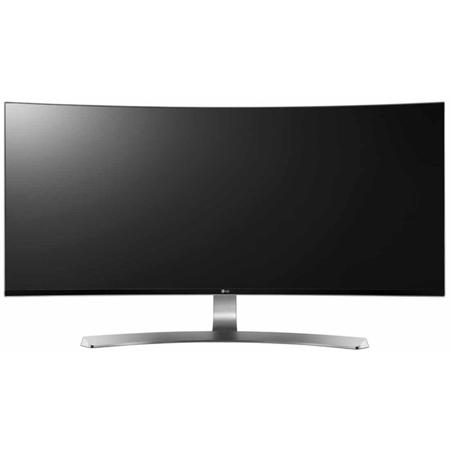
Best Curved 34"
This monitor has far surpassed expectations. At first I was wondering if curved displays was a gimmick. But after using it I realize it greatly adds to the experience of watching movies or just getting work done
Moses K.
Originally posted at

2020-12-11T19:00:00
Rated 5 out of 5
Better than I anticipated
I have now had my 34UC98-W for 7 months and have not had one problem. I did read several of the onsite reviews and many that were independent sources and some were totally positive, others so so. Many said that black pixels developed on the screen. I purchased the monitor more for work than gaming, which i suppose for gaming if you push the monitor, you may get black pixels. Mine is mostly for photography, which the colors are so very close to the actual pictures I take, thus no complaints. I do play a few games once in a while and the refresh rate has kept up with the game. No issues. Some reviews said that the base was wobbly. I suppose it could be, if you're losing the game and hitting the table with all your might it would wobble. Mine is solid. My desk is oak and is wide, so I am able to have the monitor back about 36" from where I sit and type and I am able to see everything quite well. Do so love the split screens abilities, as I can run a few programs at once. Would I recommend this monitor, OH YEAH!!
photoguy
Originally posted at
2020-03-24T20:00:00
I bought this a while ago and I'm so happy I did!!!
Andrew95650
Originally posted at
2020-01-12T19:00:00
Rated 5 out of 5
Smooth and Crisp
We had another ultrawide LG and decided to try this one as our experience with one of the Samsung Ultrawide monitors wasn't as simple. The included software makes screen splitting a breeze for our staff. No need for technical support. When combined with the laptop monitor, our admin staff is much, much happier as they can spread the CRM page, and accounting program on the LG and then have either outlook, file explorer, or the browser on the laptop... makes life much simpler for all. The included USB-C charging port seals the deal as it keeps the personal cell phones also attached in one crisp package. The stand is also very functional as it is sturdy, allows for height and angle adjustments and projects a crisp white façade when customers and clients enter the office area.
Johnb99
Originally posted at
2020-01-02T19:00:00
Rated 5 out of 5
Great Monitor
I am happy that I bought this LG monitor - It is perfect for my needs
ForwardOb
Originally posted at
2019-12-12T19:00:00
Rated 5 out of 5
Great monitor!
This monitor exceeded my expectations and is wonderful for software development! It has a gorgeous IPS screen with plenty of space for all my open windows. The only downside is when the monitor is in standby, a light flashes every second below the screen. Other than that this monitor is awesome!
Cer47
Originally posted at
2019-10-04T20:00:00
Rated 5 out of 5
Curved Beauty!
Could not be happier with this monitor. So much room for activities. Images and, the web, movies, all look amazing. Could not be happier.
jimbo50
Originally posted at
2019-06-08T20:00:00
Rated 5 out of 5
Double duty
Bought this for my wife's new Macbook Pro, but my son has been using it on his PC gaming system too. Both love it!
Shihanmark
Originally posted at
2018-11-03T20:00:00
Rated 5 out of 5
Amazing monitor, so great I had to buy 2!
I started out with just a singel 34UC98-W and was so impressed that I purchased a 2nd one and it's twice as nice! If I had room for 3 I would probably get a 3rd!
csnphx
Originally posted at
2018-10-28T20:00:00
Rated 4 out of 5
First wide screen monitor for me
Good monitor, colors are good and motion is smooth and sharp. The only thing is no VGA input witch in my case would only be good for set-up
SoCalGuy53
Originally posted at
2018-09-15T20:00:00
Rated 3 out of 5
Great Monitor! ... Until I Unplugged It.
I got this monitor about a year and ago. It was awesome, and epic, and beautiful, I used it every day for gaming. I absolutely loved it.
Until I unplugged it. I unplugged it, and plugged it back in, and it wouldn't turn back on. Tried several outlets, none helped at all. We have another monitor, the exact same one, so I took the cord from it and plugged that in to my own monitor. It turned on! Ok, so it's my specific monitor's cord, that's the issue. Went to plug the second cord into it's original monitor, and now that one's not working.
So, both cords, or adapters, suddenly stopped working, after all I did, was unplug them, and plug them back in. Awesome.
Seriously? This is stupid. I love the monitor to bits. But I HATE HATE HATE the adapters/power cords.
Niqueo
Originally posted at
2018-08-07T20:00:00
Rated 5 out of 5
Ultra wide
This is absolutely great! Solid colors and an insane fov when playing games. For single screen gaming you can’t go wrong.
Jabronus
Originally posted at
2018-07-30T20:00:00
Rated 5 out of 5
Money well spent
This is nice monitor and a nice compliment to my new Mac mini. The colors are vibrant, the setup is easy, and there's ports galore for just about everything. I wanted it for the thunderbolt ports . The onscreen controls (software installed allows you to easily snap applications to split windows (for example, you can split your screen into four windows and apps can snap into each window; there's a myriad of screen configurations to choose from like one large on the right, two smaller on the left, etc. Purchase from Amazon on Prime day at a deep discount and my only regret is I didn't buy two.
The monitor comes with a stand that adjusts up and down and offers both side-to-side tilt adjustment and forward/backward tilt adjustment. It's extremely smooth to handle and very ergonomic. There's a little catch in the back to keep all the cables tidy (nice).
Gadong
Originally posted at
2018-06-10T20:00:00
Rated 5 out of 5
Awesome Monitor!!
I bought this monitor to go from two monitors to one on my desk hoping that it would be as good if not better than the dual monitors. It has not disappointed me for sure it gives me the perfect amount of working space, desk space back, and the picture is perfect!
silenthammer
Originally posted at
2018-05-13T20:00:00
Rated 5 out of 5
Excellent Display for DAW
After a lot of investigation I chose the 34UC98-W to display my digital audio workstation (DAW) projects. I am so happy I converted from dual 23" monitors. Whether it's showing me 32 tracks in the mixer or an entire song in the project, the need to scroll back and forth are reduced.
I was concerned the PPI would be too small but it is fine for my 50 year old eyes. The curve is more gentle than I was expecting, but the curve is appreciated for viewing the extreme left and right.
MonkeyDare
Originally posted at
2018-04-17T20:00:00
Rated 5 out of 5
Great product!
It's all it's billed to be. This is nothing short of a great product.
LaymanVideoGamer
Originally posted at
2018-03-30T20:00:00
Rated 5 out of 5
Outstanding monitor
I use mainly for video editing. Easy to setup, color calibration is excellent. Functionality and features are easy to use. Response time is good. Resolution/ definition is excellent. Use with two PC's connected with LG dual controller software which which eliminates need for second monitor on the desk.
Jeff H.
Originally posted at
2018-03-13T20:00:00
Rated 5 out of 5
Nice Gaming
I love playing on that monitor. No lags and so many space!
HeroRC
Originally posted at
2018-02-11T19:00:00
Rated 4 out of 5
looks great
Very nice picture, looks great. having some issues with audio, but will get it figured out soon.
bradb150
Originally posted at
2018-01-27T19:00:00
Rated 3 out of 5
It's good enough to use.
It's good that I can have a wide screen monitor but not sure if it's good enough to use as a secondary monitor for graphic design.
First of all, for some reason, I can't control the True Color Pro software to adjust colors.
Secondly, the resolution doesn't seem to be closer to my Macbook Pro 15" Retina.
I think price point wise, the resolution should be similar to Retina display.
The last, I can't control volume with HDMI connection.
I'm sure there must be somewhere but this basic function should be easy to find an use.
Other than those, it's pretty good.
If I considered
white c.
Originally posted at
2018-01-01T19:00:00
Rated 5 out of 5
Awesome monitor!
Love this monitor! The curved widescreen is unbelievably immersive and the split screen feature enables the productivity of having dual monitors; combined with my laptop screen, I essentially have 3-monitors without all the bulk, cables, etc. I really like the productivity I'm getting, and the immersive experience makes it better than the dual monitors I use at the office.
MarkATL
Originally posted at
2017-12-22T19:00:00
Rated 5 out of 5
Flawless so far for me.
I connect this monitor to my Surface Dock through a miniDP to DP cable and it works flawlessly at 3440x1440 @ 60 Hz. I sometimes hook up my Xbox One X via HDMI and play at 1080p. It doesn't look the best but the ultrawide curved format makes gameplay really immersive. I have LG OnScreen Control but don't use it much. I find just two windows side by side works best, and Windows 10 does that without any extra software. The speakers are good enough for regular desktop use. They're not great but I wasn't expecting an IMAX experience. The build quality is also top notch, and I like the USB 3.0 port on the back. I use it sometimes to charge my phone at my desk. The single navigation button on the bottom is also very easy to use. It takes some getting used to but eventually you get it down. Keep in mind the power brick is quite large, about the size of a sunglasses case.
Gabe702
Originally posted at
2017-12-15T19:00:00
Rated 5 out of 5
Productivity god
This is a beautiful monitor that can be run by my laptop! It's enormous and helps a lot with productivity.
Avel
Originally posted at
2017-10-30T20:00:00
Rated 4 out of 5
Great monitor!
I bought this about 3 months ago and I LOVE it! Its perfect for productivity and looks super nice. Really good quality product, and would recommend this monitor if you can afford it.
kazvisk
Originally posted at
2017-08-18T20:00:00
Rated 5 out of 5
Awesome Monitor !
When i bought this monitor i got Defective product (Online Shop),
so i claim a new one from LG, and they claim ( well because this item is limited in my country, i need wait a 1 month to get claim).
the LG Team paid for the Shipment,
the Customer Service is not bad at all because they process my claim, and well done !
i use this monitor about 3days right now.
I'm happy using this monitor, good for multi tasking window work area.
Design, View, Display is awesome.
But LG need improve the software "OnScreen Control" when i alt tab from Full Screen ( Like games ) it will stuck me about a few seconds.
The Panel + Software Screen Control is good and awesome too Easy use, and perfectly great !
PrinceRay
Originally posted at
2017-07-27T20:00:00
Rated 5 out of 5
Great Screen Getting ready to buy another one
This screen is amazing, I want to get another one for my setup this things great.
Stanford
Originally posted at
2017-07-12T20:00:00
Rated 2 out of 5
its OK but BIG image retention
The monitor is big and nice but the image retention
is horrible .
i am doubt that i will buy LG monitors again .
Itamar C.
Originally posted at
2017-07-07T20:00:00
Rated 5 out of 5
Awesome monitor, everyone is impressed
This monitor is awesome. Everyone is very impressed when they see it.
Pros: Very sharp, great for work and also gaming. The stand is nice and simple but solid. The monitor doesn't rock which these larger screens can sometimes do on desks that move a little.
Cons: The game modes need some tweaking after you get it to be optimal. I felt the colors were too dark so I had to tweak the colors a bit. But after it was fine.
PaulPaulPaul
Originally posted at
2017-03-23T20:00:00
Rated 5 out of 5
had it 4 hours and I'm in Love
I'm using two PC's a lenovo win 7 machine with a TB1 out and a Dell desktop with DP out. Looks amazing. Fits my purposes perfectly. I don't care but there is minor ghosting that does not effect my experience. Beautiful Panel.
Cecille
Originally posted at
2017-01-30T19:00:00
Rated 3 out of 5
Strong image retention (burn-in)
Soon after buying this monitor I noticed some flickering pixels, noticeable on black screen. Then I noticed some image retention, wich is a much bigger problem. A month later both problems got much worse! I have issued RMA, and recently got a replacement. The same exact problem! Very disappointed :(
vm07
Originally posted at