
Overview
Compare
Specs
Protection

Reviews about this item

Review Summary

2019-02-12T07:53:59

Rated 5 out of 5

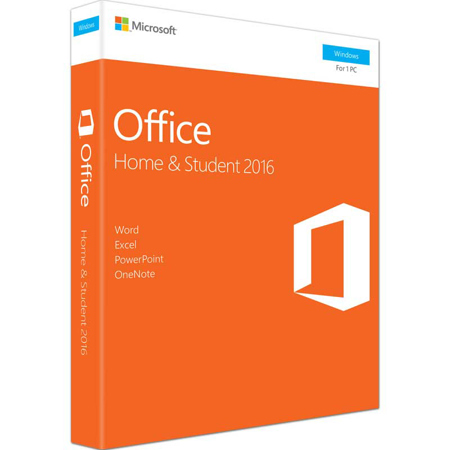
Microsoft Office 2016 Home and Student Windows

Very pleased with excellent service, great price and ease of ordering. Would use them for wider needs as well.

jonathan m.

2018-12-28T19:00:00

Rated 4 out of 5

Buyer beware!

For those upgrading from an old PC, even with a version of Windows 10, but still using LiveMail, buyer beware. You CANNOT move LiveMail to Outlook 2016 without a serious, dedicated effort, and then again, maybe not at all. I moved my files and pics using Laplink without too many issues, but Laplink would not move my archived emails and folder names to my new PC with Outlook 2016. I copied my old C: drive to a WD external HD plus the entirety of my old Outlook file to a flash drive, but the email file name extensions were not compatible with Outlook 2016, so they were not readily transferrable. Perhaps there's a simple solution somewhere, but all I can say is caveat emptor. Outlook 2016 certainly has more features than LiveMail, but LiveMail was SO easy to use compared to Outlook 2016.

PetesBigFeet

2018-11-28T09:17:18

Rated 5 out of 5

great deal

product was as advertised

Larry C.

2018-11-25T09:10:55

Rated 5 out of 5

Easiest download I ever used!

Excellent from ordering to installing. I had had the sad experience of getting another brand to put Word on my computer. I tried valiantly to install it, but the item only let me download then it delivered a confusing array of "files". I asked the person who ordered it for my use, to help me; after over 2 hours of doing so, she took the product and we agreed the Adorama one DID seem to be the better choice, as I had suggested at the beginning. We ordered it, it arrived very promptly and took very little time to become my computer's and my best friend!! thanks so much!!

ANNE R.

2018-11-13T20:02:44

Rated 5 out of 5

the basics

nice and easy install.

james b.

2018-11-02T08:57:34

Rated 5 out of 5

Great for the price.

Great for the price I paid. It includes all the software I needed for work and easy to install. Thanks!

BENITO C.

2018-10-26T06:26:45

Rated 5 out of 5

Easy to download

I needed a MS office for a new lab top I got from Adorama. Like one of the user said, I compare the MS software prices at Amazon, Dell and other places but no where can beat Adorama's price. No problem with download. Instruction was clear. Thanks!

JULIE W.

2018-09-21T08:48:37

Rated 5 out of 5

Buying Software

I did a lot of shopping around before selecting Andorama as the source for my Microsoft Office software. There are a lot of dealers out there who offer the same software (which is really just an activation key number), but when you check them out, you wouldn't believe how many Better Business Bureau complaints you find. Mostly, the shady dealers are selling "student" licenses, or even used licenses - without disclosing the limits on what they are selling. I went with Andorama because I knew that I would get a legitimate, unused, Microsoft license. It arrived and was installed with no problems and I've already activated my free Microsoft support (which only works for 60 days on NEW licenses). Yes, the Andorama license cost more than from the "shady" dealers, but I am very happy knowing that I got a product that both Andorama and Microsoft will stand behind.

Julian C.

2018-09-12T10:21:50

Rated 5 out of 5

Good price, great product!

Product is exactly as described. It was simple to download the program and I had no problems with the code. Adorama has the best price by far and I am always pleased with my purchases here.

Megan K.

2018-08-14T20:00:00

Rated 1 out of 5

2007 vs 2016 Microsoft Office Home and Student 

If you own previous 2007 version do not upgrade. Differences, if any, are not worth the money. I use and live by Microsoft Office programs, but in this case, I do not feel it has not been a good decision. How do you answer next question; Would you recommend this product to a friend? Depends, will be yes to some and no to others. Right now based on my choices the answer is "no". We started reviewing Microsoft Office 2016 Home & Student, now the review jumps to Dell Products. Two different animals (products). Do not mix recommendation between the software and the hardware. Hardware works well and receives my recommendation while software will depend on the situation and circumstances.

NumberFive

2018-08-01T20:00:00

Rated 5 out of 5

Love my new HP Pavilion

Bought a month ago and so far so good. Learning Windows 10, but pretty intuitive.

BettyBee

2018-07-18T20:00:00

Rated 1 out of 5

Office 365 comes up when I go to use office products. Is this the same thing? I have much to learn and want to know if this MS Office 2016 Home & Business is the same as Office 365? If its not, do the two compete and confuse each other? How do I find MS Office 2016 Home & Business? Why doesn't it show up on my desktop when I open my computer? What do I need to do to make it show up on desktop, when I open it? I don't know if I can recommend it to a friend. Not sure if I've seen it.

CanDoPKR

2018-05-13T09:53:32

Rated 5 out of 5

office 2016

easy to use,helpful icons excellent product

george v.

2018-05-09T09:38:52

Rated 5 out of 5

excellent program

very nice easy to use

BARRY G.

2018-04-30T10:18:34

Rated 3 out of 5

Problems

I have not been able to get installed product key activated Office Home and Student 2016. It defalted into office 365.

DONALD B.

2018-04-18T20:00:00

Rated 5 out of 5

Great software

Great program for my movie cataloging. Great features

Sonny

2018-03-27T20:00:00

Rated 2 out of 5

I bought the new machine a month ago and have had to send it back and get a replacement because it would not come up on the screen each time. I am totally discussed with the way we are being treated. we should have received a disk with windows 10 on it and the problem would probably resolved.

Pat

2018-02-25T19:00:00

Rated 3 out of 5

Vista resurrected

This program is very close to the vista Program. I had been using the Windows 7 program which is highly suited to the administrative work I participate in. Windows 10 is a bit more uncomfortable to use.

NoWay

2018-02-06T19:00:00

Rated 4 out of 5

Not worth the price BUT.

I've had Microsoft Office throughout the years. I love it BUT the price is too high for 1 pc and if not for the Dell credit I had to bring it down to a reasonable price I would have felt ripped off.

bob s.

2018-01-21T19:00:00

Rated 3 out of 5

Office products

I ordered this when I ordered my new computer. Of course the Office came first. I find it is a different version than the one introduced by my computer and I would like to exchange it.

Nelma

2018-01-08T13:05:48

Rated 5 out of 5

Escape Microsoft

Great alterative to MS office. I've used WP Office for years. This is a nice upgrade, and you are not held hostage by MS.

Robert R.

2017-11-21T19:00:00

Rated 5 out of 5

great

it is just what I wanted

sherry73

2017-10-11T20:00:00

Rated 4 out of 5

Less than excellent because it would not download

Less than excellent because it would not download without a call to Microsoft. They handled the problem nicely.

MikeC12

2017-07-16T20:00:00

Rated 5 out of 5

windows

as always windows office lives up to its brand

lralene

2017-07-06T20:00:00

Rated 4 out of 5

Stop changing things that work.

Every time I get an upgrade I waste too much time looking for the buttons I used to use. Why do you need to move them around???

Ev39

2017-06-16T20:00:00

Rated 5 out of 5

Office

Office software so needed. The setup with just typing a product key #, so much easier. Have used the programs on my PC, they work well.

Jpty

2017-04-28T20:00:00

Rated 1 out of 5

Very Unhappy

I thought I would upgrade my Microsoft Office 2007 with this new version. I installed it (no disk - no instructions - just some card with a number) and then tried to bring up some of my saved Excel and Word documents. What a mess. This didn't work, that didn't work, nothing was right. There was no suitable "backwards compatibility" and I was becoming very unhappy. After a while, I just gave up, un-installed this ridiculous mess, and reloaded Windows 2007 - everything worked fine again. Called HP and requested a refund. Long and short - you get 50% of what you paid refunded. If you use the program new, I suppose it is fine. If you actually want to use documents prepared with any other version, do not purchase this software, which comes with nothing. No booklet, no backup disc, absolutely nothing except a box with a card in it.

RalphW

2016-10-24T17:47:24

Rated 5 out of 5

great value

great value if you do not need outlook

David H.

2016-09-28T08:18:03

Rated 5 out of 5

Works like a charm.

The office installation is so very convenient. The latest version only contains the product key on a card. Just go to office.com/setup and you will be prompted to enter the key. Type that in and just wait for the download to finish. It takes up to an hour to download everything.

EU S.

2016-09-23T14:13:55

Rated 5 out of 5

I always have had a version of Office.

On every PC I've had I have a copy of Office going back as far as 97.

Blair W.

Microsoft Office 2016 Specifications

About Microsoft Office 2016

FEATURED REVIEWS

Works like a charm.

By EU S.

The office installation is so very convenient. The latest version only contains the product key on a card. Just go to office.com/setup and you will be prompted to enter the key. Type that in and just wait for the download to finish. It takes up to an hour to download everything.

Microsoft Office 2016 Home and Student Windows

By jonathan m.

Very pleased with excellent service, great price and ease of ordering. Would use them for wider needs as well.

Microsoft Office 2016 features new, modern versions of Word, Excel, PowerPoint, and OneNote that are designed to help maximize your productivity and give you rich authoring features, design controls for pixel-perfect layouts and intuitive tools to help you make the most of your data.

Includes:
• Word
• Excel
• PowerPoint
• OneNote

Plus, because you'll have access to your docs in the cloud whenever you need them, you can work when, how and where it suits you best. And for those times when collaboration is critical, you can even share documents and get your team on the same page. (Designed for use on one PC.)

• For 1 PC
• Store files in the cloud with OneDrive
• View, share or edit your documents online
• Great new Word and excel templates

Word

Create and share professional-looking documents with state-of-the-art editing, reviewing, and sharing tools. The new Design tab provides quick access to features, and Smart Lookups shows relevant contextual information from the web directly inside Word.

Excel

Analyze and visualize your data in new and intuitive ways with a fresh user interface plus your favorite keyboard shortcuts. Leverage features like Analysis Toolpak, Slicers, and Formula Builder to save time, so you can focus on insights.

PowerPoint

Create, collaborate, and effectively present your ideas with new slide transitions and an improved Animations task pane. Threaded comments alongside your slides help you incorporate feedback into your presentations.

OneNote

It's your very own digital notebook, so you can keep notes, ideas, web pages, photos, even audio and video all in one place. Whether you're at home, in the office, or on the move, you can take it all with you wherever you go while sharing and collaborating with others.

Working together just got easier
Office 2016 makes it easier to share documents and work with others at the same time.

Work together on documents
See others' edits with coauthoring in Word, PowerPoint, and OneNote. Improved version histor y lets you refer back to snapshots of a document during the editing process.

Simplified sharing
Share right from your document with a click of a button. Or use the new modern attachments in Outlook attach files from OneDrive and automatically configure permission without leaving Outlook.

Office across all your devices
Review, edit, analyze, and present your Office 2016 documents across any of your devices from your PC or Mac to your Windows, Apple and Android phones and tablets.

Works for you
Stay on task with Office 2016 with new, faster ways to achieve the results you want.

Find commands with Tell Me
Simply tell Word, Excel, or PowerPoint what you want to do, and Tell Me will guide you to the command.

Fact-check with Bing-powered Smart Lookup
Smart Lookup uses terms you highlight and other contextual information in the document to deliver search results from the web, all within the document.

Fewer clicks to Insights
Use one-click forecasting to quickly turn your historical data into an analysis of future trends. New charts help you visualize complex data.

Office moves with you
From work to your favorite cafe, stay connected to what's important friends, family, and projects across all of your devices.

Office apps optimized for touch
Use touch for reading, editing, zooming, and navigation. Write notes or make annotations using digital ink.

Bring it all together with OneDrive cloud storage
Easily save to your cloud storage and switch from one device to the next without missing a beat. Office apps pick up right where you left off, regardless of the device you were using.

Perfect with Windows 10
Office 2016 plus Windows 10 is the world's most complete solution for getting things done.

Hello
Say "Hello" just once and Windows will log you into your PC and Office all in one simple step.

Cortana
Bring Cortana to your Office to help you get things done. Let Cortana with Office 365 integration help with tasks like meeting prep.

Office Mobile Apps
Office Mobile apps on Windows 10 are touch-friendly, fast, and optimized for on-the-go-productivity.
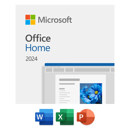
What's in the box:

  • Microsoft Word
  • Microsoft Excel
  • Microsoft PowerPoint
  • Microsoft OneNote