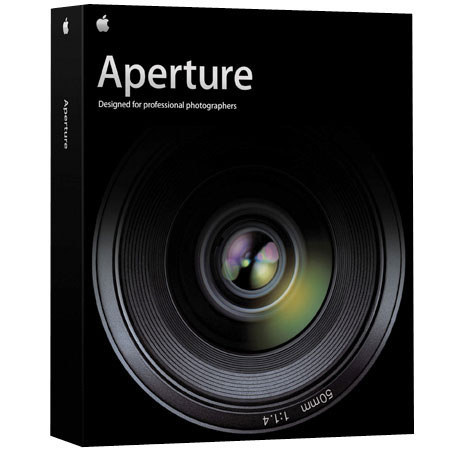

This item is no longer available.
Advanced RAW Workflow:
As a photographer, you know all about the benefits of shooting RAW. With accesss to all the data your digital SLR can record, you're capturing images of startling quality, great dynamic range, and virtually no noise. And now, for the very first time, you have an application that provides you with more control of the final image than you've ever had before. One that actually makes working with RAW files as easy as working with JPEGs. That application? Aperture.
No conversion necessary:
Providing the very first All-in-One tool for your post-production needs, Aperture lets you work with RAW images through every step of the digital workflow without first having to convert your images into another format to makenecessary image adjustments, eliminate red-eye, remove dust, crop, organize images, or print contact sheets. Aperture provides you with the tools to do it all import, edit, catalog, organize, retouch, publish, and archive your photographs in a RAW-focused workflow that's the first of its kind.
Professional Project Management:
Aperture, the first All-in-One post-production tool for photographers, provides everything you need to manage your photo library: flexible organizational tools,comprehensive metadata support, and powerful search tools that let you find files instantly.
Strong, flexible import tools:
Aperture lets you import photos from a wide variety of sources and preserves themethod you used to organ ize files when you drag folders from your hard drive anddrop them into Aperture.
Powerful Compare and Select Tools:
It's the biggest, most taxing job you have as a photographer. You've finished your shoot. You've taken thousands of photographs. Now you need to quickly edit the shoot, reviewing all of your photos and identifying your very best. Aperturehelps you accomplish this with powerful and flexible tools designed specificallyto address the needs of the professional photographer.
Compare 'em in Stacks If you've shot transparencies, you're familiar with stacks. You've almost certainly created piles of similar images for fast comparison on your light table. In Aperture, you can employ the same technique with digital stacks.
Nondestructive Image Processing:
With Aperture, you never have to worry about retouching images or trying out different image adjustments because Aperture makes protecting your RAW images job one. Designed to protect your images from the moment they're imported, Aperture identifies your original images as digital masters, and it has built-in safeguards to ensure that you can't accidentally overwrite or modify them.
Versatile Printing and Publishing:
Using Aperture, you can produce high-quality prints and contact sheets, design customized books, and create impressive websites as beautiful as the photographs you take. Best of all: you can do it all with drag-and-drop ease.