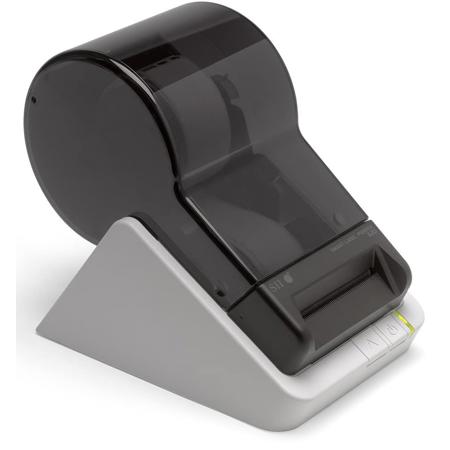
Seiko Instruments SLP620 Smart Label Printer, 70mm/s Printing Speed, 203 dpi Resolution, USB
SKU: SESLP620
This item is no longer available.
Share:
Overview
Compare
Specs
Protection








About Seiko Instruments SLP620
The Seiko Instruments SLP620 Smart Label Printer is ideal for tackling all your everyday label printing needs. It's sleek. It's simple. And it's surprisingly affordable.
Connect via USB to your PC or Mac, running Windows, Mac OS, or Linux. The nimble new user-friendly design makes it effortless to load or change labels. Enhanced new Smart Label Software, supporting Microsoft Excel, Outlook, Access and Word, makes it even easier to create, format, print and save all the labels you need. Get organized with address labels, file folder labels, shipping labels, name tags, multipurpose labels and more.
Need a single label? Print. Need twenty labels? Print. Need different types of labels? Print, swap and print again. Need it fast? Print. It's that simple.
Need to design your own labels? No problem. Smart Label Printer software gives you the tools to create great looking labels. Specify where to place text, graphics, or bar codes. Use your own images by importing from existing desktop files, or use copy and paste to import images from your computer's clipboard. For fast, personalized name tags labels, Smart Label Printer software imports images captured directly from your computer's camera.
No special sheets of labels. No awkward templates. With ultra-reliable Seiko Instruments direct thermal printing technology, there is no need for ink, toner or ribbons. Smart Label Printers give you fast, straightforward and predictable label printing. Time, after time, after time.
Seiko Instruments SLP620 Features
- Intuitive: Automatically imports address information from various applications
- Economical: No ink, toner or ribbon needed
- Modern: Elegant and compact design
- Compact: Small footprint, suitable for any work station
- Easy: Uncomplicated change of labels and tags
- Individual: Biggest range of labels and tags in the market with over 50 SKUs