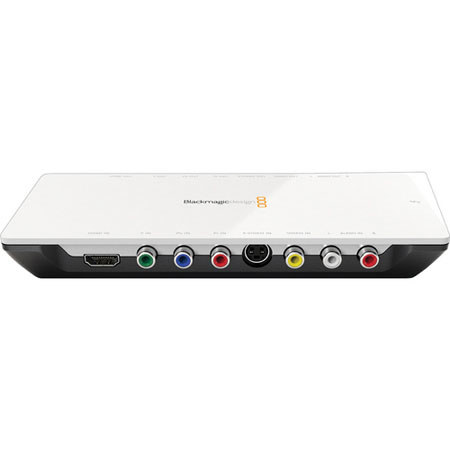
Blackmagic Design Intensity Shuttle Thunderbolt
SKU: VDBMIST
This item is no longer available.
Share:
Overview
Compare
Learn
Specs
Protection
About Blackmagic Design Intensity Shuttle Thunderbolt
The Blackmagic Design Intensity Shuttle Thunderbolt lets you accomplish one or more of four tasks - grab footage out of a camera, pass it to a computer, adjust resolution up or down along the way and, at the same time, or at anytime, connect to a top-quality HDMI monitor and perform color-correction in the best available resolution.
Video gets captured uncompressed, meaning its bits and pieces are let out of their cage - out of the algorithm that packed them tight onto the camera's memory card - and are shuttled through to a computer without any further loss, whereas without capacity for uncompressed transfer, not many alternatives can substitute sufficiently.
The transfer from the camera to the Shuttle is done through an HDMI cable and from the Shuttle to the computer can also be by HDMI, but available on the Shuttle is a Thunderbolt port, which is an advanced data-transfer technology that with a 10Gbps capacity is extremely fast. Thunderbolt is also bidirectional and can thus serve as an input and an output. The receiving computer - or storage device - must also be equipped with Thunderbolt. Macs were the first of any devices to be equipped and all Macs are equipped.
Data does not stay in the Shuttle before moving on to the computer. The Shuttle serves as a pass-through only; and at the data's passing through, resolution can be adjusted to arrive in the computer higher or lower. SD can become HD and vice-versa, so that if you have footage from different cameras shot in different resolutions, you can match them up to look the same. The Shuttle is a capture-and-playback device, more often referred to as an I/O device for its inputs and outputs. Aside from the HDMI and Thunderbolt connections already mentioned, the Shuttle also has analog video ins and outs, as well as HDMI and RCA audio ins and outs.
The Shuttle is portable, allows many conveniences in transferring footage, affords quality transfers and delivers video to computers in codecs most recognized by popular editing systems.
Blackmagic Design Intensity Shuttle Thunderbolt Features
- True HDMI Digital Connections: Intensity features the highest quality HDMI input and output connections. HDMI is the worldwide standard for connecting digital consumer video equipment like cameras, set-top boxes and disk recorders
- Highest Quality Analog Connections: Intensity Shuttle has built-in HDMI and analog video and audio connections, with all inputs on one side and all outputs on the other
- Uncompressed or Compressed Video: HDV & DV use heavy compression. This increases the load on your computer's CPU as editing software decodes the video just to display each frame. Working with uncompressed video leaves the CPU free for real time effects & your system will feel snappy and fast to use
- Full HD Resolution: Intensity captures full HD images with 1920 x 1080 pixels for every video frame. HDV reduces the image size to 1440 pixels wide due to the limitations of camera storage and the data transfer speed of FireWire
- DVD and Blu-Ray Authoring: DVD and Blu-Ray Discs created from uncompressed media are much higher quality and look amazing! Intensity can create QuickTime and AVI video files that are fully compatible with editing and DVD authoring software
- Live Streaming: Improve the quality of internet video streaming by starting with a clean uncompressed video source! Compressing to streaming standards from already compressed video will dramatically reduce quality and it will take more computer processing resources