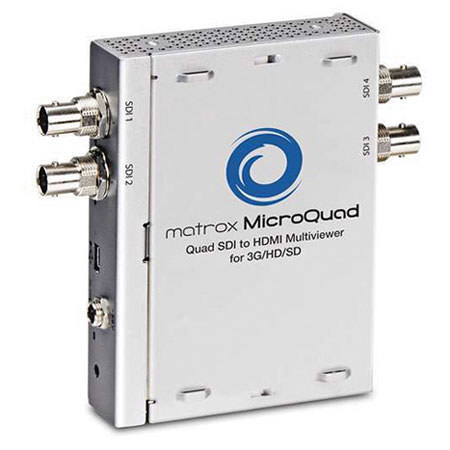
Matrox Quad SDI to HDMI Multiviewer for 3G/HD/SD
SKU: VDMRMQUAD
This item is no longer available.
Share:
Overview
Compare
Learn
Specs
Protection
About Matrox Quad SDI to HDMI Multiviewer for 3G/HD/SD
If you are like most broadcast engineers and A/V professionals, you encounter many situations where you need to monitor multiple 3G-, HD-, or SD-SDI feeds. The Matrox MicroQuad lets you use an affordable HDMI display to view your video signals. Ideal for OB vans, on-set productions and live events, Matrox MicroQuad is a small, easy-to-use device. Simply connect power and up to four SDI inputs, all controls are on the unit itself, no computer is required. Alternatively, use the Windows-based Matrox MicroQuad remote application to control the unit from a distance.
Matrox Quad SDI to HDMI Multiviewer for 3G/HD/SD Features
- On a single HDMI display in quadrant view, Matrox MicroQuad lets you monitor up to four SDI inputs that can be 3G or HD or SD. Show or hide labels and VU meters
- Matrox MicroQuad always ensures a crisp, artifact-free monitoring experience thanks to its state-or-the-art scaling algorithms with advanced filtering
- At the touch of a button, Matrox MicroQuad lets you toggle to a full screen view of any one of your inputs and its associated audio. Show or hide the label and VU meters
- Matrox MicroQuad will take non-genlocked SDI signals and synchronize both video and audio on the HDMI output
- Use the selection border in quadrant view to select the audio source you want sent to the HDMI display
- It can be controlled remotely using the Windows-based Matrox MicroQuad Remote application via a standard mini USB Type B cable. The application lets you toggle between full screen and quadrant view, select the input channel, pick audio channels, as well as hide labels and the red selection box
- All the features of the Matrox MicroQuad Remote application are available in a DLL and header file to let you easily trigger MicroQuad from within your own software