
This item is no longer available.
Review Summary
2021-01-12T10:10:53
I have an older Wacom drawing tablet connected to computer and have been using these nibs for years. They feature a very smooth drawing/painting experience and have a spring at one end so there is never any drag to slow up the process. I highly recommend them for anyone who either draws/paints or writes on computer using a tablet. Best nibs Wacom offers period.
LINDA G.
5 Pack
Specifically, this nib may be used with these Wacom products:
Intuos Pro: KP300E2 (Classic Pen), KP400E2 (Airbrush Pen), KP501E2 (Grip Pen)
Intuos5: KP300E2 (Classic Pen), KP400E2 (Airbrush Pen), KP501E2 (Grip Pen)
Intuos4: KP300E (Classic Pen), KP400E (Airbrush Pen), KP501E (Grip Pen)
Intuos3: ZP300E, ZP300ESE, ZP501E, ZP501ESE
Intuos2: XP120, XP300E, XP400E, XP501A, XP501E
Intuos1: GP120, GP300E GP400E
Any Bamboo: EP150E, EP155E (B, K, S, W, G), LP160, LP160E, LP161E, LP170ES, LP170G, LP170K, EP155EK, EP155EW
Cintiq (DTK): KP300E (Classic Pen), KP300E2 (Classic Pen), KP501E (Grip Pen), KP501E2 (Grip Pen)
Cintiq (DTZ): ZP300E, ZP300ESE, ZP501E, ZP501ESE
Graphire: EP100E, EP120E, EP130E, EP140E
Interactive Display (DTF): FP310, FP320, FP320E
Other: FP110, FP410, UP110, UP401, UP703E, UP710, UP710E, UP712, UP714E, UP714W, UP801E, UP803E, UP810E, UP811E, UP813E, UP817E, UP911E
753218993199
Best Nibs Ever!
By LINDA G.
I have an older Wacom drawing tablet connected to computer and have been using these nibs for years. They feature a very smooth drawing/painting experience and have a spring at one end so there is never any drag to slow up the process. I highly recommend them for anyone who either draws/paints or writes on computer using a tablet. Best nibs Wacom offers period.
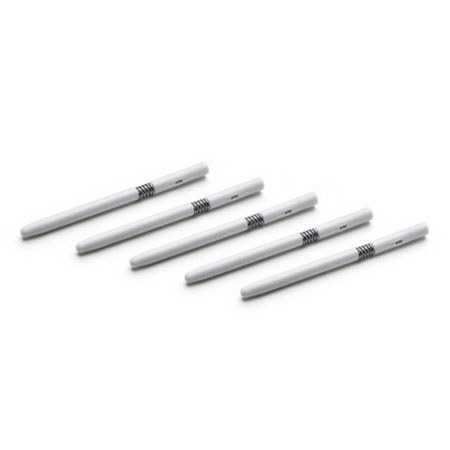
This is a 5-pack of replacement stroke (gray) pen nibs with dual-springs for a "brush-like" feel.