Adobe’s Photoshop is the pre-eminent photo editor for professionals and advanced amateurs alike. Yet as powerful as Photoshop is, there is a rich universe of software plug-ins that can deliver specialized features to add even more capabilities to the program.
Think of Photoshop as the jack-of-all-trades and the plug-ins as the master of one. These programs are typically aimed at Photoshop CS users, although some work with the more consumer-friendly Photoshop Elements as well. In fact, Photoshop Elements plus some of these suites will give you many key features missing from full Photoshop! Adobe’s Lightroom and Apple’s Aperture are also supported, giving them even greater versatility. Here’s our pick of some plug-ins you should be playing with.
AutoFX Mystical Suite
Adorama price: $389
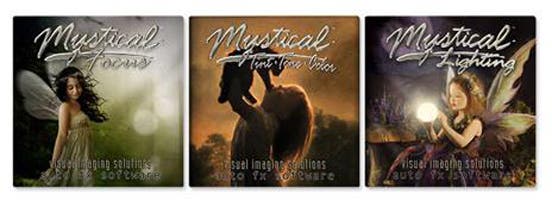
AutoFX’s Mystical Suite is an integrated bundle of visual effects generators that can change the focus, lighting, and overall look and feel dramatically. A must-have tool for wedding, portrait and landscape photographers. It includes:
Mystical Focus Gen1 is a collection of visual effects that apply photo-realistic depth-of-field, panning motion, soft focus, selective brush-on focus, vignettes and other creative ways to make your subject look great. Mystical Focus includes 16 filters that can be combined with any other Mystical 2.0 product in this suite.
Mystical Lighting and Ambiance Gen1 lets you stream natural lighting, light beams, surface light, shading, shadows and atmospheric conditions such as rain, snow, haze and fog onto your scenes. The results are phenomenal and very useful for adding a realistic-touch to enhance your best photos.
Mystical Tint Tone and Color Gen1 is an amazing suite of 60 filters for enhancing the mood, color and tonal qualities in your photos. With over 300 instant brush-on / brush-off effects this product can greatly improve your work. The new portrait filters are outstanding for enhancing skin, hair, eyes, lips and facial features.
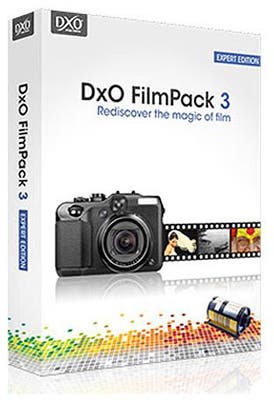
DxO FilmPack 3 Expert
Adorama price: $129
DxO’s FilmPack 3 lets you recapture the magic of analog film. It offers specific emulsions (Polaroid 667, Koachrome 25, Ilford HP5, and so forth) as well as fine-tuning controls that lets you create a custom film look. There are a total of 26 black and white and 36 color film looks. This is the software that eased photojournalists such as Sabasiao Salgado’s transition to digital. Batch processing, custom presets, and printing options make this a true digital darkroom.
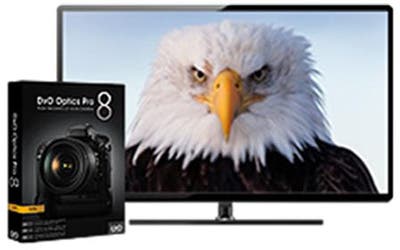
DxO Optics Pro 8
Adorama price: $149
DxO’s flagship software, Optics Pro, will take any currently available lens and fix its faults: It sniffs out chromatic aberration, line distortion, vignetting and other weaknesses, and simply fixes them. It can process RAW and JPEGs and also reduces noise, optimizes exposure, contrast and color and boosts detail—and does it automatically. Nifty—and if you want your 18-55 to produce images that look like they were shot with a pro 24-70, you’ll save a bundle.
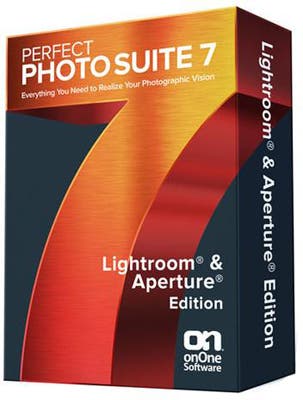
onOne Perfect Photo Suite 7.5
Adorama price: $99.99
onOne’s Perfect Photo Suite is a bundle of seven useful plug-ins that that offer workflow improvements for anyone working in Photoshop (full or Elements) or Lightroom, or Aperture. If you buy version 7.5, you are eligible for a free upgrade to version 8 when it comes out. At the Adorama price of $99.99, the suite costs as much as many single plug-ins in the suite, which is actually amazing.
This plug-in consists of:
- Perfect B&W: Quickly and intuitively converts your images to black and white while letting you choose the classic film looks, reproducing vintage darkroom techniques, adding film borders, and enhancing tone and contrast. There’s a ton of presets and a new quick view browser so you can quickly choose the look you desire. A Favorites panel lets you quickly go to your most popular settings.
- Perfect Portrait 2: Easy but powerful retouching tools with the ability to automate repetitive tasks. This plug-in will remove blemishes, improve skin texture and color, and enhance eyes, lips and teeth. New features include face detection, red-eye reduction, and Perfet Brush, which selects specific areas to retouch.
- Pefect Layers 3: This plug-in lets you deal with layers in a sophisticated way without going into Photoshop. This includes blending modes, masking tools, precise brush applications, clone brush, red-eye tool, PNG file support, and a library of borders and textures. Especially helpful for Photoshop Elements users.
- Perfect Effects 4: You can apply stylized looks and effects, quicly brows and choose effects, select favorites, and paint in effects such as hyper color or selective B&W.
- Perfect Resize 7.5: This allows users to enlarge and sharpen image files beyond their intended print size. Formerly called Genuine Fractals, this lets you enlarge your iPhone photos to poster size.
- Perfect Mask 5.2: One of the more difficult and time-consuming tasks for post production is masking images. Perfect Mask can save you time and effort, cutting around difficult edges and giving you unprecedented control so you can replace boring backgrounds with more interesting ones or isolate subjects. There’s also a background library.
Focal Point lets you control depth of field after the shot. Coolest feature? You can actually choose a lens and aperture setting from a drop-down menu! Want to show the look of a Canon 35mm f/1.4 at f/1.4? No problem! Wacom users can paint focus or blur precisely. Highlight bloom, brightness and contrast controls are available.
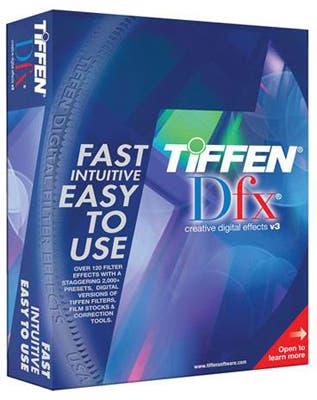
Tiffen Dfx V3
Adorama price: $149.95
Tiffen has spent literally decades making some of the best glass filters in the world. With Dfx, the company has seamlessly moved into the digital world, offering the effects of 125 individual filters with thousands of variations. Users can simulate glass camera filters as well as specialized lens looks, film grain, color correction and natural light and photographic effects. For experienced shooters there are Rosco and GamColor gel libraries, and a layering system so users can apply multiple filter effects. Masking tools are available, and you can work in 8 or 16 bit image processing.
New to Version 3 is an enhanced multi-processor for faster performance, 10 new filter effects, and several improvements to the interface. Other new features:
- Color Shadow: Creates a high contrast image overlayed with a gradient.
- DeBand: Removes banding artifacts from an image by smoothing pixels in banded areas while retaining detail. Banding frequently occurs, in blue skies for instance, with DSLR’s as well as digital cameras. DeBand effectively smooths out this unwanted banding.
- DeBlock: Removes blocking artifacts created as a result of high compression factors, such as overly compressed JPG images which often cause square blocking artifacts.
- DeNoise: Grain and noise from digital cameras, whether still or video, is a common problem. DeNoise removes the grain and noise while still retaining detail.
- Film Stocks: Simulates 113 different color and black & white photographic film stocks. For those desiring the look of either old or current film stocks, there are simulations of many of the popular brands from Kodak®, Fuji®, Agfa®, Polaroid®, and Ilford®
- Glow Darks: Glows and grows the dark areas of an image, creating a stylized, dreamy dark glow.
- Key Light: Relights images with a directional or point light. Changing the lighting after an image has been photographed gives the photographer/editor control to fix or enhance their images, as well as create interesting lighting effects.
- Rays: Creates stunning and realistic light ray effects quickly and easily. Rays can add shafts of light streaming through clouds, rays filtering through a forest canopy, beams of light on a foggy night, or rays shooting through an interior window. Rays adds a striking and dramatic quality to any image.
- Texture: Applies textures to an image for a stylized look. Adding texture to an image is a great way to create a unique and customized look.
- Match: Matches the color, detail, gradient, and tone of one image and applies it to another.
Tiffen Dfx is compatible with Full Photoshop and Elements, as well as Lightroom and Aperture.