Top photo accessories...for the iPhone!

Back to Accessories and Gadgets page
Average of 4 ratings: 2.0 stars
 

4 comments Read comments Rate this article

Stuff that will help you take killer pictures with your (gulp!) smart phone

By Russell Hart

December 2, 2011

Everyone’s taking pictures with their iPhone, including you. Here’s what you need to make those pictures better.


Who knew that the iPhone would become the camera of choice for so many people—photographers of all stripes? We certainly didn’t. Here at the Adorama Learning Center, we’ve been blabbing about compact cameras’ pixel counts, low-light sensitivity, and ever-increasing feature sets, when most people just seem to want a simple camera that they’re sure to have with them when a picture presents itself.

We’re still amazed that iPhone users are willing to give up the zoom lens, which seemed part and parcel of point-and-shoot photography. Photographers taking pictures with the iPhone now have to do their zooming with their own two feet—but that’s something we’ve been advocating all along!

All that said, it’s the iPhone’s very limitations as a camera that have spawned so many photographic accessories for it. Since iPhone photography is ubiquitous and clearly here to stay, we offer the following selection of useful and ingenious devices that will help you get better pictures with your, um, cell phone.


(Note: iPhone-dedicated accessories are being introduced every day—as soon as new ones come accross our desk, we'll add the best of the batch to this round-up, so bookmark this page!)

STEADY STATE: Owle Bubo (for iPhone 4/4S)

It’s easy to shoot with your iPhone, but hard to hold it as steady as you really should for sharp pictures—and with fewer megapixels than a cheap point-and-shoot, you need all the sharpness you can get. Slip your iPhone 4 or 4S into the Owle Bubo’s silicon case, then pop it into the Bubo, and you’ll enhance sharpness in two ways. First, the device’s integrated handles give you a firm, steady grip; and second, its supplementary lens, which aligns with the iPhone’s own lens, visibly sharpens the image. The Bubo’s lens also widens the iPhone’s angle of view from moderately wide to ultrawide, and there’s a macro adapter that gives you sharp close-ups to within four centimeters.

When you want total stability, the one-pound, cast-aluminum Bubo has tripod mounts at all four corners. It has a cold shoe for video lights or other accessories. It even comes with a hinged microphone. The latter plugs into your iPhone (openings in the Bubo give access to controls and jacks) and can be aimed forward for much better sound with your video.


SHARP SHOOTING: Schneider Optics iPro Lens System (for iPhone 4/4S)


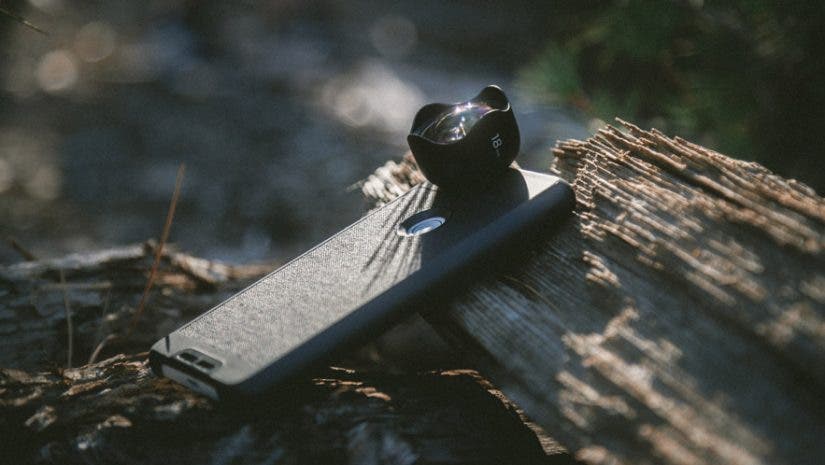
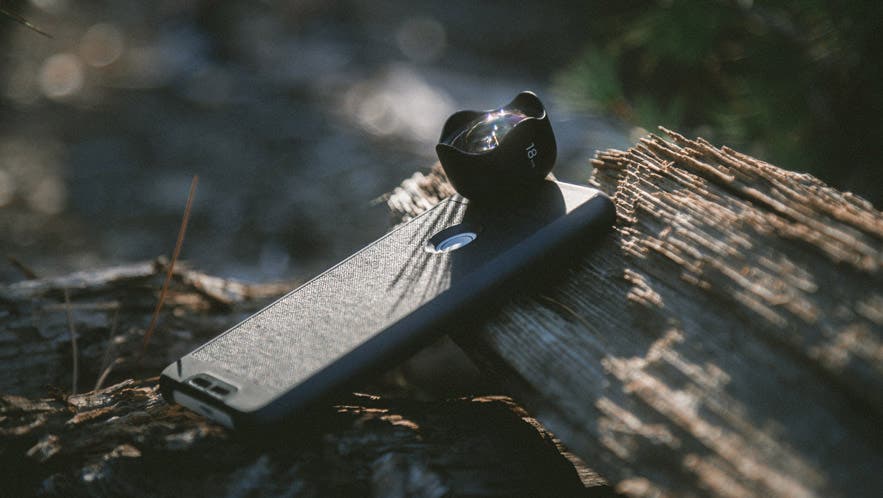
Plenty of add-on optics are available to expand the limited abilities of your iPhone’s built-in lens—from stick-on special-effects lenses that produce fun but fuzzy results to telephotos that turn an entirely pocketable device into an ungainly contraption. None can compare, for sheer sharpness, to Schneider’s iPro lens system for the iPhone 4 and 4S. Schneider is the Cadillac of real-camera lenses (or maybe the Beamer, given its German origins), so it stands to reason that its interchangeable iPhone  lenses would be first-rate.

The lenses are a four-element wide-angle—very useful, given the iPhone lens’s relatively narrow angle of view; and a three-element fisheye, which produces a bulging, distorted rendition of the subject that’s lots of fun. The wide-angle converts the iPhone lens’s normal 35mm-equivalent focal length of about 30mm to an ultrawide 19mm. (For video, a not-so-wide 42mm becomes a wider 26mm.) The fisheye, which allows the iPhone to cover a 165-degree angle of view, is the equivalent of 12mm. (For video the angle of view is about 120 degrees, or 16mm.)
   
The lenses attach to a bayonet-style mount in an opening in the molded-plastic iPro case. The case clicks firmly onto your iPhone with the help of a handle that can be attached to its top or bottom; the handle then serves as a shooting grip or a tripod adapter. (It has a threaded 1/4-20 socket on the bottom.) The lenses can be stowed inside the handle for safe, compact transportation. Schneider’s iPro system will set you back as much as, if not more than, a new-contract iPhone. But then, the same premium applies to Schneider lenses for SLRs!

GET A HOLD: G Design iPhone Tripod Holder

This tripod holder for iPhones takes a less minimalist approach than the Glif. It’s still simple, though—basically a U-shaped, ABS-plastic sleeve materials on all of these that slides onto one end of the iPhone. That design places its threaded brass tripod socket on the short dimension of the iPhone, as opposed to the long dimension with the Glif. If you have an iPhone 4 or 4S, be sure to order the holder their thinner profile.


SMALL WONDER: Olloclip (for iPhone 4/4S)

The resourceful Olloclip makes amends for the iPhone’s lack of zooming by converting its lens into a wide-angle, a fisheye, or a macro. It does this with supplementary optics all built into a single, tiny unit that clips snugly over the lens corner of your iPhone. (You’ll have to remove cases and screen protectors for it to fit properly.)
   
One side of the six-ounce Olloclip converts the iPhone’s slightly-wide lens to an ultrawide-angle. Unscrew the outer (wide-angle) element and you have a macro lens that lets you focus as close as 12 to 15 millimeters, around half an inch, for about 10X magnification. (You’ll have to move the iPhone in and out to focus.) Reverse-mount the Olloclip and the optic on the other side converts the iPhone’s lens to a fisheye, with a bulging, 180-degree angle of view. Tiny lens caps protect that glass when you stash the Olloclip in your purse or pocket.

SIMPLE GIFT: The Glif (for iPhone 4/4S)

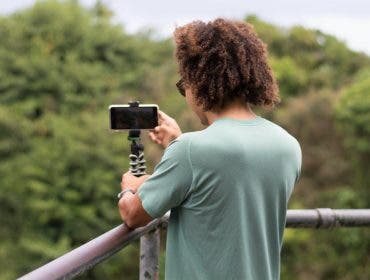
It’s two purposes for the price of one, and sheer simplicity. The Glif, yet another crowd-funded Kickstarter product, cradles your iPhone so that its 1/4-20 threaded tripod socket is horizontally centered. This allows you to mount your iPhone on a tripod, for rock-steady shooting with a device that’s highly susceptible to shake-induced blur in still photos and jiggles in video.

In addition to being a tripod adapter, though, the Glif is a viewing stand. Slip the edge of your iPhone into its two tabs, and the two-ounce, rubberized-plastic Glif props it up at an angle for viewing pictures and video. FaceTime, anyone?


ROLL VIDEO: Cineskates for iPhone 4/4S

In the wake of the iPhone 4/4S’s full-HD video capability, Cineskates’ maker has received huge numbers of requests for an iPhone version of its crowd-funded product. Simple fix: Add the Glif (see above) to the package, allowing users to mount their iPhones on the Joby tripod or ball head that comes with the full Cineskates kit.

Professionals who shoot movies and video use lots of expensive and bulky hardware to get the ultrasmooth moving shots not possible with a handheld camera, including the old-fashioned “dolly.” Cineskates deliver dolly-style shots in a much smaller, more affordable device—a set of three high-quality skateboard-style wheels that attach to Joby’s ultraflexible GorillaPod Focus tabletop tripod. As with Joby’s other ball-and-socket models, the tripod can be bent to position an iPhone (or other video-enabled camera) for all sorts of smooth-rolling takes along tabletops, the floor, and other convenient surfaces.

You can get the Cineskates by themselves, but the full kit includes the Joby tripod, a ballhead, and the Glif. The ballhead is a great addition because it lets you precisely level the camera, whatever position you’ve placed it in for your shot.


TOUGH MULTITASKER: Gary Fong Flip-Cage for iPhone

Originally designed as a multipurpose support device for compact cameras, the Flip-Cage is a perfect tool for iPhone photography when paired with Gary Fong’s tripod adapter for the iPhone. Once you clip your iPhone into the C-shaped adapter and attach its threaded tripod socket to the Flip-Cage’s tripod screw, you have several options. The Flip-Cage’s rotating, rubber-sheathed rectangular brackets, which fold up around the mounted camera (or iPhone) to create a shock-absorbing enclosure, can be flipped down to serve as either a viewing stand or a tabletop support for long exposures in low light.
   
Flip the brackets straight down against each other and they form a double grip for much steadier handheld shooting, especially important for video. For its final trick, the Flip-Cage can be used as a tool for macro photography: Place it on its side with the brackets at more or less a right angle to each other, slide the iPhone to one end of the Flip-Cage’s camera platform, and aim it down. Supplied translucent panels snap into the brackets’ open area to soften the light. (Keep in mind that you’ll need a close-up adapter for the iPhone’s lens.) For some reason this unique tool comes in black, red, green, blue, yellow, and even pink.


TOP TIPS: iPhone Photography and Video For Dummies

One of those familiar yellow-and-black guides to everything you ever wanted to know about anything, this volume starts with the premise that the best camera is the one you have with you—an idea that set off the explosion of iPhone photography. It covers many of the issues addressed by the products in this roundup, including the need for proper stabilization of the iPhone when you’re using it for photography or video, and how to overcome some of the other technical and creative limitations of this ever-ready photographic device.

Topics include fixing your iPhone pictures’ color and contrast; getting the most from iPhone video; and even using HDR imaging technique to deal with extreme lighting situations. And of course the book singles out some of the best iPhone apps. That’s a tough job given the thousands now out there. Fodder for endless revised editions?

GET A HANDLE: Zacuto Zgrip iPhone Jr.

A steady grip is as important to getting sharp, smooth picture quality as a good lens, precise autofocus, or image stabilization. Yet it can be hard to get a steady grip on a device as small and lightweight as the iPhone. This new Zgrip is nothing more than a pistol-style handle for your iPhone, allowing you to shoot one-handed stills and video with far more stability than even two hands would give you on a naked iPhone.

The Zgrip handle attaches to a secure cradle into which you clip your iPhone. A ¼-20 threaded tripod socket on the top of the rig lets you mount lights or other accessories; the same on the bottom of the handle lets you mount the unit on a tripod. If you want to be able to adjust the angle between handle and iPhone, choose Zacuto’s Zgrip iPhone Pro, which incorporates an articulated ball joint.

GET A GRIP: Belkin LiveAction Camera Grip (for iPhone 4/4S)

A more integrated, compact approach than Zacuto’s to getting a better purchase on your iPhone, Belkin’s new grip slips into the dock receptacle and wraps around the right end of the device, exactly where you’d hold a real camera. (It even fits with many different brands of iPhone case in place.) This lets you hold the iPhone for picture-taking just the way you would a regular compact, rather than with your shaky fingertips. A smooth-acting shutter button is built into the top of the grip, where it falls right beneath your trigger finger. There’s a separate button for video.

Wired magazine points out that iOS5 lets you use the iPhone’s volume-up button as a shutter button for photos, and argues that the Belkin grip is therefore “pointless.” It’s clear their reviewer isn’t a photographer—someone who understands that a secure grip and a smooth shutter button make for sharper pictures! Note that you’ll need to download Belkin’s LiveAction app to use the grip, which also works with the iPod Touch. It’s available free online at Apple’s App Store.

LONG SHOT: Belkin LiveAction Remote (for iPhone 4/4S)

This clever wireless remote control for your iPhone lets you get into the picture without having to race a self-timer. And it works from quite a sprint away—up to 30 feet. There are separate buttons for still and video capture, allowing you to shoot some of each without running back to the iPhone. Plus the LiveAction Remote has an integrated, detachable stand that lets you prop up your iPhone on a convenient surface—no futzing needed. As with Belkin’s LiveAction Grip, it requires the use of the LiveAction app (see above), and also works with the iPod Touch.


FULL 360: Kogeto Dot

Immersive video from an iPhone? The Kogeto Dot shoots it. This remarkable device sits atop your iPhone’s lens, where a tiny catadioptric mirror lets you capture a 360-degree field of view. You need to hold the iPhone horizontally to keep your scene upright—and if you don’t want to be in its field of view, you’ll have to keep it above your head!

No stitching is needed for viewing; you download the Dot’s Looker app to play back the video on your iPhone, which lets you use finger swipes to move through the scene. To view the video on your computer you upload it to the Kogeto website (or Facebook), and use your mouse or trackpad to navigate through the video. Then, of course, you invite friends and family to check it out. Visit kogeto.com for examples of Dot videos.

GOING STEADY: Steadicam Smoothee for iPhone 4

It may seem crazy to have an iPhone accessory that’s several times bulkier and much heavier than the iPhone itself. You can’t argue, though, with the smoothness the Steadicam Smoothee brings to iPhone video. It relies on the same principle as the costly professional Steadicams used for smooth-tracking handheld shots in the movies—creating inertia that makes the camera harder to shake. The Smoothee has a ball-jointed handgrip that keeps the iPhone perfectly horizontal and jiggle-free as you move it up, down, and all around to your eye’s desire.

About The Author

Russell Hart has had a distinguished career in the photo industry

Related Articles

moreRelated Workshops

SHARE THIS ARTICLE

Forward this article to a friend
To use this functionality you should have JS enabled
Bookmark this page

Reader Rating and Comments

4 readers rated this article. Average rating: 2.0 stars
 
  • View
  • 4 comments
0 of 0 people found this comment helpful
 
Great summary

good summary of iPhone accessories. Still easier to carry a point and shoot if you have to carry all this around. :)

by Bicycle bob in Oslo, Norway on January 24, 2012

1 of 2 people found this comment helpful
 
I-phone camera

I doubt that anybody buys an i-phone just for the camera feature. If you use it as a camera, or review its features and limitations, it would be nice if you at least familiarized yourself with the subject at hand. My I-phone 4 ZOOMS, 'pinching' the screen brings up a slider on the screen that zooms from the original medium wide 35mm on 35mm to about 150mm on 35mm format. Know your limitations and review equipment you know. The lone star it for showing the superflous and useless accessories, unless the I-phone is your ONLY camera, and you want to bulk it up.

by NadoHeinz in Coronado on January 20, 2012

1 of 1 people found this comment helpful
 
What about the rest of us?

You know, you buy all these gadgets that have built in obsolesence and then the companies don't supprt them as they roll out the newer versions. I like to take pictures with my iPhone 3G all the time. So now if I want tthese new accessories i gotta buy a new iPhone? rubbish!! bah hum bug!!

by V_man in Somerset, Bermuda on January 13, 2012

2 of 4 people found this comment helpful
 
Why can't Canon do this?

"its supplementary lens, which aligns with the iPhone’s own lens, visibly sharpens the image" Funny, when you add a $300-$500 lens (teleconverter)to a Canon lens the result is usually not as sharp as the lens by itself. They could learn something from Owle I guess.

by bobpal in Los Angeles on January 1, 2012

Items per page
Showing 4 of 4 results

Was this article helpful?

Rate this article

Your rating:

Post a comment

*required fields
Bookmark this page