


This item is no longer available.
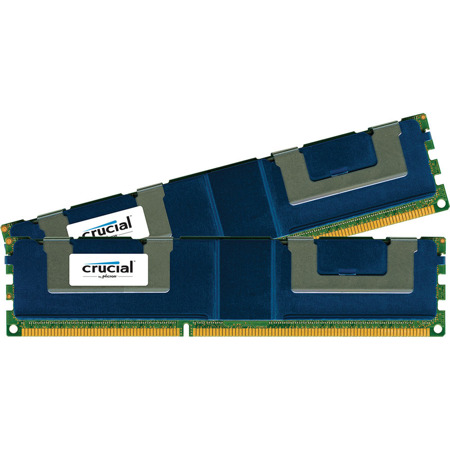
Approximately 5.25 in. by 1.18 in. (133.35 mm by 30 mm). Crucial 240-pin DIMMs are used in DDR3 memory for desktop computers. DDR3 is the latest generation of memory with an improved architecture that allows it to transmit data more quickly. A dual inline memory module (DIMM) consists of a number of memory components (usually black) that are attached to a printed circuit board (usually green). The gold pins on the bottom of the DIMM provide a connection between the module and a socket on a larger printed circuit board. The pins on the front and back of a DIMM are not connected to each other.
Each 240-pin DIMM provides a 64-bit data path (72-bit for ECC or registered or Fully Buffered modules). (The Ballistix and Ballistix Tracer high-performance memory do not come in 72-bit or registered modules.) Standard DDR3 240-pin DIMMs are currently available in PC3-8500 (DDR3 1066MHz) and PC3-10600 (DDR3 1333MHz) speeds. Additional speeds will be added as the technology becomes available. To use DDR3 memory, your system motherboard must have 240-pin DIMM slots and a DDR3-enabled chipset. This is because a DDR3 SDRAM DIMM will not fit into a standard DDR2 DIMM socket or a DDR DIMM socket.
The number of black components on a 240-pin DIMM can vary, but it always has 120 pins on the front and 120 pins on the back, for a total of 240. 240-pin DIMMs are approximately 5.25 inches long and 1.18 inches high, though the heights can vary. While 240-pin DDR3 DIMMS, 240-pin DDR2 DIMMs, 184-pin DDR DIMMs and 168-pin DIMMs are approximately the same size, 240-pin DIMMs and 184-pin DIMMs have only one notch within the row of pins.
Memory spec terms
If you're not sure if a module is right for your system, use the Crucial Memory Advisor tool for a list of guaranteed compatible modules.
NON-ECC/Non-parity
Most desktop and laptop computers take NON-ECC or Non-parity memory.
ECC/Parity
ECC or parity modules look for errors in data and are most often found in servers and other mission-critical applications used by large networks and businesses.
Unbuffered
Most PCs and workstations use unbuffered memory which is faster than registered memory.
Registered/Buffered
Registered or buffered modules delay all information transferred to the module by one clock cycle. This type of memory is primarily used in servers.
Fully buffered
Designed for next-generation servers, features an advanced memory buffer.
CL
CAS (column address strobe) latency, which is the number of clock cycles it takes before data starts to flow after a command is received. Lower CL is faster. Modules with different CL can be mixed on a system, but the system will only run at the highest (slowest) CL.
Component configuration
(For example: 64Meg x 64) Indicates the size of the memory chip components on the module.
Voltage
For example 2.6V. Indicates the power used by the module. The lower the better.