2019-03-15T11:33:03
Totally worth the purchase. Helps enhance you're photography and cinematography. Really brings out true colors
Tremayne C.
2019-03-06T10:52:08
Rated 5 out of 5
X-Rite Digital ColorChecker Passport, Exposure & White Balance System.
Awesome product, the colors just popped..this product will always be in my camera bag. It has cut down my edit time with the right white balance and comes out with the right color.
Mary L.
2019-03-03T07:57:25
Rated 5 out of 5
Can’t believe I didn’t buy this sooner
It worked great! We were able to set up custom profiles for each camera in our department and now are getting consistent results.
Paul R.
2019-02-16T05:48:28
Rated 5 out of 5
Color checker
I use the Zone system and an external spot meter to only shoot in manual mode.
As I don't rely on the camera's auto metering setting, the color checker is my main point of reference for neutral grey.
I expose for zones in B&W and the colors fall in line.
HOWARD M.
2019-01-29T15:41:16
Rated 5 out of 5
Enhances pictures
Combined with some calibrating software this make some incredible pictures when used.
David G.
2019-01-27T14:04:32
Rated 5 out of 5
The X-Rite ColorChecker Passport is easy to use and helps improve your photography.
Recommended to people that want to improve their photography skills.
Bret H.
2019-01-06T09:39:37
Rated 5 out of 5
Accurate color, minimal space
So far, so good with these. They fold small enough to slide virtually anywhere in your go-bag.
John H.
2019-01-02T15:46:18
Rated 5 out of 5
looking for the right color
Is and insurance to have the right color on your image but I want to make a question your competition B&H have a sale of the same product for 59.99 and your sale was 83.99 what you an do for me.
JOSE J.
2019-01-01T13:08:00
Rated 5 out of 5
Excellent
Excellent product
Emil C.
2019-01-01T06:42:23
Rated 5 out of 5
Go do it if you are keen about colors.
Solid build, must own if you are keen at colors
Aroun K.
2018-12-31T15:30:42
Rated 5 out of 5
Color checker Pastport
I was please with the price for the color checker passport,your price was the best.
Ron Cowie.
RONALD C.
2018-11-30T10:25:24
Rated 2 out of 5
nice card, poor software
The colorchecker passport is a handy tool for color correction, but the software creates inaccurate profiles. For most people this is hard to detect, but one of my applications is to photograph my paintings so I can tell if the color is off. If you do buy this thing I'd suggest using the Adobe DNG profile editor to create proper profiles.
ROBERT F.
2018-11-06T13:24:40
Rated 5 out of 5
Buy This Right Now!
How did I even process RAW images before having this? I put off buying one of these for so long, and I'm here to tell you to not make the same mistake. Save yourself the headache of having to make manual adjustments for every shot. The ColorChecker Passport is a must have for any digital photographer's work flow. Flawless color and white balance every time.
Kyle F.
2018-10-17T20:35:15
Rated 5 out of 5
Color Control
Made to last, the passport brings color / exposure control across the capturing / processing spectrum. Consistent / reproducible results. Do more . . . . work less. Well worth the effort!
CHRISTOPHER H.
2018-10-12T15:02:23
Rated 2 out of 5
Dont bother
Didn't do much in changing my overall look. Wish I had returned it.
arthur k.
2018-09-13T08:03:45
Rated 5 out of 5
Great system
I love this system because it assures genuine color reproduction, based on standards in photography, and adds a little color pop to the displayed colors without going overboard. Great!
Eugene K.
2018-09-11T16:40:26
Rated 5 out of 5
Great tool
I wasn't sure I would ever need this but am now very happy I bought one. It is interesting to see the effect that color corrections have on the final product.
Steve F.
2018-09-11T09:22:23
Rated 5 out of 5
Super little device whit large importance!
Very Nice to have to make proper white ballance and more importantly different camera profile. One think I don’t like to open and close that plastic box ,whit color patches, very hard, all ways afraid to break it . By the way love costumer service, feel like every body is your frend and try to help !!! Thank You Adorama!
Art P.
2018-09-09T17:07:40
Rated 5 out of 5
Easiest way to get great, repeatable color
Very accurate and incredibly handy. Takes the guess work out of achieving accurate colors
JASON B.
2018-09-09T16:37:04
Rated 5 out of 5
Best color correction greyscale/card on the market.
The best greyscale color correction system out there. Highly recommend and replace every year.
William P.
2018-09-09T15:29:40
Rated 5 out of 5
X-Rite ColorChecker Pasport
I have not used it yet so can not comment at this time
CLIVE C.
2018-07-15T13:00:43
Rated 5 out of 5
Works well.
Good price.
James F.
2018-06-21T18:43:35
Rated 5 out of 5
Great Product
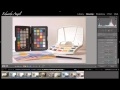
This is absolutely necessary for correct color and white balance. Light Room can automatically generate a profile, and apply it to all your photos. I use a Nikon D810 and notice that my camera tends to change blues...making them a bit lighter...greens are affected but not much, and sometimes the camera casts a yellowish color on things. You wouldn't know this if you didn't use the Passport...you'd just think "my pictures look great." Knowing this, I can decide whether I need to do the color correction or not...sometimes the images look better just using the Adobe Color setting in LR...sometimes, I need the blues to pop or the yellow shading needs to be removed. You can also adjust the white balance. Basically, you take a picture of the Passport, then use the eye dropper tool and click on different patches...if you're using different lights (and i use a combination of flash, LED, a pocket flashlight, and an Ikea lamp) this is highly useful. There's not much of a learning curve to this...maybe a few days to find an online tutorial and then a day to tinker around in LR. I would say that if you're going to get this you need to get Xrite's screen calibrating device...there's no sense in having color corrected images that are then displayed improperly on your computer screen. Invest in both and you won't regret it.
Michael T.
2018-06-13T09:47:41
Rated 5 out of 5
Excellent
Great product very useful
Timothy F.
2018-05-27T13:59:16
Rated 5 out of 5
X-Rite Digital ColorChecker Passport, Exposure & White Balance System.
A must-have piece of equipment for serious photographers.
Long H.
2018-04-15T21:00:32
Rated 3 out of 5
Useful accessory
Color checker is especially useful with multiple light sources. I use lots of mixed lighting with my macro studio -- either types of light or gels. Good product for portraits, as well. Not so much for my landscapes.
TERRY R.
2018-01-17T11:12:49
Rated 5 out of 5
Advantage of Keep to Basics
Though this item maybe described as a professional item, it still calls us back to basic white balance. Over time we can become lazy or pick up bad habits and wait until post to fix. Stay true to your craft ladies and gentleman, do it right the first time, WB, WB, and WB!
marshall t.
2017-09-11T19:40:25
Rated 5 out of 5
Color correction in a small package!
Of all the tools I use for color correction, I think the Color Checker Passport is the most important! It is SO versatile! And you can do so much with it, color correction, white balance correction, portrait color correction! It is great compliment to Lightroom !
Mitchell H.
2017-08-29T09:25:05
Rated 5 out of 5
Excellent Product
This is a must-have item for everyone who likes getting perfect colors in photos.
Javier D.
2017-08-25T06:01:06
Rated 5 out of 5
Extremely simple to use -- Extremely useful!
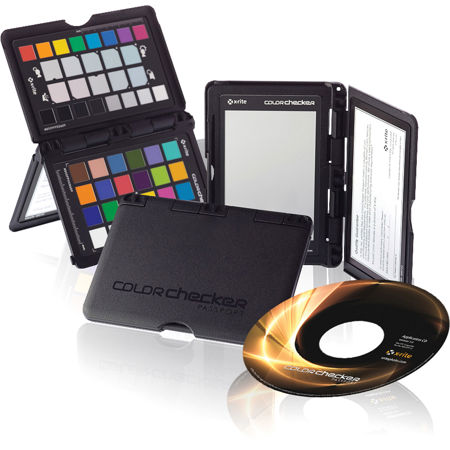
Small, compact and folds into a hard shell protective case which opens to self-stand. Creating color profiles for camera/light source combinations is very simple using the included software. Just take a picture of the ColorChecker, put it in the software, add the generated profile to LightRoom and you will achieve greatly enhanced colors in all of your images with just one click. Additionally, the neutral grey squares are perfect for one click adjusting color balance using the eyedropper tool. (If these squares are too small, the protective case can be opened to a much larger neutral grey source.) Just stand the ColorChecker in the image, take a shot, remove it and take a second shot. In LightRoom color balance the including shot and then sync that correction to the shot w/o it. (Or, the whole device is small enough that it can often be removed simply by using the spot remover tool.)
Yes, I would recommend this item to a friend!
RANDALL S.