2014-06-26T21:00:00
Rated 5 out of 5
Excellent way to stay connected on a Mac
Works seamlessly with Microsoft Office for Windows.
TIM L.
2014-06-26T21:00:00
Rated 5 out of 5
Seamless Office functionality on a Mac.
I use it on my MacBook Pro laptop computers. Works great to share content between Mac and Windows computers.
TIM L.
2013-04-01T21:00:00
Rated 5 out of 5
Does as advertised
Needed to update/upgrade ms office for Mac. I like adorama since they are fast, efficient and generally less expensive than many other places.
NICHOLAS P.
2013-03-20T20:00:00
Rated 1 out of 5
total frustration
so far 20 hours on hold and working with microsoft tech and problems still not resolved. Much Much better to have gone to a brick and morter store where I could actually speak to someone. Last straw was they got outlook loaded but took off Excel, word etc.
DO NOT buy this product over the internet - not good support.
007louise
Originally posted at

2013-02-04T19:00:00
Rated 4 out of 5
Office 2010 A Great Upgrade
Great upgrade works best with a backend of exchange.
Avi S.
2013-01-31T19:00:00
Rated 3 out of 5
excel lacks
When using excel the f2 and the f9 keys (at the least) do not function as edit and auto calculate without first striking the fn key. any other machine I have used excel on, the f2 key starts an edit of a cell, & the f9 key causes the spreadsheet to calculate. This version of excel fails in this respect and causes many extra 'fn' key strokes. have done some reviewing and have not been able to find a setting that would make the function keys operate as they should in excel vs. system operation keys. this was not expected and should not be expected.
hiptopoker
Originally posted at
2012-10-31T20:00:00
Rated 2 out of 5
Product does not have features I expected to get
Misunderstood what the product actually provided
leebarry13
Originally posted at
2012-09-10T20:00:00
Rated 5 out of 5
Great help and great features
Helped with categorizing some of my files
dragoncat
Originally posted at
2012-09-02T20:00:00
Rated 4 out of 5
this product has great features
Actually I installed this on my new laptop,need to get the wireless router to hook it up ,which i will do tomorrow .I do have the same product on my Desktop ,so i know how good it is .Thanks
doral
Originally posted at
2012-07-29T21:00:00
Rated 5 out of 5
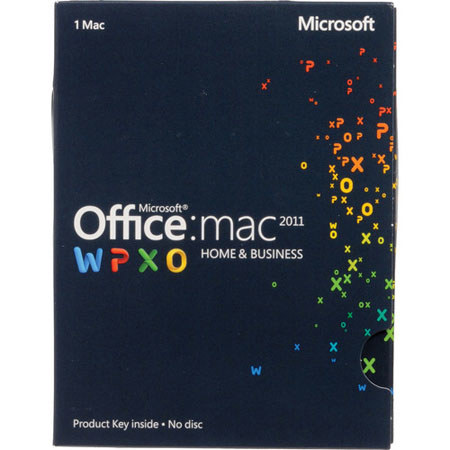
Office 2011 for Mac - did not disappoint
A recent convert from PC to Mac. I have been using MS Office with a PC forever and so wanted a similar tool for my Mac. This product made me more attached to my Mac and so now seriously doubt that I will ever go back.
SeffnerMan
2012-03-12T20:00:00
Rated 3 out of 5
I`m Now... confused
Since installing Microsoft Home and student program I have problems printing.Every time I press for a printed copy to my printer, the program goes to One note and shows up their. How do I get a hardcopy from my printer?I`ve been trying all sorts of ways without success.
ronf
ronf
Originally posted at
2012-01-24T19:00:00
Rated 5 out of 5
Office 2010
Installs easily and use of features iis intuitive
sigspook
Originally posted at
2011-12-26T19:00:00
Rated 4 out of 5
Cool features
I just wish there was information to let me know which version I was supposed to install. I don't know the difference between the 32-bit or the 64-bit.
Doc
2011-12-22T19:00:00
Rated 3 out of 5
disappointed
There are many things I don't understand. The windows XP was easy to understand and had more features I could use at home such as a label maker. Wish I had gotten something different for home use.
carollee
Originally posted at
2011-12-08T19:00:00
The product is only good for 1 user. Thus, dont be surprise if you will not be able to install it to another PC. lol
scottish
Originally posted at
2011-12-07T19:00:00
Rated 4 out of 5
Student Version Office 2010
It's a great product, it is just not what I'm used to. The subtitles are not under the headings you think they are. But it's just getting used to it just like everything else that is new to you. It's easy to follow to print, save, etc.
I'd recommend it to anyone who does documents, excel spreadsheets, etc.
It has really come in handy this week - with doing Christmas card names and addresses. Listing tasks to do and when they are completed. I even have done a spreadsheet on what my bills are and when they are paid and the amount.
keagan
Originally posted at
2011-10-13T20:00:00
Rated 5 out of 5
Hey it's Microsoft Office enough said
It came very fast and loaded very easy. Works great so far.
ED452
Originally posted at
2011-10-12T20:00:00
Rated 4 out of 5
Works as expected.
I had used the free Trial Edition so I knew what I was getting. Not all the bells and whistles but the ones I need the most. Best part was for the money I have 2 other downloads. A local merchant was going to sell me one download for almost the same price. I like shopping with HP.
gloriajule
Originally posted at
2011-10-02T21:00:00
Rated 5 out of 5
Essential tools
Essential suite of programs for presentations, letters and spreadsheets.
kathy c.
2011-08-24T20:00:00
Rated 4 out of 5
Good but...
The product key card is a good value and works well, but if I had paid closer attention I would have gotten the disc version so that I could have installed it on my desktop and laptop. I think that for another 75 dollars that would be an excellent choice. Other than that I really like it.
CharS
Originally posted at
2010-06-14T20:00:00
Rated 5 out of 5
Great Great Great Produc to Buy!!!!!!!
The NEW Ms office in town is great
It has many features in it, to find you need to try it out
My suggestion as a techie would be a must Buy product
Seeing My office and College presentation all of my colleagues were jealous
NitinPandya
Originally posted at
2010-06-14T20:00:00
Rated 5 out of 5
Best Software in Town!!!!!!!!!!!!!!
Must Buy Product!!!!!!!!!!!!!!!
AmishPatel
Originally posted at