Overview
Compare
Specs
Protection

Reviews about this item

Review Summary

2020-09-29T11:26:48

Rated 5 out of 5

Good Set of Spare Parts

Spare parts for my pen. Just what I needed.

DAVID J.

2018-08-11T19:04:49

Rated 5 out of 5

Wacom Art Pen.

A very good product , after some Wacom tablet and Photoshop programs adjustments to obtain the pen rotation, everything worked as expected. I strongly .recommend this product. Oscar

OSCAR R.

2018-03-13T14:41:53

Rated 5 out of 5

Fantastic Purchase of the Wacom Intuos4 Pen Accessory Kit

I had a very hard time finding pen nib replacements. I had almost given up; however, I stumbled upon Adorama and found exactly what I was looking for, so I decided to give them a try. The kit came exactly as described and shipping was fast. I love my purchase and have found a new home for my Wacom Tablet needs. Thank you Adorama!!

Jody S.

2017-01-01T07:41:22

Rated 2 out of 5

Mixed feelings

For what was received, I feel the product is overpriced. Also, it was transit for a week, therefore arriving after Christmas.

Charisse B.

2015-01-29T19:00:00

Rated 5 out of 5

Outstanding stylus

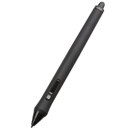
It's much more ergonomically attuned than the default pen that comes with tablet(s), the other is good but this is much better and it fits my hand (in glove size would be a mens large). My only complaint is the buggy software that wacom has for customizing buttons, maybe it's limited to mac OS but the buttons and the dial on the pen are not customizable (all attempts to change them have failed). That's not enough to deduct from the rating because the pen is very comfortable and works well.

James H.

2014-07-15T21:00:00

Rated 4 out of 5

Good hardware, but...

The pen itself works very well, but if you own an older version of Photoshop (CS5 or below), you should be aware that if your brush is not a "bristle brush," the brush cursor ("ghost") does not rotate in real time when you rotate the pen's barrel, so you can't see what your brush is going to look like in real time. If I had known that, I'd have waited until I upgraded my version of Photoshop before buying the art pen. The art pen doesn't come with a nib puller - so don't lose the one that came with your Intuos!

Sam

Wacom Intuos4 Specifications

About Wacom Intuos4

FEATURED REVIEWS

Good Set of Spare Parts

By DAVID J.

Spare parts for my pen. Just what I needed.

Wacom Art Pen.

By OSCAR R.

A very good product , after some Wacom tablet and Photoshop programs adjustments to obtain the pen rotation, everything worked as expected. I strongly .recommend this product. Oscar

Intuos4 Inking Pen...

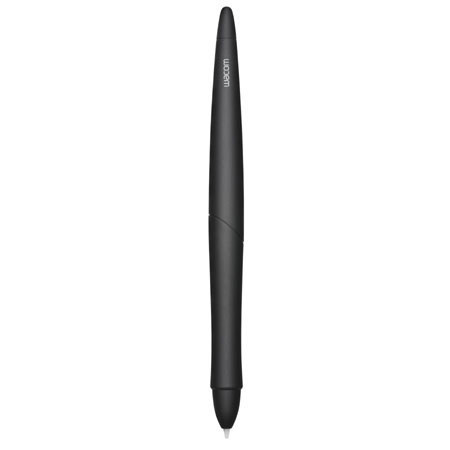
This pressure-and tilt-sensitive drawing pen was created to provide the immediate feedback of actual ink on paper. Simply place a sheet of paper on top of your tablet and your Intuos4 inking pen can both "draw" on the paper and while digitally record the drawing on the tablet. The Inking Pen comes with "inking cartridges" and two standard Intuos4 pen nibs for standard pen tablet "inkless" input.

The Intuos4 Inking Pen has the same pressure sensitive tip as the Intuos4 Grip Pen, but does not have a digital eraser or the side switches. Note: When you purchase an Inking Pen, it comes with a standard nib in the pen. Use the nib extractor (silver ring) to gently remove the standard nib from the pen.

Then insert one of the silver-colored cartridges that come with the Inking Pen. The cartridge tip has a waxy coating that you will need to rub off before you can begin inking. Note: The Intuos4 Inking Pen works with Intuos4 generation tablets only.
Key Features

  • Five mouse buttons
  • Finger wheel
  • Tool ID
  • Cordless-/battery-less