Disk Cloning Tools
Disk cloning tools have become an essential resource for anyone looking to safeguard their digital world, upgrade hardware, or streamline IT workflows. As the seasons shift from the warmth of summer into the crispness of fall, many people find themselves organizing and refreshing their digital setups, whether it’s in preparation for a new academic year, a busy creative season, or simply to keep pace with evolving technology. Disk cloning, at its core, is the process of creating a complete, sector-by-sector replica of a storage drive—capturing not just files and folders, but also the operating system, applications, settings, and hidden system partitions. This makes it invaluable for those upgrading from an older hard drive to a faster SSD, setting up multiple identical workstations, or ensuring that a system can be restored swiftly in the event of a hardware failure. For photographers, videographers, and other creative professionals who rely on large libraries of digital content, disk cloning tools offer peace of mind and a straightforward workflow for backing up or migrating entire projects without missing a beat. Even for home users, these tools can simplify the process of moving to a new computer or preserving cherished memories and important documents.
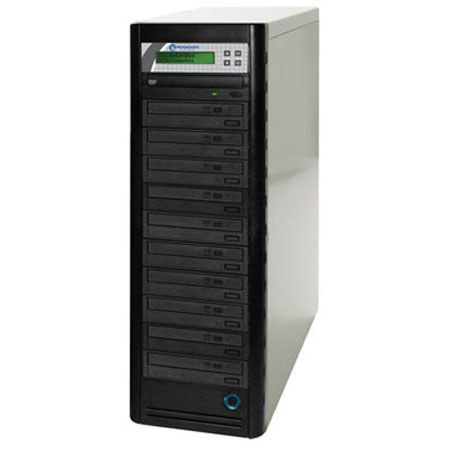
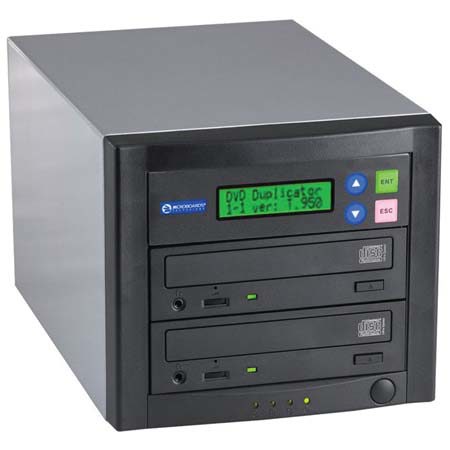
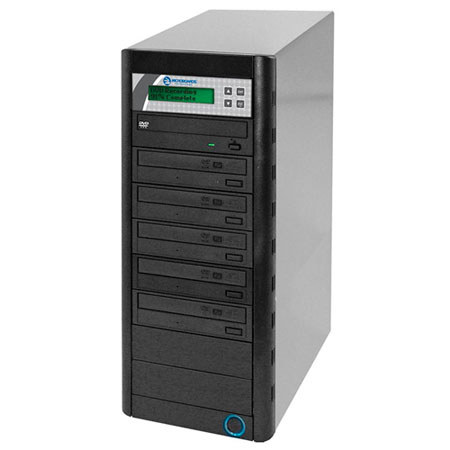
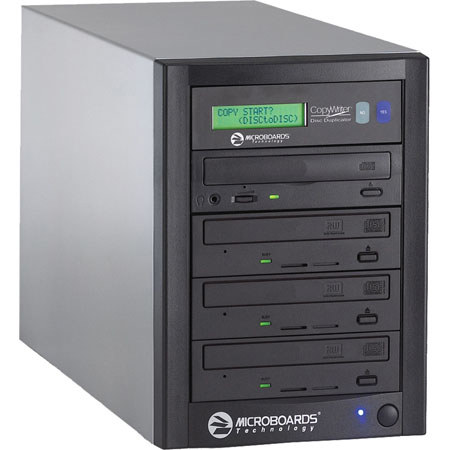
Selecting the right disk cloning solution comes down to understanding your unique needs and the environments in which you work. For IT administrators managing multiple machines, a robust disk cloning tool can save countless hours by allowing rapid deployment of standardized system images. Power users and tech enthusiasts often appreciate advanced features such as differential cloning, scheduling, and compatibility with a wide range of file systems. Beginners, on the other hand, may prioritize ease of use and intuitive interfaces, especially when performing their first drive upgrade or system migration. Many tools operate independently of your primary operating system, often via bootable USB drives or external enclosures, which can be especially useful for cloning drives that contain locked or in-use files. For those with an interest in legacy media, cd cloning utilities can also play a role in preserving older software or archives, ensuring that valuable data is not lost to obsolescence. Disk cloning tools make thoughtful gifts for students heading off to college, tech-savvy friends, or anyone in your life who values data security and efficiency—especially as people tend to tackle organizational projects during the transitional months. Whether you’re preparing for a busy season of work, embarking on a creative endeavor, or simply looking to future-proof your digital life, having the right disk cloning tool on hand is a practical investment.
It’s also worth considering how disk cloning fits within a broader data protection strategy. While cloning provides a complete copy of your drive for migration or backup, it’s only one piece of the puzzle; regular backups and recovery options remain essential for comprehensive security. If you’re interested in expanding your toolkit further, you might explore solutions for drive recovery and external backup—resources like our dedicated External Disk Recovery page can help you find the right products to keep your data safe and accessible. As you evaluate your options, keep in mind factors such as compatibility with your operating system, support for modern and legacy drives, and the ability to handle large volumes of data efficiently. With the right disk cloning tools, you’ll be well-equipped to handle upgrades, protect your creative work, and maintain peace of mind through every season.
Selecting the right disk cloning solution comes down to understanding your unique needs and the environments in which you work. For IT administrators managing multiple machines, a robust disk cloning tool can save countless hours by allowing rapid deployment of standardized system images. Power users and tech enthusiasts often appreciate advanced features such as differential cloning, scheduling, and compatibility with a wide range of file systems. Beginners, on the other hand, may prioritize ease of use and intuitive interfaces, especially when performing their first drive upgrade or system migration. Many tools operate independently of your primary operating system, often via bootable USB drives or external enclosures, which can be especially useful for cloning drives that contain locked or in-use files. For those with an interest in legacy media, cd cloning utilities can also play a role in preserving older software or archives, ensuring that valuable data is not lost to obsolescence. Disk cloning tools make thoughtful gifts for students heading off to college, tech-savvy friends, or anyone in your life who values data security and efficiency—especially as people tend to tackle organizational projects during the transitional months. Whether you’re preparing for a busy season of work, embarking on a creative endeavor, or simply looking to future-proof your digital life, having the right disk cloning tool on hand is a practical investment.
It’s also worth considering how disk cloning fits within a broader data protection strategy. While cloning provides a complete copy of your drive for migration or backup, it’s only one piece of the puzzle; regular backups and recovery options remain essential for comprehensive security. If you’re interested in expanding your toolkit further, you might explore solutions for drive recovery and external backup—resources like our dedicated External Disk Recovery page can help you find the right products to keep your data safe and accessible. As you evaluate your options, keep in mind factors such as compatibility with your operating system, support for modern and legacy drives, and the ability to handle large volumes of data efficiently. With the right disk cloning tools, you’ll be well-equipped to handle upgrades, protect your creative work, and maintain peace of mind through every season.