



Photo Editing Software For Beginners
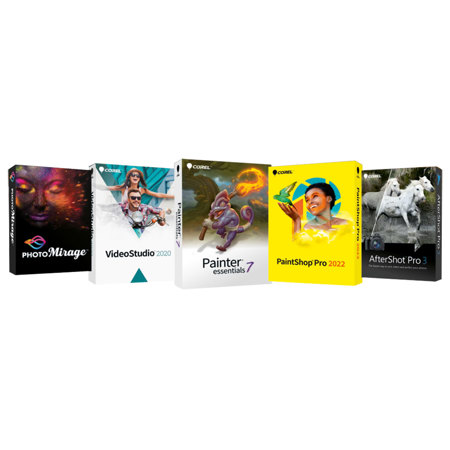
Learning to edit photos can be a transformative experience for anyone exploring photography, whether you’re capturing family gatherings, summer adventures, or the changing colors of fall. For beginners, the world of photo editing software is more accessible than ever, with intuitive tools designed to help you enhance your images without feeling overwhelmed. Entry-level photo editing programs often feature user-friendly interfaces, guided workflows, and helpful presets that make it easy to adjust lighting, color, and composition with just a few clicks. This accessibility is perfect for those who want to polish vacation snapshots, create eye-catching social media posts, or simply preserve memories in their best light. As the seasons transition from warm outdoor activities to cozy indoor moments, having reliable editing software means your photos can reflect the mood and vibrancy of each memory. Many beginners appreciate features like one-click filters, automatic enhancements, and step-by-step tutorials, which allow you to experiment and grow your skills at your own pace. Whether you’re editing on a laptop, desktop, or even a mobile device, today’s beginner-friendly software options are designed to fit seamlessly into your creative routine and empower you to share your story visually.
Choosing the right photo editing software as a beginner often comes down to your comfort level, device preferences, and the type of photography you enjoy. If you’re gifting software to a friend or family member who’s just picked up a new camera or smartphone, consider options that provide a gentle learning curve and plenty of creative support. Many people start with built-in editors on their computers or mobile devices, then graduate to specialized programs as their confidence grows. Look for features like crop and rotate tools, exposure and color sliders, and easy-to-use retouching options. Some software even incorporates AI-powered enhancements and guided edits, making it simple to remove distractions, brighten dull images, or add artistic effects. These tools are especially useful for students, hobbyists, travelers, or anyone looking to document everyday life with a personal touch. As you become more comfortable with the basics, you might find yourself interested in exploring more advanced techniques, such as layer-based editing, detailed masking, or batch processing. When that time comes, you can discover more robust options on our Advanced Photo Editing Software page, which offers solutions for users ready to take their creativity to the next level. In the meantime, beginner photo editing software provides a welcoming foundation for anyone eager to bring their photos to life, experiment with new styles, and share their vision with friends and family throughout the changing seasons.
Choosing the right photo editing software as a beginner often comes down to your comfort level, device preferences, and the type of photography you enjoy. If you’re gifting software to a friend or family member who’s just picked up a new camera or smartphone, consider options that provide a gentle learning curve and plenty of creative support. Many people start with built-in editors on their computers or mobile devices, then graduate to specialized programs as their confidence grows. Look for features like crop and rotate tools, exposure and color sliders, and easy-to-use retouching options. Some software even incorporates AI-powered enhancements and guided edits, making it simple to remove distractions, brighten dull images, or add artistic effects. These tools are especially useful for students, hobbyists, travelers, or anyone looking to document everyday life with a personal touch. As you become more comfortable with the basics, you might find yourself interested in exploring more advanced techniques, such as layer-based editing, detailed masking, or batch processing. When that time comes, you can discover more robust options on our Advanced Photo Editing Software page, which offers solutions for users ready to take their creativity to the next level. In the meantime, beginner photo editing software provides a welcoming foundation for anyone eager to bring their photos to life, experiment with new styles, and share their vision with friends and family throughout the changing seasons.