
Overview
Compare
Accessories
Specs
Protection

Reviews about this item

Review Summary

2023-10-30T20:00:00

Rated 1 out of 5

Adf cover error

Stopped working because of some adf sensor error. Now cannot scan nor copy.

Maria S.

2023-10-12T20:00:00

Rated 2 out of 5

Sub Par

Quality is sub par, support is awful, went and bought a different printer from a different company. Once the warranty is done you might as well throw it away.

John S.

2023-05-17T20:00:00

Rated 5 out of 5

Best office purchase

Great printer for the price. The online features make scanning docs into cloud accounts a breeze

Jays

2023-02-18T19:00:00

Rated 5 out of 5

Ok

Super pour l`impression et de texte et de Photos, les couleurs sont bonnes

Decoration M.

2022-11-20T19:00:00

Rated 3 out of 5

Extremely poor quality control

Great little printer, if it had all the parts to it when they ship it from the factory.

Virgil2U

2019-10-30T20:00:00

Rated 1 out of 5

Great scanner ... lousy printer

Great luck with other Brother printers. This model is a lemon. WILL NOT PRINT ON ENVELOPES OR ANYTHING BUT COPY PAPER. Manuel feed a NO GO. Color printing is awful. Thought it was me, son loves Brother, thinks it junk.

Gene C.

2019-03-28T20:00:00

Rated 3 out of 5

Great Printer, ... Once you get it set up.

I can't believe you still can't just run the installer, hit scan and boom, there is your pdf. It works eventually once you mess with it for a while but it's a giant pain.

naterr34us

2019-02-11T19:00:00

Rated 2 out of 5

Printer is great when it will print!

This has been maddening for me as the printer will not stay online. I've googled relentlessly and have no idea why the connection fails so often. Randomly, my efforts will make it possible to connect but it does not stay connected. I have run through everything with my router, the device settings, and my various PCs (MAC and Windows. I've not been able to find a fix and no amount of support can explain it but the forums out there prove that I am not alone! Oddly, when it works, it is fantastic!

Brit4848

2019-01-16T19:00:00

Rated 3 out of 5

Fuser crumbling and disintegrating

Although I am happy with the print quality, after a few years of minimal home use the fuser has just started to scrumble and disintegrate. Bit and prices of it have started coming out as it prints. Very disappointed especially having spent the money I have on the toner.

TracM

2018-11-10T19:00:00

Rated 2 out of 5

remote scan disappeared

Machine was working well and then remote scan would not work. Reloaded drivers still no luck

slsrep

2018-11-07T19:00:00

Rated 1 out of 5

Terrible printer. Will not last long.

We bought this printer two years ago. One year in, it starts to print every page with black streaks and faint impressions from other pages, especially for duplex printing. Changing the toner did not help the situation. Now, the printer creates a paper jam on every single page of a duplex printing job. in addition to terrible printing quality, Brother has poor customer service, with links and sites that are hard to find, and agents that do not actually read customer’s error report before suggesting next steps.

by2018

2018-11-01T20:00:00

Rated 1 out of 5

Should be better the it is

I am using this printer/scanner with Mac. It works OK but continually looses the connection. It will not scan more than one document at a time then it must be deleted and reconnected. The website maintained by brother is less than useless with respect to providing solutions and advice. Every time you try to download a driver you do not ever find the file only link to menus that take you to links to menus so that you cn find a link. It never actually provides a driver.

Ianrjwrou

2018-10-15T20:00:00

Rated 3 out of 5

No duplex copying

Cannot copy a two sided document to a two sided copy

rjj72

2018-10-08T20:00:00

Rated 1 out of 5

Do Not Buy This!

I had this machine for a few years and always maintained it. Recently the paper was coming out with indentations as if it was embossed. I opened the back of the machine and the black roller completely deteriorated! Really awful.

BBGG

2018-10-03T20:00:00

Rated 4 out of 5

Good

Love it, but it took a while to get it to work on my wireless items, should make it easier being that it is wireless

Liza16915

2018-10-02T20:00:00

Rated 5 out of 5

Excellent printer, fair price

By far the best laser printer I have ever owned. Produces clear, sharp, smudge free text and graphics. A very big plus in easily available technical support.

stupid q.

2018-09-25T20:00:00

Rated 5 out of 5

Love it.

Had to return my first one under warranty. New one works like it's supposed to and I realized how bad the first one actually was. Multiple things we're wrong for whatever reason, but Brother's warranty came through for me.

AMM1

2018-08-23T20:00:00

Rated 5 out of 5

Color Printer

Easy to setup. A lot faster than my old printer. It meets all my needs. I really like all the printing & copying options

Danrol

2018-08-21T20:00:00

Rated 1 out of 5

Terrible Printer!

This printer is TERRIBLE!!! Everyone in the office wants to take it outside to 'Office Space' it every day. It's slow, unreliable and loses connection all the time.

PizzaPete

2018-08-03T20:00:00

Rated 4 out of 5

Great feature

Full feature in color. Reliable, but has more frequent paper jams than my previous multi-function.

Sidneli

2018-07-17T20:00:00

Rated 5 out of 5

Great printer copier, scanner!!

I’ Delited with the new printer. Great color and it scans beautifully at a great price.

Mr E.

2018-07-15T20:00:00

Rated 4 out of 5

Love the life of toner and it holds a lot of paper

I love this product, especially as a key resource for running my small business. It has been a life saver!

KTD7

2018-07-14T20:00:00

Rated 4 out of 5

Good features.

Good print quality. Motor runs for a minute or so (seems like longer after printing stops. Motor is somewhat noisy.

Sarah20

2018-07-10T20:00:00

Rated 5 out of 5

Great features

It is a great product, easy to use. I like its quality, so I brother 2 more for my photos too.

Dominic

2018-06-24T20:00:00

Rated 4 out of 5

Nice

Why couldn't I just click on the "Love it" box? ilvk hirf2;XYQ3w

fudhgfjhvkjhkjhbk

2018-06-21T20:00:00

Rated 5 out of 5

Great printer

It does what it said it would do, no more, no less!

The O.

2018-06-17T20:00:00

Rated 5 out of 5

Love this machine! Does everything!

I will not be with out a Brother again! This machine is amazing! Easy set up and easy to use!

TonTon

2018-06-13T20:00:00

Rated 5 out of 5

Great Printer.

Prints great copies, although a little slower than I would like. Scanning is very easy. I didn't get the second tray, but realized afterward that it would have been a good idea for envelopes. As it is now, you can only print one envelope at a time through the front slot...not awful, but not as convenient as it could have been. Love that the toner lasts way longer than in my inkjet printer. Size is fine...not overly large.

Sasha13

2018-06-13T20:00:00

Rated 5 out of 5

Smarter than me

Awesome color printer. I do better when I ignore the instructions and let intuition guide me

DogPeep

2018-06-13T20:00:00

Rated 5 out of 5

No More Dried up Print Heads!

Great Printer, easy set-up on my Mac, haven't hooked up the wireless yet, but USB was a snap, I really like the straight through print door option, I use it for labels and card stock, even though its not recommended, and it works great, from Birthday cards, to UPS labels.... maybe a little less resolution than my top of the line ink jet, but it always works, if you don't use an inkjet daily they dry up, and if you do use them daily you will need to buy ink bulk....

Lumpy L.

Brother C-9330CDW Specifications

  • Print Technology

    Digital Color LED

  • Consumable Type

    Toner Cartridge & Drum Unit

  • Max. Black Print Speed

    23ppm Black

  • Max. Color Print Speed

    23ppm Color

  • Print Resolution (maximum)

    Up to 600 x 2400 dpi

  • Printer Driver Compatibility

    Windows & Mac OS

  • Emulation(s)

    PCL6 & BR-Script 3

  • Copying Capability

    B/W & Color Copying

  • Design Style

    Flatbed

  • Max. Automatic Document Feeder Capacity

    35-Page ADF

  • Max. Black Copy Speed (cpm)

    23cpm Black

  • Max. Color Copy Speed (cpm)

    23cpm Color

  • Stand-alone Copying

    No PC Required

  • Reduction/Enlargement

    25% - 400%

  • Sorting Function

    Yes

  • N in 1 Function

    2in1 / 4in1

  • Poster Function

    Yes

  • Document Glass Size

    Letter / A4

  • ID Copy

    Yes

  • Scanning Capability

    B/W & Color Scanning

  • Max. Interpolated Scan Resolution

    19200 x 19200 dpi

  • Optical Scan Resolution

    1200 x 2400 dpi

  • Mobile Device Scanning App

    Brother iPrint&Scan free app download for wireless printing from and scanning to your mobile device. For more information, please click here

  • "Scan To" Feature

    E-mail, Image, OCR, File, FTP, Network Folder/CIFS (Windows only), E-mail Server (download only)

  • Scan File Formats

    TIFF/BMP/MAX/JPG/PDF

  • Scanner Driver Compatibility

    Windows/Mac OS

  • Document Viewer Software

    Includes Scansoft PaperPort 12SE with OCR for Windows and Presto! PageManager9 for Mac

  • OCR Software

    Includes Scansoft PaperPort 12SE with OCR for Windows and Presto! PageManager9 for Mac

  • Faxing Capability

    B/W Faxing

  • Fax Modem Speed

    33.6K bps Super G3 Fax Modem

  • PC Fax Capability (send/receive)

    Yes

  • Best Transmission Speed (sec)

    Approx. 2 seconds per page

  • Call Waiting/ Caller ID

    No/No

  • Distinctive Ring Ready

    Yes

  • Out-of-Paper Reception

    Yes

  • External TAD Interface

    Yes

  • Total Auto Dial Locations

    200 locations

  • Broadcasting (No. of locations)

    Yes (250 locations)

  • Quick Scan (Memory Transmission)

    Approx. 2.5 sec/page

  • Fax/Telephone Switch

    Yes

  • Fax Page Memory

    Up to 500 page fax memory

  • Auto Fax Receive Date/Time Header

    Yes

  • Document Memory Backup

    Yes

  • Standard Input Paper Capacity

    250 Sheet Paper Capacity

  • Multi-purpose Tray

    Single-sheet manual bypass slot

  • Output Paper Capacity

    100 sheets

  • Duplex Printing Capability

    Yes

  • Paper Handling Size - Paper Tray

    Letter, Legal, Executive, A4, A5, B5

  • Paper Handling Size - Manual Feed

    Width 3.0" to 8.66"; Length 4.57" to 16"

  • Sheet Weight - Paper Tray (max/min)

    16-28 lbs.

  • Sheet Weight - Manual Feed (max/min)

    16-43 lbs.

  • Minimum Input for ADF (Width/Height)

    5.8"/5.8"

  • Max Input of ADF (Width/Height)

    8.5"/14"

  • Sheet Weight - ADF (max/min)

    17-24 lbs.

  • Recommended Paper Brands

    Plain Paper: Xerox 4200DP 20 lb., Hammermill Laser Paper 24 lb., Recycled Paper: Xerox Recycled Supreme, Transparency: 3M CG 3300, Labels: Avery Laser Label #5160

  • Media Type

    Plain Paper, Bond Paper, Recycled Paper, Label, Envelope, Glossy Paper

  • Standard Interface(s)

    Wireless 802.11b/g/n, Ethernet and Hi-Speed USB 2.0

  • USB Direct Interface/PictBridge

    Yes/No

  • Standard Network Features

    Printing, Scanning, PC Fax Send / Receive

  • Mobile Device Compatibility

    AirPrint, Google Cloud Print, Brother iPrint&Scan, Cortado Workplace and Wi-Fi Direct

  • Supported Network Protocols (IPv4)

    ARP, RARP, BOOTP, DHCP, APIPA(Auto IP), WINS/NetBIOS name resolution, DNS Resolver, mDNS, LLMNR responder, LPR/LPD, Custom Raw Port/Port9100, IPP/IPPS, FTP Client and ServerTELNET Server, HTTP/HTTPS server, TFTP client and server, SMTP Client, APOP, POP before SMTP, SMTP-AUTH, SNMPv1/v2c/v3, ICMP, LLTD responder, WebServicesPrint/Scan, CIFS Client, SNTP, SSL/TLS

  • Supported Network Protocols (IPv6)

    NDP, RA, DNS resolver, mDNS, LLMNR responder, LPR/LPD, Custom Raw Port/Port9100, IPP/IPPS, FTP Client and Server,TELNET Server, HTTP/HTTPS server, TFTP client and server, SMTP Client, APOP, POP before SMTP, SMTP-AUTH, SNMPv1/v2c/v3, ICMPv6, LLTD responder, WebServicesPrint/Scan, CIFS Client, SNTP, SSL/TLS

  • One-Push Wireless Setup

    AOSS or Wi-Fi Protected Setup capable routers

  • LCD Display

    Yes, 3.7" Color TouchScreen

  • Standard Memory

    192MB

  • Optional Memory

    No

  • Toner Save Mode

    Yes

  • Maximum Monthly Duty Cycle

    30,000 pages

  • Recommended Monthly Print Volume

    300 to 1,500 pages

  • Wireless Network Security

    WEP 64/128bit, WPA-PSK (TKIP/AES), WPA2-PSK (AES), 802.1x, (LEAP(CKIP), EAP-FAST(TKIP/AES), PEAP, EAP-TLS, EAP-TTLS

  • Security Functions

    Secure Function Lock, Setting Lock, Secure Print

  • ENERGY STAR Qualified

    Yes

  • Power Source

    AC 110 - 120V 50/60Hz

  • Power Consumption

    Deep Sleep / Ready / Printing / Copying: 1.8W / 70W / 375W / 380W

  • Operating Temperature

    50 to 91deg. F / 10 to 33deg. C

  • Operating Humidity

    20-80% (without condensation)

  • Machine Noise (Ready/Copying)

    30 dB/53 dB

  • EPA ENERGY STAR TEC Value

    2.1 kWh / Week

  • Dimensions (W x D x H)

    16.1 x 19.0 x 16.1" / 408.94 x 482.60 x 408.94mm

  • Weight

    51.1lbs / 23.18kg

  • UPC Code

    012502634805

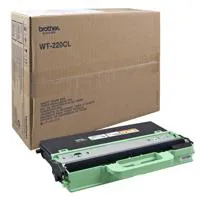
12 Accessories for Brother MFC-9330CDW All-in-One Wireless Digital Color LED Printer, 23ppm Black/Color, 600x2400dpi, 250 Sheet Paper Capacity, USB 2.0 - Print, Copy, Scan, Fax

  • All Accessories (12)
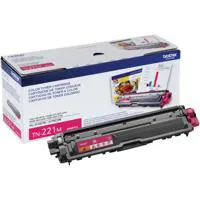
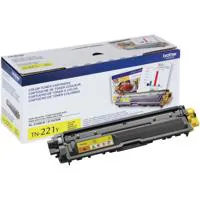
  • Ink & Toner (7)
  • Printer Accessories (1)
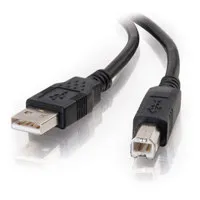
  • Cables & Adapters (2)
  • Legacy Paper (1)
  • Copy Paper (1)

About Brother C-9330CDW

FEATURED REVIEWS

Great MFC

By FrankK

My third Brother printer. Bought this one and did away with the other printer and separate scanner. The print quality is above par. the scanner/copier is wonderful and easy to use. I especially like how the scanned document can be downloaded to any PC on the network. I don't use the fax so I can't comment on it. All in all, a really great product.

Great Printer

By SmallBizGrl

I highly recommend this printer! I have not had any problems with it. It was a nice upgrade from my small desk-jet. I was getting tired of replacing the ink cartridge every month. With this printer, I haven't even replaced it yet. I have had the printer for several months!

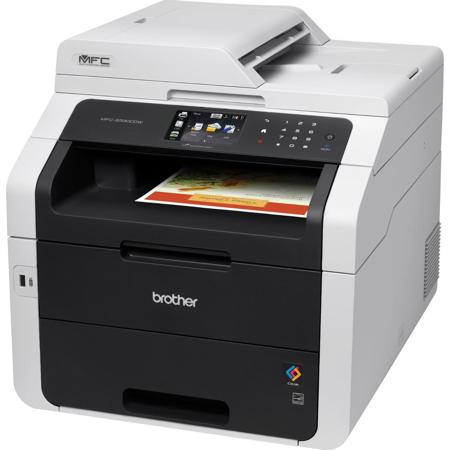
The Brother MFC-9330CDW is an ideal choice for the small business looking for a fast, reliable digital color All-in-One with duplex (2-sided) printing. It packs big business features like a 3.7" color TouchScreen display and wireless networking into an affordable, compact device designed to fit your small business workspace and budget.

It prints and copies high-impact color and crisp black documents at up to 23ppm and scans and faxes too! It's perfect for businesses that primarily produce black business documents, but also need to print professional-quality color documents in-house from time to time. It also offers wireless printing from your mobile device via AirPrint, Google Cloud Print, Brother iPrint & Scan, Cortado Workplace and Wi-Fi Direct.

Duplex printing, wireless networking, print speeds up to 23ppm and copy/scan/fax functionality
If your small business is looking for a fast, reliable color all-in-one with automatic duplex (two-sided) printing, the Brother MFC-9330CDW may be exactly what you need. It takes big business features like wireless connectivity and an intuitive 3.7" Color TouchScreen Display and packs them into an affordable, compact all-in-one designed to fit your small business budget and workspace. It prints and copies brilliant color documents that help your business make an immediate professional impression and stand out in the crowd. It also scans to a variety of network and cloud destinations and sends and receives faxes too.

Save up to 60% by Printing Your Color Documents In-house
The MFC-9330CDW utilizes Brother Digital LED Print Technology to print brilliant color at up to 600 x 2400 dpi for professional-looking results. Plus, when you print using High-Capacity Replacement Toner Cartridges, you'll save up to 60% vs. what you'd pay at your local copy center. With print and copy speeds up to 23ppm in both color and black, you won't waste time waiting for your important printouts. When you factor in the convenience of an adjustable 250-sheet capacity paper tray and the single-sheet manual feed slot for printing envelopes and thicker media, using the MFC-9330CDW can be like bringing the local copy center right to your office.

More Cost-saving Features Help You Make the Most of Your Printing Budget
Brother designed the MFC-9330CDW to help small businesses save money when printing. You'll find lots of ways to stretch your printing dollar, including:
• Duplex (Two-Sided) Printing automatically produces two-sided color business documents to help save paper.
• New High Capacity Replacement Color Toners provide approximately 7.5 percent lower color cost per copy versus Brother standard capacity replacement color toners.
• Secure Function Lock limits accessibility to selected functionality on a per user basis to help reduce unnecessary use as well as paper and toner consumption.
• Deep Sleep Mode uses less than two watts of power when not in use.
• Auto Off Mode powers off the unit when not in use to reduce energy consumption.

Scan High-Quality Color Documents to a Variety of Network and Cloud Destinations
With an optical scan resolution of up to 1200 x 2400 dpi, the MFC-9330CDW can scan documents with stunning clarity via the letter-size document glass or the up to 35-page capacity legal-size automatic document feeder. Scan to a variety of destinations, including e-mail, file, image, OCR, FTP, or to your USB drive4 plugged directly into the unit's convenient front access port. You can also scan multiple documents to a single PDF file using the automatic document feeder. Access popular web services directly from the TouchScreen LCD Display using WebConnect. This allows you to scan to or download from specific web services using an Internet connected Brother MFC-9330CDW without using a computer. Access your FACEBOOK, PICASA Web Albums, FLICKR, EVERNOTE, Google Drive, Dropbox, or BOX accounts.

Mobile Device Printing and Scanning Plus a Variety of Connectivity Options
Enjoy the convenience of wireless printing from or scanning to your Apple, Android, Kindle Fire, or Windows Phone 7 mobile device. Print via6 AirPrint, Google Cloud Print, the free Brother iPrint&Scan app, Cortado Workplace, or Wi-Fi Direct. Plus the convenient wireless 802.11b/g/n connection helps reduce cables and clutter in your office - simply place your printer in an area that will allow you to share with others. You can also install the MFC-9330CDW on your wired network via the Ethernet port, or connect to a single computer via Hi-Speed USB 2.0 connection (cable not included).
What's in the box:

  • Brother MFC-9330CDW All-in-One Wireless Digital Color LED Printer
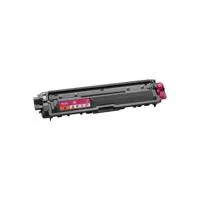
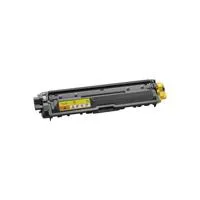
  • Starter Toner Cartridges (BK/C/M/Y) (1000 Pages)
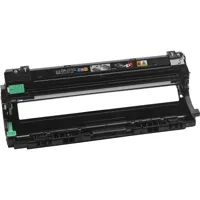
  • DR221CL Drum Unit Set (15000 Pages)
  • Quick Set Up Guide
  • Software CD-ROM for Windows
  • Software CD-ROM for Mac
  • Brother 1 Year Limited Warranty MF