


This item is no longer available.
Charging
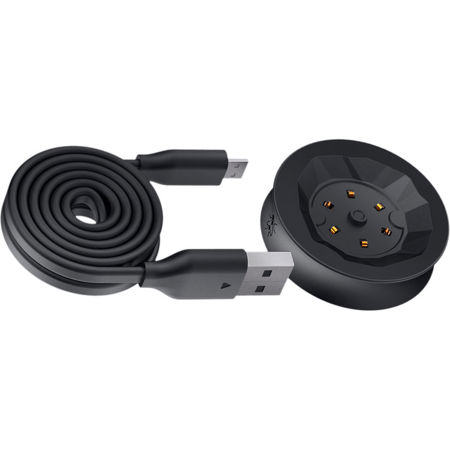
To charge your camera, insert the USB cable into a USB outlet adapter rated at 1.5A to 2.1A (most smartphone charger adapters) and plug it into the 360fly 4K Power Cradle. Next, simply place the camera on the charger base. The magnetic base will align the camera in the correct position. You can also charge your 360fly by inserting the cable into the USB port on your Mac or PC. For best results, charge your camera while it is powered off. While charging, your camera's LED indicator will flash green. When fully charged, the camera LED will remain solid green. Prior to initial use, it is recommended that you charge your camera for at least 30 minutes.
When your camera battery is low, the camera LED will display a magenta color (light purple). It is recommended that you charge your camera prior to further use when the LED is in a magenta state. If your 360fly 4K will not accept a charge or still has a flashing green light for more than 3 or 4 hours without becoming solid green, there are a few issues that might be affecting your 360fly's 4K ability to charge:
We have found that some older iPad chargers or chargers rated above 1.8A do not support the USB standard and won't charge the 360fly 4K unit. If this happens try using another charger rated less then 1.8A. You will need to place the 360fly 4K unit on the charger cradle and let it sit for about 30 minutes. The Green LED will start flashing after a several minutes indicating that the unit is charging. After about 2 hours the units should reach full charge.






