



This item is no longer available.
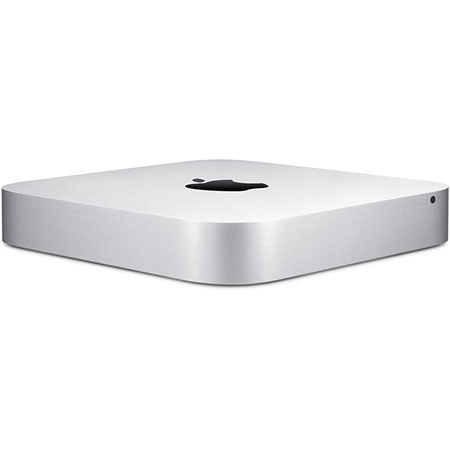
The Apple Mac Mini Desktop Computer features fourth-generation Intel Dual-Core i5 1.4GHzprocessors, faster integrated graphics, Thunderbolt 2, next-generation Wi-Fi and plenty of ports. Everything you expect from a Mac.
Fourth-generation, Intel Core processors
When you're using processor-intensive applications, Turbo Boost 2.0 increases the clock speed. Hyper-Threading lets each core run two threads, so OS X multitasks even more efficiently. And an integrated memory controller connects fast 1600MHz memory directly to the processor, so it gets right to work on your data. In short, Mac mini is a little box of vroom.
Intel HD Graphics 5000
Intel HD Graphics 5000 deliver up to 90 percent more pixel-pushing performance than the previous generation of integrated graphics. So the video you watch and the games you play are smoother and more responsive. Flipping through photo albums is a breeze. And now you've got all the power you need to edit your HD video into a film worthy of a red carpet premiere.
Mac mini Graphics Performance
Up to 90% faster than previous generation Mac mini.
Thunderbolt 2
Thunderbolt 2 technology in Mac mini is phenomenally fast. The two Thunderbolt 2 ports on Mac mini feature dual 20-Gbps channels for data transfer. That's up to four times faster than USB 3. But beyond speed, Thunderbolt gives you unprecedented expansion capabilities. You can daisy-chain as many as six Thunderbolt devices to a single port. And since Thunderbolt is based on DisplayPort technology, Mini DisplayPort devices like the Apple LED Cinema Display plug right in, too.
Plenty of ports make it ready for anything
As powerful as Thunderbolt 2 is, it's just one of your options. If you have a third-party display, you can use the HDMI port to connect it. You can connect two displays to see more of your photos, movies and documents at the same time. And a built-in SDXC card slot makes it easy to import those photos and videos from your digital camera.
USB 3.0
With USB 3 built into Mac mini, you can connect your external hard drive and transfer large files in seconds instead of minutes. Every Mac mini comes with four USB 3 ports - with speeds up to 10 times faster than USB 2 - and you can connect all your USB-compatible devices, including your iPhone, iPad, iPod or digital camera.
Wi-Fi and Bluetooth
Power ful 802.11ac wireless technology is built into every Mac mini. It automatically locates your Wi-Fi network, so you can connect and start surfing the web, printing and streaming your music wirelessly. Bluetooth wireless technology is also built in, so you can connect accessories such as a wireless keyboard and mouse. Wi-Fi and Bluetooth also make it easy to seamlessly share your work with your other devices using Handoff or AirDrop.
Bring your own display, keyboard and mouse
Plug your own display, keyboard and mouse into Mac mini. Turn it on. And just like that, everything works together. That's one of the great things about Mac mini. You can mix and match it with almost anything.
No screen is too big
It's easy to connect Mac mini to the biggest screen in the house - your HDTV - courtesy of a built-in HDMI port. All it takes is one HDMI cable to start enjoying movies and TV shows from iTunes, surfing the web and flipping through your photo library, all in brilliant HD. And when you just want to listen to music, you can play your entire iTunes collection through your home entertainment center or stream it to a set of speakers in any room via an AirPort Express Base Station.






