
Overview
Compare
Accessories
Specs

Reviews about this item

Review Summary

2019-08-14T15:05:42

Rated 5 out of 5

Easy set-up. Too early to recommend or discuss pros and cons.

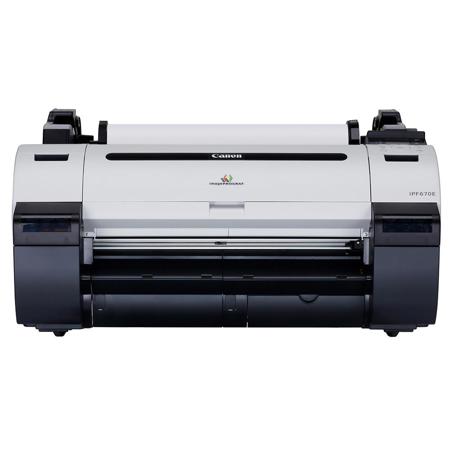
Just set up my printer yesterday, which was pretty easy and have already made a couple of prints. Quality looks good. Printer is a lot bigger than I expected and I was confused by the measurements (in mm, why not in inches also?) Ask me in a couple of months, after I've run it through its paces whether I could recommend it and the pros and cons. I'll be using it for templates with my screenprinting.

helene r.

2019-01-02T08:45:24

Rated 5 out of 5

Works as intended

Great printer - does what is supposed to do.

Jeff S.

2018-05-15T13:46:30

Rated 5 out of 5

Never used a plot printer before

the Cannon IPF670E plot printer came in a BIG box. It was really easy to setup and install the drivers. It is a vary quite and easy to understand. We also order a roll of paper and was vary easy to feed the paper and the printer took over and did the rest. We are vary happy with it.

BRIAN W.

2018-01-24T08:50:45

Rated 3 out of 5

Very upset with purchase.

I only gave it three stars but it’s because of the advertising and not the actual product. I purchased this as an entry level large format photo printer bc that was the way it was advertised. Then, the “E” was not explained to be for “economy” which meant it came without a roll paper cover, without the usually included 3” roll adapters, and no paper stop for SHEET FEEDING, which the printer WILL DO. I spent over an hour on the phone with Canon Customer service trying to figure out why I couldn’t get the printer to do the things that the instruction manual showed it could do. Adorama also did not notify me UNTIL AFTER I called asking why I received the stand a week before the printer came, that the printer itself was being shipped by a separate freight company. I’m a student and I spent $ on this printer and it doesn’t work as advertised. I cannot send it back bc I no longer have the pallet or box it was shipped in so now I am having to try and sell it to an architectural firm or a home printing business, as it is actually a line printer and not for photography at all.

Mary F.

2017-11-28T13:38:59

Rated 5 out of 5

Great entry level printer!!

great printing quality, would recommend for small budget applications, size wise is a bit larger than anticipated nad struggles with OSX driver, but overall great product!

ACCOUNTS P.

Canon imagePROGRAF iPF670E Specifications

  • Printer Type

    5-Color 24-inch Printer

  • Number of Nozzles

    Total: 15,360
    MBK: 5,120 nozzles
    C, M, Y, BK: 2,560 nozzles each

  • Nozzle Pitch

    1,200 dpi
    Non-firing nozzle detection and compensation

  • Print Resolution (Max.)

    2400 x 1200 dpi

  • OS Compatibility

    Windows½ (Vista/7/8.1/10)
    Macintosh½ (OSX 10.7.5-10.11X)

  • Standard Interfaces

    USB 2.0 High-Speed 10/100/1000 Base-T/TX

  • Droplet Size

    4 Picoliter

  • Ink Capacity

    90ml per tank

  • Ink Droplet Size

    Dye/Pigment Reactive Ink

  • Color Set

    Dye: Cyan, Magenta, Yellow, Black
    Pigment: Matte Black

  • Buffer Ram

    256mb

  • Media Width

    Roll Feed 10 - 24 (254mm - 610mm)

  • Media Thickness

    0.07-0.8mm (2.8-31.4mil)

  • Maximum Roll Print Length

    59' (18 meters)

  • Maximum Media Roll Diameter

    5.9 (150mm)

  • Borderless Printing Width

    10, B4, A3, 14, A2, 17, B2 (20.28"/515 mm), A1 (23.38"/594mm), 24

  • Paper Feed Method

    Roll Feed: One Roll, Top-loading, Front output

  • Languages

    GARO (Canon Proprietary)

  • Noise Level Approx

    Operation: 47 dB (A)
    Standby:35 dB (A) or less
    Acoustic Power: Approx. 6.4 Bels

  • Physical Dimensions

    42 (H) x 39 (W) x 34 (D) (When basket is open)
    20 (H) x 39 (W) x 27 (D) (Without stand)

  • Weight

    Approximately 92 lb. without stand
    Approximately 113 lb. with stand

  • Power Source

    AC-100-240V (50-60Hz)

  • Power Consumption

    Maximum: 140W or less
    Standby 5W or less
    Power Off: .5W or less (Compliant with Executive Order)

  • User-replaceable items

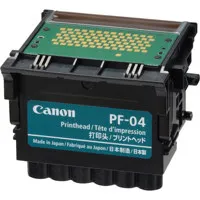
    Print Head: PF-04
    Maintenance Cartridge: MC-10
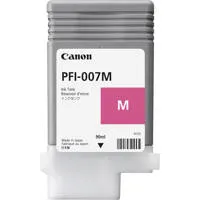
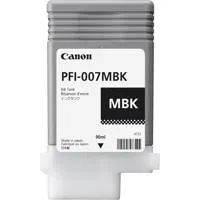
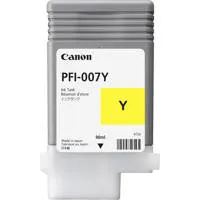
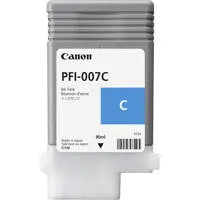
    Ink Tanks: PFI-007 (90ml: C, M, Y, BK, MBK, MBK)

  • Operating Environment

    Temperature: 59½-86½ F (15½-30½ C)
    Relative Humidity: 10-80% (No Condensation)

  • Software Available

    Canon Printer Driver, Printer Driver Extra Kit (Free Layout, Color imageRUNNER Enlargement Copy, Advanced Preview), Direct Print & Sh are, PosterArtist Lite (PC Only), Print Plug-in for Microsoft½ Word /Excel/PowerPoint (PC only), Status Monitor, Media Configuration To ol, Optimized Module for AutoCAD

  • Printing Software

    imagePROGRAF Printer Driver for Windows/Mac, Printer Driver Extra Kit for Windows/Mac (Free Layout, Color imageRUNNER Enlargement Copy (PC Only), Advanced Preview), Print Plug-in for Microsoft Office (PC only), Optimized Module for AutoCAD for Windows, Direct Print & Share (PC Only), Status Monitor for Windows, PrintMonitor for Mac, Media Configuration Tool, PosterArtist Lite for Windows

  • Operating System

    Windows XP (32 bit), Server 2003 (32/64 bit), Server 2008 (32/64 bit), Server 2012 (64 bit), Windows Vista (32/64 bit), Windows 7 (32/64 bit), Windows 8 (32/64 bit), Macintosh OS X 10.6.8 - 10.9X

  • Print Language

    GARO (Canon Proprietary), HP-GL/2, HP RTL

  • Interface

    USB 2.0 Hi-Speed, 10/100/1000Base-T/TX

  • Protocol

    TCP/IP (IPv4/IPv6), IPX/SPX, AppleTalk, SNMP (Canon MIB supported), HTTP

  • Acoustic Noise

    Operation: Approx. 47 dB
    Standby: 35dB or Less
    Acoustic Power: Approx. 6.4 Bels

  • Power Supply

    AC 100-240 V (50-60 Hz)

  • Power Consumption

    Maximum: 140 W or Less
    Standby: 5 W or Less
    Power Off: 1 W or Less (Executive Order Compliant)

  • Certifications

    Electrical Safety Regulations: TUV (USA), cTUV (USA), TUV.S mark, CB certification (Others)
    Electromagnetic Interface Regulations: FCC Class B (USA)
    Environmental Certifications: ENERGY STAR (Worldwide), RoHS Directive

  • Operational Environment

    Temperature: 59 - 86 deg. F (15 - 30 deg. C)
    Relative Humidity: 10 - 80% (No Condensation)

  • Dimensions (H x W x D)

    20 x 39 x 27" / 50.80 x 99.06 x 68.58cm (Without stand)

  • Weight

    95lbs / 43.09kg (Without stand)

48 Accessories for Canon imagePROGRAF iPF670E 24" Large-Format Inkjet Photo Printer without Stand - With Canon ST-26 Stand for Large-Format Printer

  • All Accessories (48)
  • Ink & Toner (5)
  • Cleaning Accessories (1)
  • Maintenance Kit (1)
  • Printheads (1)
  • Sample Pack (6)
  • Printer Paper (11)
  • Photo Paper (2)
  • Cutters & Trimmers (4)
  • Gloves (3)
  • Storage & Presentation (8)
  • Protectors (3)
  • Envelopes & Protectors (1)
  • Printer Accessories (1)
  • Cables & Adapters (1)

About Canon imagePROGRAF iPF670E

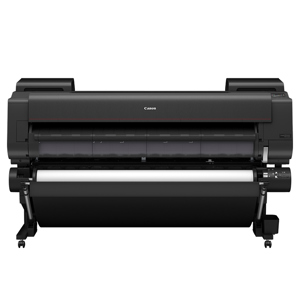
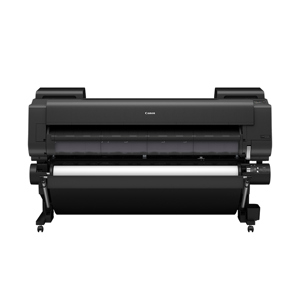
The Canon imagePROGRAF iPF670E is an economical, entry-level large-format printer. The iPF670E is designed for customers who need to simply and easily satisfy a broad range of printing needs - CAD/GIS documents, posters and POP displays, and office documents but without the added features of the premium 5-color models.
• 24-inch Printer
• 5-Color Dye/Pigment Reactive Ink Set (including BK ink for glossy papers)
• 7X the amount of starter ink than comparable competitor models
• Sub-Ink Tank System & Hot Swap Ink Tanks
• Fast Printing - currently over 40% faster than its competitor models1
• Non-firing Nozzle Detection

From a software perspective, the iPF670E printer has software solutions available to meet your printing needs. Direct Print & Share, Canon's cloud-based portal solution2, is available as a download and allows for files to be uploaded, downloaded, shared and printed from almost anywhere in the world! Also available for download, the Accounting Manager software (PC only) allows you to track job costs, while the Print Plug-in for Microsoft Office enables for documents created with Word, Excel or PowerPoint to be easily printed in large format. Creating custom signage has never been easier with Canon's PosterArtist Lite poster creation software, this easy-to-use software will have you creating professional large format prints quickly in just four easy to follow steps. To improve versatility, the iPF670E printer has a Media Configuration Tool that will give you optimal usage of your Canon-branded media when creating your desired output.
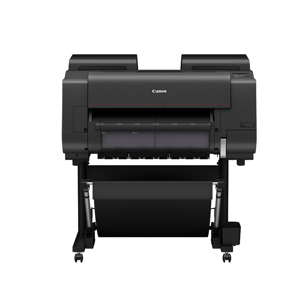
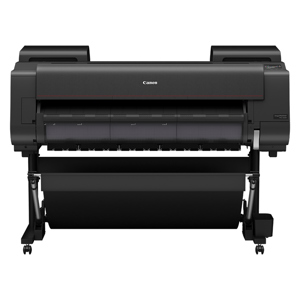
Canon imagePROGRAF iPF670E Features

  • The 5-Color ink set (cyan, magenta, yellow, black, and matte black) found in the imagePROGRAF iPF670E printer is ideal for a variety of different applications including posters, and technical documents.
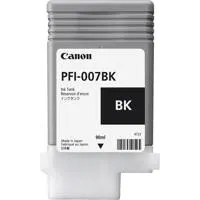
  • The iPF670E printer supports 90ml size ink tanks (cyan, magenta, yellow, black, matte black).
  • Canon's Sub-Ink tank system allows virtually all of the available ink in a tank to be used before having to replace it, helping eliminate any wasted ink. The empty tanks can also be replaced on-the-fly without stopping the printer. This is extremely useful during long print jobs.
  • The Economy print mode helps reduce the total ink consumption. This feature regulates the use of all inks to produce quick check plots to help minimize your cost per print.
  • Engineered for speed and advanced image production, this printer boasts Canon's print head technology that lays down ink with exceptional speed and accuracy.

What's in the box:

  • Canon imagePROGRAF iPF670E Printer
  • 2 " Roll Holder
  • Print Head
  • Maintenance Cartridge (Installed)
  • 6 Ink Tanks (C
  • M
  • Y
  • BK
  • MBK
  • MBK)
  • Ethernet Card (Built In)
  • USB 2.0 High Speed Interface
  • Quick Setup Guide (Poster)
  • Power Cord
  • PosterArtist Lite Application CD
  • User Software CD
  • Canon 1 Year Limited Warranty
  • Canon ST-26 Stand for imagePROGRAF iPF670 Large-Format Printer