+3
more
more

This item is no longer available.
Review Summary
2020-07-10T09:03:14
Excellent printer. First Class all the way. Easy setup and WiFi connection is very reliable. Print quality is outstanding.
Darryl L.
2020-06-18T08:28:59
Prints great! The first unit arrived damaged. After a few calls to get to the right place, Epson took care of a replacement right away. Feels a bit clunky (plastic trays) but works well.
ADI R.
2020-06-14T18:35:53
This printer is massive compared to the ones normally used by |Home Use Customers" The ink capacities are sufficient for productivity in a commercial environment where quality of the print and time are major factors. The full potential of this printer has not been tested but, we think it will superceed our expectations.
CHRIS K.
2020-06-14T09:39:51
Adorama offered an amazing deal on this refurbished SC-P800 printer. It arrived looking like brand new, and as a bonus, it came with new 60ml ink cartridges rather than the usual "starter" kit. This was an upgrade for me from the P600 I have been using for the last year or so. 17x22" Glossy just looks so much _more_ than the 13x19" format I'm used to. This is the printer I probably should have bought to start off with, but at the price point Adorama offered, I'm glad I waited. Shipping was fast, and free; you can't beat that. Everything works just fine, the only down-side is that now I need to spring for a wider assortment of 17" media, and a roll adapter for it ;-)
STEVE J.
2020-03-30T05:57:14
Beautiful prints and colors. The black and white prints are very natural in gradation and tone. From my experience it took me a little while to get a good print on some Hahnemuhle papers. Had to experiment with platen gap, paper thickness and media loads, etc. Pay attention to the paper thickness and platen gap when using thick non epson papers.
Andrew M.
2020-03-12T05:51:11
working very good
stanislaw g.
2020-02-07T07:53:00
if youre not going bigger than 22" then this is the printer for you. great quality prints and the largest ink tanks which will help offset the cost difference between the smaller models.
james k.
2020-01-05T15:20:10
Excellent condition! Nothing different from the new one. Works perfectly.
Juyoung R.
2019-12-01T08:21:25
Excellent print quality at a very reasonable pint cost.
Darryl L.
2019-10-09T11:52:49
Perfect for my needs and wanted to mention the great service of Adorama.
DANIEL B.
2019-08-12T08:26:51
This has done everything I want. I made my workplace in my house. I can make the best result.
JAICHANG S.
2019-07-28T18:53:23
Easy setup, just follow instructions. But read all way through first. Great “little “ desk top printer. Can wait to really print with this.
Tim B.
2019-06-10T08:14:19
My older 3880 is clogged. Instead of wasting ink to unclog it, I got a refurbished model of P800. This printer still has the silly ink swap between MK and PK which is annoying and wasteful. I almost wanted to return it because of this reason. Now I'm keeping because I got a good price and didn't want to switch to Canon. Good: * Everything pretty the same * Touch screen is really nice * Fast printing * WiFi support Bad * Still have to switch between Matte black and photo black
HIN L.
2018-10-21T16:12:37
i'm not a profecional . but this foto copy machine make me one
JOSE B.
2018-05-08T13:34:46
Coming from an Epson 7800, the P800 seems very compact. I bought it primarily for black and white printing and so far it has performed very well. Compared to the 7800 made of metal, the plastic of the P800 seems a bit flimsy but so far the top and front feeds have worked fine - one just has to treat it gently. The Epson B/W printer software is a bit obtuse and of course there are no instructions or a good live preview but with a bit of adjustment, the results have been terrific using an imac 27" with almost no color cast. This surprised me as many have spoken of problems using this monitor rather than a color callibrated dedicated monitor like an eizo. So far the use of ink seems to be pretty good. I am using the matte black and will probably not be switching too often having read reviews of problems with clogs once one starts using the same line for two different black inks. That is a limitation but for now, its doable. Purchasing the printer as refurbished is risky but it does have the same one year warranty as the new ones, just not the possibility of an extended Epson warranty. The printer may have been used but only lightly so if that is the case. Was delivered very promptly by Adorama with excellent delivery and communication.
SUSAN P.
2018-04-27T04:33:22
I have given this five stars because if this is the type of printer you are in the market for, there's nothing better. I don't print enough to worry about the cost of ink and I love the wide variety of papers it can handle. The quality of the prints are stunning as long as you maintain the printer properly and calibrate your monitor.
SAMUEL P.
2018-04-11T08:36:41
I haven't used my P800 much yet, but so far am quite pleased with the set-up (only about 20 minutes) and software settings, basically like what I had on my previous printer, an R3000. The problem with the R3000 was that after modest use over about a 6 year period, the printhead died, and the cost to replace it was about ($). Time will tell if the P800 suffers from the same fate. While the cartridge set is very pricey, the cartridges are huge compared to those on the R3000. Print quality is very similar to the R3000. The cost of the roll paper holder (something that came with the R3000 at no extra cost) is kind of ridiculous at $ but I'm going to hold off buying it until I have the need to print wide panos.
CARL J.
2018-02-25T09:22:16
I've been using this printer for my art, and it honestly looks even better than the hi-res digital files, I couldn't be happier with this choice! The wireless printing and iOS app work incredibly well!
Tyler S.
2017-11-17T02:32:18
This is a terrific printer for fine art photography. I have owned it for about a month now and have already printed several award winning large format prints.
DREW C.
2017-11-02T14:47:04
Epson makes great giclee printers and this one is no different. It is also a big step above the previous 3880. The ink set itself is much better and the paper feed options are wonderful !
Michael I.
2017-10-30T09:43:48
Delivery was quick. The Epson P800 is a well built printer that creates brilliant photographs for me. I've liked and owned the Epson 3800 and 3880 as well as earlier Epson machines. This is even better. I didn't know if I would be inheriting someone else's problems with a refurbished machine. Epson did a very good job refurbishing and I'm the recipient of a great printer at a reduced price.
BRUCE L.
2017-09-06T08:45:54
Hard to write a review of a printer that malfunctioned from the first usage- it has been sent back to Epson, who are going to send me a new replacement. Alan Hoisman
ALAN H.
2017-08-29T10:03:37
This printer is great because the inkheads don't dry up like they do in other models, such as the Canon Prograf line. The quality is great too, for full borderless printing!
Joseph L.
2017-08-26T12:21:33
Prompt Service
Joe B.
2017-08-22T17:32:25
Printer looks new in every way. Ran the printer info page and it had only printed 4 A3 Equivalent pages! It actually came with FULL 80ml cartridges not the usual starter carts! That is over ($) in extra ink that you don't get with a new printer. The cost per print of the P800 blows my Canon 1000 out of the water. I am able to print with almost 50% less ink cost! That is a HUGE savings. Even if you only use 1 set of carts the savings between the 2 can pay for a whole second P800. Print quality is typical Epson, very very good. The Canon does have a slightly larger Gamut according to specs but at the cost of many more tanks. Myself, our Graphic Designer and another Photographer can not tell the prints apart from either inkjet or even prints from the lab. Fantastic printer that is saving us ton's of money. Going to be purchasing a few more.
MICHAEL S.
2017-08-13T16:09:32
I primarily use my P800 for printing digital negatives on transparency film, and it's been working splendidly. It was quick and easy to set up. The touch screen menus will take some time to get used to, but overall the P800 is a great transition from the 3880. The inkload is denser, it prints significantly faster, and it's quieter. I bought a refurbished printer, and it's been working flawlessly.
MEGAN C.
2017-07-29T05:15:20
The prints look just like they do on my monitor. The color and detail are spot on! However, I was surprised by the cost of ink, $ for a complete set of 80ml cartridges. I don't know how much I can print per set, yet.
ALVIN R.
2017-06-20T17:09:35
I just received the printer and have ordered some paper and will get a chance to put it through it's paces. Overall the printer was well packaged and easy to set up. NO Software CD so download is required, no big deal. I purchased the photographer version but prior to ordering the printer I had Epson send a sample print package to me and was blown away by the quality of the images. I can hardly wait ...
DAVID A.
2017-05-01T08:06:03
The printer has great quality and you can also rely on good customer service from my experience so far. The one issue I am running into however is that it seems to frequently print EXTREMELY slow. I'm sure there are a lot of different factors that play a part in this, but I have not figured it out yet. When it prints "normally" it isn't too bad. But like I said, great quality and just what I needed to upgrade to more fine art prints.
AMELIA Q.
2017-04-24T12:37:03
This is one great printer, one of the last in line of the Desktop printers.Does it say Refurbished somewhere? Hey No problem, it's an Epson.
John S.

Accidents happen where life happens. Protect your favorite Adorama products and purchase a protection plan to stay covered from accidental damage, mechanical or electrical failure, and more.

If we can’t fix it, we’ll replace it at no additional cost.

Protect your product from drops, spills, and more.

Enjoy your gear without fear. We have you covered!

When regular use of your product over time results in mechanical or electrical failure.

We will never charge you a deductible after the purchase of a plan.

Our claims process is simple & easy and our customer service team is happy to help.
Adorama Protect powered by Extend is available for purchase to customers in the United States. Not available for purchase Internationally or in U.S. Territories.
Browse our FAQ
Epson MicroPiezo AMC inkjet print head
2880 x 1440dpi
Normal
4 x 6" / 10.16 x 15.24cm: 55 sec
Borderless: 4 x 6" / 10.16 x 15.24cm: 1 min 22 sec
5 x 7" / 12.7 x 17.78cm: 1 min 8 sec
Borderless: 5 x 7" / 12.7 x 17.8cm): 1 min 27 sec
8 x 10" / 20.32 x 25.4cm: 1 min 53 sec
Borderless: 8 x 10" / 20.32 x 25.4cm: 2 min 15 sec
11 x 14" / 27.94 x 35.56cm: 3 min 9 sec
Borderless: 11 x 14" / 27.94 x 35.56cm: 3 min 40 sec
13 x 19" 33.02 x 48.26cm: 4 min 40 sec
Borderless: 13 x 19" / 33.02 x 48.26cm: 5 min 11 sec
16 x 20" / 40.64 x 50.8cm Centered on 17 x 22" / 43.18 x 55.88cm: 5 min 48 sec
17 x 22" / 43.18 x 55.88cm: 6 min 19 sec
Borderless: 17 x 22" / 43.18 x 55.88cm: 7 min
Max
4 x 6" / 10.16 x 15.24cm: 1 min 35 sec
Borderless 4 x 6" / 10.16 x 15.24cm: 2 min 1 sec
5 x 7" / 12.7 x 17.78 cm: 1 min 58 sec
Borderless 5 x 7" / 12.7 x 17.78cm: 2 min 28 sec
8 x 10" / 20.32 x 25.4cm: 3 min 15 sec
Borderless: 8 x 10" / 20.32 x 25.4cm: 3 min 55 sec
11 x 14" / 27.94 x 35.56cm: 5 min 30 sec
Borderless: 11 x 14" / 27.94 x 35.56cm: 6 min 39 sec
13 x 19" / 33.02 x 48.26cm: 8 min 10 sec
Borderless: 13 x 19" / 33.02 x 48.26cm: 9 min 7 sec
16 x 20" / 40.64 x 50.8cm Centered on 17 x 22" / 43.18 x 55.88cm: 10 min 8 sec
17 x 22" / 43.18 x 55.88cm: 11 min 8 sec
Borderless: 17 x 22" / 43.18 x 55.88cm: 12 min 26 sec
3.5 picoliters
Photo Media L: 4
Fine Art Media L: 15
Matte to Photo Black: 3 min 30 sec with 4.6 ml ink used
Photo to Matte black: 2 min 30 sec with 1.6 ml ink used
Pigment
9 individual cartridges
UltraChrome HD Photo Black Ink Cartridge (80ml)
UltraChrome HD Cyan Ink Cartridge (80ml)
UltraChrome HD Vivid Magenta Ink Cartridge (80ml)
UltraChrome HD Yellow Ink Cartridge (80ml)
UltraChrome HD Light Cyan Ink Cartridge (80ml)
UltraChrome HD Vivid Light Magenta Ink Cartridge (80ml)
UltraChrome HD Light Black Ink Cartridge (80ml)
UltraChrome HD Matte Black Ink Cartridge (80ml)
UltraChrome HD Light Black Ink Cartridge (80ml)
180 nozzles per ink color
Auto sheet feeder
Front fine art feed
Front straight path
Sheet Media: 3.5 x 5.0" to 17.0 x 22.0" / 8.9 x 12.7cm to 43.2 x 55.9cm
Roll Media with Optional Adapter: 13 to 17" / 33.0 to 43.2cm wide
3.5 x 5.0" / 8.9 x 12.7cm
4 x 6" / 10.2 x 15.2cm
5 x 7" / 12.7 x 17.8cm
5 x 8" / 12.7 x 20.3cm
8 x 10" / 20.3 x 25.4cm
A4: 8.3 x 11.7" / 21.1 x 29.7cm
Letter: 8.5 x 11.0" / 21.6 x 27.9cm
10 x 12" / 25.4 x 30.5cm
11 x 14" / 27.9 x 35.6cm
11 x 17" / 27.9 x 43.2cm
A3" 11.7 x 16.5" / 29.7 x 41.9cm
Super B: 13 x 19" / 33.0 x 48.3cm
16 x 20" / 40.6 x 50.8cm
A2: 16.5 x 23.5" / 41.9 x 59.7cm
17 x 22" / 43.2 x 55.9cm
With Optional Adapter:
13" (33cm)
16" (40.6cm)
16.5" (41.9cm)
17" (43.2cm) wide
Sheet Media
Auto Sheet Feeder: 3.1 to 4.3mil (0.08 to 0.11mm)
Front Fine Art Feed: 11.4 to 27.6mil (0.29 to 0.70mm)
Front Straight Path: 47.2 to 59.1mil (1.2 to 1.5mm)
Roll Media With Optional Adapter: 9.8 to 27.6mil (0.25 to 0.70mm)
Sheet Media
Each Side: 0.12" / 3.05mm
Roll Media
Top: 1.97" / 50.04mm
Bottom: 0.55" / 13.97mm
Left and Right: 0.12" / 3.05mm
USB 2.0
Ethernet (10/100Base-T)
Wi-Fi
Wi-Fi Direct
Apple AirPrint
Google Cloud Print
Windows 8, 7 (32/64-bit)
Mac OS X 10.10, 10.9, 10.8, 10.7
Color LCD screen with four physical buttons
100 to 240V AC, 50 to 60Hz, <1 A
Operating: 21W
Sleep: 1.8W
Power Off (120 V): 0.5W
UL1950, CSA 22.2 950 FDA, EMI: FCC Part 15 subpart B class B, CSA C108.8 class B, AS/NZS 3548 class B
Color Printing: 50dB(A) according to ISO 7779
Temperature: 50 to 95 deg. F / 10 to 35 deg. C
Humidity: 20 to 80%, relative non-condensing
Temperature: -4 to 104 deg. F / -20 to 40 deg. C
Humidity: 5 to 85%, relative non-condensing
26.9 x 14.8 x 9.9" / 68.32 x 37.59 x 25.14cm
43lbs / 19.50kg
Inspire us
As an artist, you have the unique ability to inspire change. You have the responsibility to remind us of our past, while making us excited for our future. At Epson, they understand the importance of what you do. This is why they strive to develop imaging technology that never shows itself within your work. Its why they insist your work remain as beautiful as the day it was printed. And, it's the reason why they push the limits of imaging technology to ensure your work is limited only by you and not the technology used to print it.
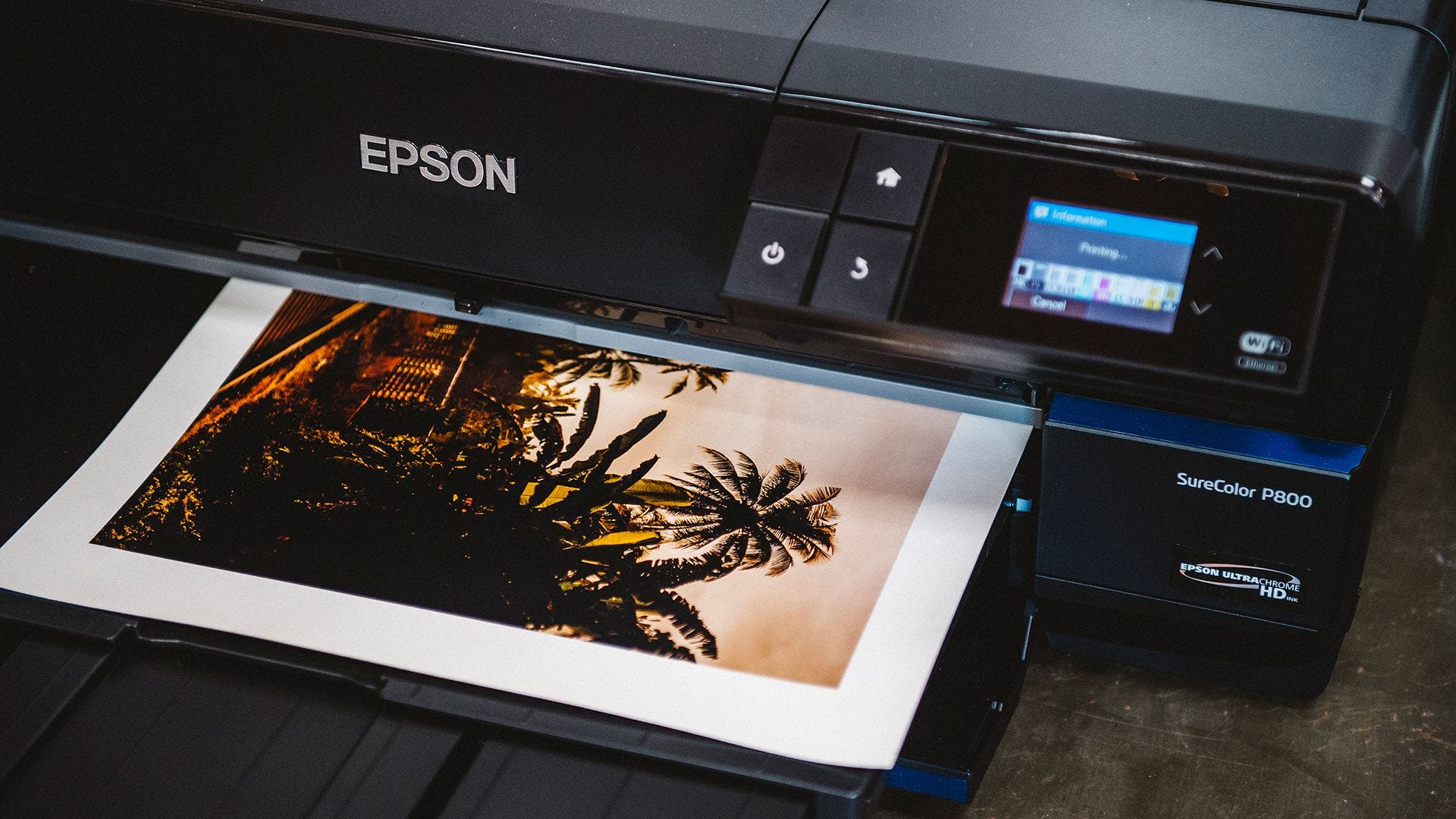
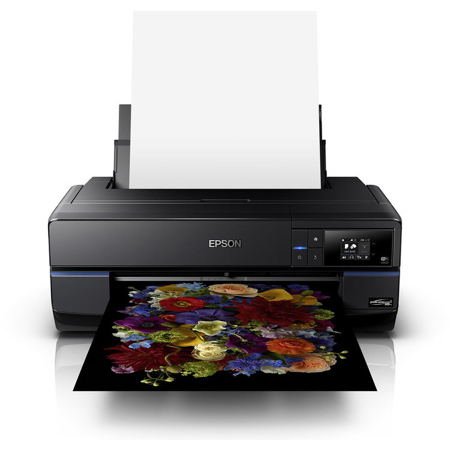
Introducing the Epson SureColor P800 printer
Utilizing professional imaging technologies including their unique Epson MicroPiezo AMC print head, along with their latest Epson UltraChrome HD eight-color pigment ink set the SureColor P800 is capable of producing the next-generation of photographic prints that will inspire us all.