

This item is no longer available.
Review Summary
2018-05-29T20:00:00
Interesting concept, but in the end, until this is up and connected to my iphone - it takes me too long and the entire setup is a bit to cumbersome and is lacking some of the advantages you are used to have with olympus like the IBIS.
Torsten

2016-10-19T14:02:03
Excellent 16MP pics. I've had intermittent connection loss to phone and tablet now and then, but not frequent. Wish I could swap out batteries (not customer accessible), or be able to use USB. power (camera must be off to charge thru USB). Longer exposure than 4 secs would be nice, or a bulb mode. Being an open platform is a plus I guess. Fairly useless without a tablet or smart phone. All in all a nice simple very compact micro 4/3 camera.
CLY R.
2015-08-16T21:00:00
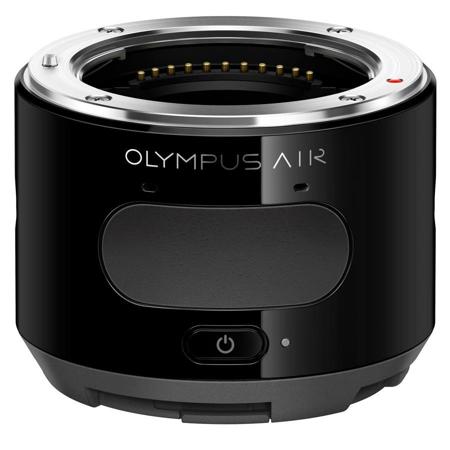
The first thing to note is the camera does not (at this time) come with an instruction manual. Nor did I find one online. That being said, the camera was relatively easy to figure out without one. These are just some of the highlights from my experience with the AIR. There are several good in-depth reviews on other websites. The concept of this camera is a good one—using your smartphone as a viewing screen and control panel for your camera. And while the execution is very good for a first attempt, I think there are a few improvements that could be made. The build quality on this camera is excellent. The body is metal and feels sturdy. The plastic phone bracket that snaps onto the back feels sturdy enough as well. The oversized shutter button is easy to find. The setup process with your phone is fairly easy. The setup wizard does a good job of walking you through the process, and I was up and running in just a few minutes. The camera creates its own WiFi that your phone connects to. This means that in order to use your phone for other things, you'll have to consume your data or disconnect from the camera. The other thing to note is the startup time. The camera's WiFi shuts down when the camera goes to sleep. Starting the camera back up means you may have to reconnect to the camera's network. It's best to use it with a micro SD card. It takes a few seconds to transfer a raw image from the camera to your phone. Reportedly, it doesn't have the greatest battery life. I didn't run the battery out completely, so I don't want to speculate. But considering that you're consuming the camera and phone batteries, a dual port charger may be in order if you're going to be out all day. Sadly, it does not have in-camera image stabilization. So I paired it with a Panasonic Lumix lens that has in-lens stabilization. The combination appeared to work great. While the phone bracket did accommodate the OtterBox case on my iPhone 6, it felt like I was stretching the springs to the breaking point. The camera recognizes horizontal and vertical orientations when you turn it. Shooting with the camera and phone held horizontally is great. Turning the pair vertically presents a problem. With the phone clipped in at an angle, finding your subject becomes a little awkward because you're no longer looking "straight" through the camera. The OA. Central App is fairly user friendly. The ability to shoot in Program (P), Aperture Priority (A), Shutter Priority (S), and Manual (M) mode was a big plus to me. I like the ability to choose the settings myself. Most of the settings are easy to understand can be adjusted quickly. You have the option of touch to focus or touch to focus + shoot. I think it is mostly personal preference. There were times that focusing and shooting in one action was useful. At other times, I didn't want to snap a picture each time I touched the screen. I did not play with the Amazon Cloud functionality. Overall, I think the Olympus AIR is a good camera for what it is. Like any first generation idea, I think it needs a little refining. For someone who has not invested in a system, this may be a great option. It certainly presents more creative options than your phone. And the image quality is clearly better. If you're looking for an alternative to your Micro Four Thirds body, this may not be for you. Honestly, the experience is unique enough that you have to decide for yourself.
ANDREW P.
Accidents happen where life happens. Protect your favorite Adorama products and purchase a protection plan to stay covered from accidental damage, mechanical or electrical failure, and more.
If we can’t fix it, we’ll replace it at no additional cost.
Protect your product from drops, spills, and more.
Enjoy your gear without fear. We have you covered!
When regular use of your product over time results in mechanical or electrical failure.
We will never charge you a deductible after the purchase of a plan.
Our claims process is simple & easy and our customer service team is happy to help.
Adorama Protect powered by Extend is available for purchase to customers in the United States. Not available for purchase Internationally or in U.S. Territories.
Browse our FAQ
Micro SD Memory Card (SDHC, SDXC, UHS-I compatible)
Micro Four Thirds Mount
4/3 Live MOS Sensor
Number of effective pixels: Approx. 16.05 million pixels
Total number of pixels: Approx. 17.2 million pixels
Aspect ratio: 1.33 (4:3)
DCF, DPOF compatible / Exif, PRINT Image Matching III compatible
RAW+JPEG, JPEG
[RAW] 4608 x 3456
[JPEG] 4608 x 3456 - 640 x 480
Single AF (S-AF) / Manual Focus (MF)
Face detection AF / Eye detection AF
All target, Single target (normal)
Digital ESP metering (324-area multi pattern metering), Center weighted average metering, Spot metering
EV -2 - 20 (using 17mm f2.8, ISO 100)
iAuto, Program AE, Aperture priority AE, Shutter priority AE, Manual
Auto, Low (approx. ISO 100), 200-12800
Still photo +/-5 EV with selectable EV adjustment steps (1/3, 1/2, 1)
Electronic
1/16000 - 4 sec.
(Sequential shooting H mode) approx. 10.0 fps
Max. 23 frames (Sequential shooting H, 10fps,Still image size 16M, Compression Normal)
MOV (Image: MPEG-4AVC/H.264, Sound: Stereo linear PCM/16-bit, Sampling frequency 48kHz)
MOV
Full HD: 1920x1080, 30p(29.97fps)
24Mbps(Fine)/16Mbps(Normal), Aspect 16:9
HD: 1280x720, 30p(29.97fps), 12Mbps,(Fine)/8Mbps(Normal), Aspect 16:9
MOV
Full HD: approx.29min(normal)/approx.22min(fine)
HD: approx.29min(normal)/ approx.29min(fine)
Digital image stabilization (Muliti-motion IS)
Program AE
Auto WB, 6 Preset WBs (Sunny, Shadow, Cloudy, Incandescent, Fluorescent, Underwater)
i-Enhance, Vivid, Natural, Muted, Portrait, Monotone, e Portrait
Auto
4:3/3:2/16:9/1:1
2 axes
Micro USB (USB: USB2.0 Hi-Speed, USB Battery Charging)
Built-in
Built-in (Bluetooth Low Energy)
Built-in Li-ion battery
Approx. 320 shots(based on CIPA testing standards, when TOSHIBA SDHC UHS-I card EXCERIATM Type1 32GB is used)
0 to 35 deg. C / 32 to 95 deg. F
-20 to 60 deg. C / -4 to 140 deg. F
30 - 90% (when in operation) / 10 - 90% (when not in operation)
56.9 x 57.1 x 43.6mm / 2.24 x 2.25 x 1.72" (based on CIPA standards, excluding protrusions)
147g / 5.19oz (Approx.) (based on CIPA standards, including battery and memory card)
146g / 5.15oz (Approx.) (body only)
050332188914

Think outside the SLR
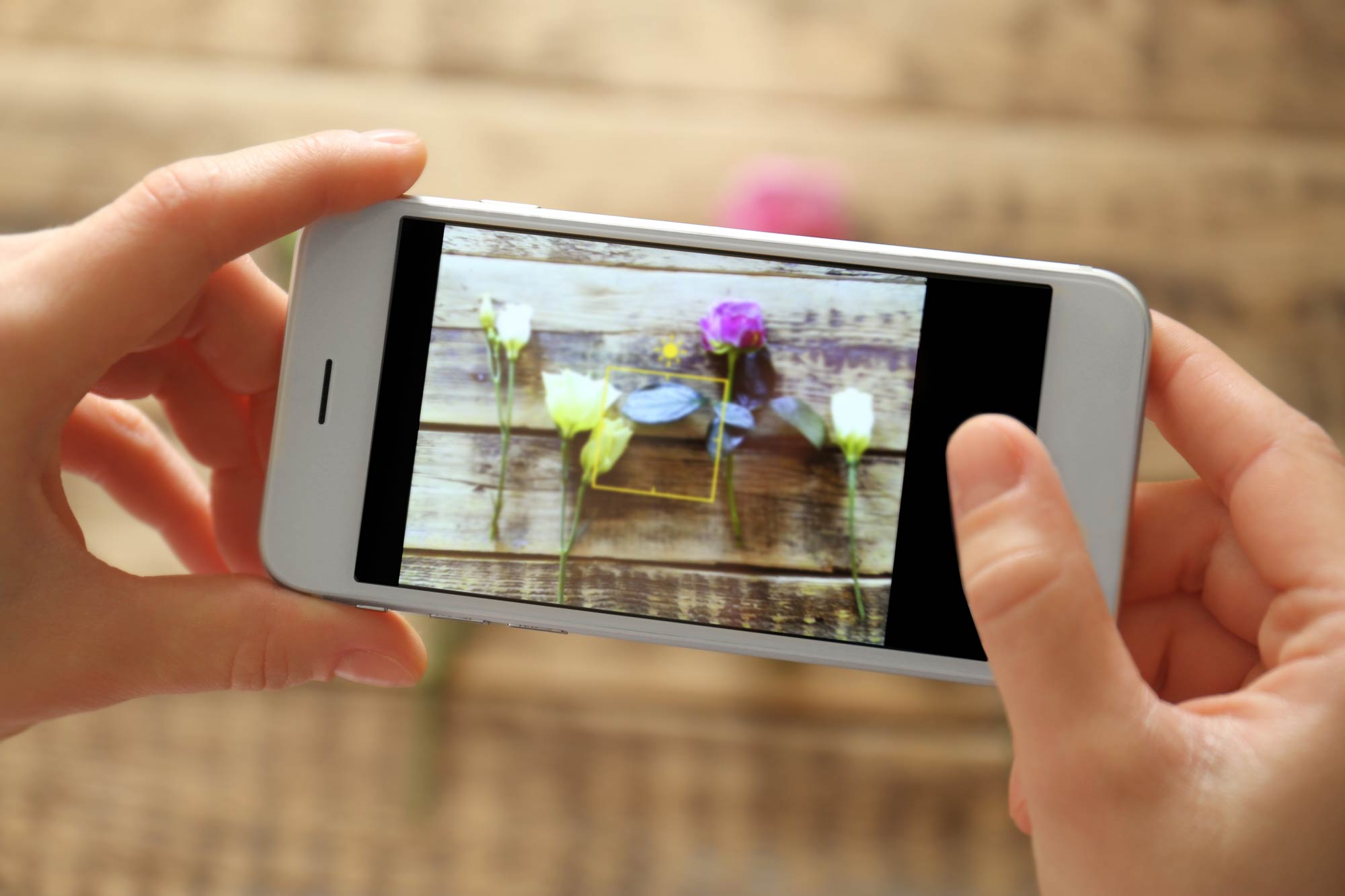
The Olympus AIR is a new concept, open platform camera that pairs the sophistication of digital interchangeable lens cameras with the intelligence of a smartphone. Olympus AIR offers all of the benefits of an interchangeable lens camera - like optical zoom, high image quality, big bright apertures, strong low light performance and shallow depth of field - in a sleek, simple form factor.
Shoot Big
Enjoy the convenience of smartphone shooting without compromising image quality! The AIR A01 pairs the three pillars of Olympus' world renowned OM-D image quality - TruePic VII Image Processor, High Resolution 16MP Live MOS Sensor and completely digital M.Zuiko Micro Four Thirds Lens system - to produce stunning photos.
Creativity From a Whole New Angel
Not only can you capture overhead or low to the ground shots with ease, with the AIR A01, the possibilities are endless! Left-handed shooting. Super Close Ups. Get shots in tight spots. Get aerial views. Mount it. Wear it. Hang It. Check composition using your smart device or be bold and shoot free style using just the A01!
All about the Apps
The OA Central for Olympus AIR app is your gateway to creativity! With 6 different shooting features, you can enjoy classically composed portraits, artistic shots, creative photo collages and perfectly produced FullHD videos. With premium content right on your mobile device, you can immediate upload share-worthy shots to all your social media platforms.
Seamless Storage
Worried that your awesome shots are going to eat up all the storage on your phone? Fear not- the A01 is compatible with microSD cards or you can choose to have your images automatically upload to Amazon Cloud Storage.
Love the Lenses
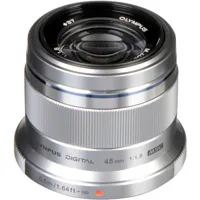
Whether you're a spontaneous street shooter, a portrait photographer or the family memory keeper, they have got you covered. The growing M.Zuiko Micro Four Thirds lineup features over 20 different lenses, so there's a perfect shooting option for all skill levels and shooting styles.
Serious Shooting Specs
The AIR A01 relies on the cutting edge technology of Olympus mirrorless cameras to deliver amazing imaging performance. With 10 frames per second bust shooting, a 1/16000th of a second silent shutter, F.A.S.T. 81-point Touch Autofocus system and TruePic VII Image Processor, you've got everything you need for quick, accurate shots!
Perfect Pairing
Pairing your A01 with your smart device is quick and easy thanks to the step by step picture guide. Launch the OA Central app and follow the instructions and you'll be shooting in minutes. On future uses, just launch the app and you're ready to go! By combining the power of both Bluetooth and Wi-Fi, the Air A01 maintains a stable connection for worry free shooting.
Mode Dial
Are you an experienced digital photographer? Then you'll be right at home with the Mode Dial shooting function. It's everything you'd expect from a traditional camera like M, A, S and P modes, a super control panel and the ability to control all your important settings like ISO, aperture, exposure, drive mode, aspect ratio and more! There's even customizable function buttons so you can set it up exactly how you like to shoot!
Creative Functions
The possibilities are endless thanks to the Art Filter, Color Creator, Photo Story and Genius functions of OA. Central. Use Art Filter to select your preferred look, with options like Vintage that uses muted tones or Pinhole that adds gorgeous vignetting around your subject. Color Creator goes a step further and lets you enhance specific colors within the image. Not sure which one to use? Click on Genius and for every shot you take, you'll get 6 different iterations that each have a unique look and feel!
Video Made Easy with Clips
The Clips feature takes all the guess work out of video editing so you can easily create short videos that are perfect for sharing online. Take several short snippets of video and use the Clips interface to rearrange them, add transitions or background music, apply creative art effects and then package it all up in a portable file size that's quick and easy to upload.