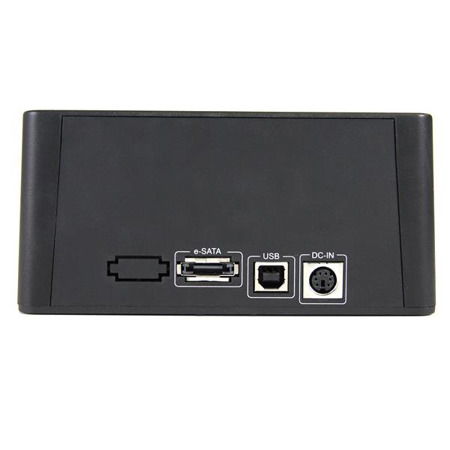

StarTech USB and eSATA to SATA Standalone Hard Drive Duplicator Dock

SKU: STATDOCK22RE

This item is no longer available.

Recommended Alternatives

Overview
Compare
Specs
Protection

Reviews about this item

Review Summary

2022-08-15T20:00:00

Rated 5 out of 5

Hi it is good

Hi it?s great but I did not get the psu could you send one

Ov b.

2017-02-05T19:00:00

Rated 5 out of 5

Worked well

I bought this last year and just had the opportunity to use it to duplicate a drive. The only thing I didn't like were the HDD LED's did not light as explained in the manual. Like others who reviewed this product the LED's lit blue and red (violet), but the LED progress bar flashed and I waited to see what would happen. I calculated a 500G drive would take ~2hrs at 72Mbp/sec. After 2 hrs the progress bar was lit 3 bars (not 4) and stopped flashing. I installed the duplicated drive and it was fine. I did have to reinstall the anti-virus software again but that was to be expected.

Ken W.

2016-05-21T20:00:00

Rated 5 out of 5

Worked For Me!

I purchased this product in March 2016. My intention was to clone a WIndows 7 Pro home system O/S and data drive. Both were 1TB drives. (Other cloning methods proved unreliable.) SATA drives of the same size or larger as the machine drives works. To clone the operating system drive, simply place the master drive in the back slot, and the target drive in the forward slot. Turn on and push a button per instruction manual. A 1TB dive copies in a few hours, so I let it run overnight. Swapped drives; the cloned O/S drive booted perfectly. The old OS drive got stored for backup. The data-only drive is a little more involved. Place the master in the back slot and the target in the front slot. Place the included USB2 cable between dock and a port on the powered-on computer. Follow the instruction manual. Cloning the 1TB drive to another 1TB drive started and completed in a few hours. The cloned drive appears normal in every way. Like other writers stated, the instruction manual could be more informative. This product is good for a few computers and backups done monthly or so. It may not be real speedy, but cost just a bit over $100 to arrive at my front door. Knowing I have a good backup is well worth the minor cost of this product.

ClarkB

2015-12-12T19:00:00

Rated 5 out of 5

Did the job!

A few days ago Windows informed me that my hard drive would soon fail. I called some local repair places and found that no one would clone a hard drive. I did some quick research and found the Startech SATA Hard Drive HDD Duplicator Dock. It had the features that I needed and was very reasonably priced. I attached the old drive and a new drive and a few hours later I was back up and running as if nothing had happened. My only quibble is that the users manual had very little in it. At one point, it appeared that something was not working correctly. I had to go to an online chat with a Startech rep to determine what was going on and what to do. Brian, the rep, did tell me what the issue most likely was and what to do to finish the cloning. (I would give him 5 stars as well)

rph195618

2014-04-26T20:00:00

Rated 5 out of 5

Amazing time saver!!

Bought this a few months ago. This is a great disk duplicator! I havent had any issues with it and it seems to be working great! Only thing I find as a downfall is that it wont remember the last setting (PC mode or COPY mode) after you turn it off.. But I can live with that...

markland425

StarTech Dock Specifications

About StarTech Dock

The SATDOCK22RE USB and eSATA Standalone Duplicator Dock lets you duplicate/clone an existing hard drive without the use of a host computer system or can be connected to a computer system for use as an external hard drive dock. As a hard drive duplicator, you can create an exact 1 to 1 sector clone from one hard drive to another, including partition and boot sector information and all data, at a rate of 72MB/second - ensuring data integrity and consistency for sensitive operations, such as data recovery.

• Standalone Sector by Sector copying including the HPA
• LED progress bar for duplication status
• Push-button switching between Duplicator mode and Docking Station mode
• Patented hard drive eject push-buttons for each drive
• A single high speed eSATA host interface, with transfer rates up to 3Gbps
• Supports 2.5in or 3.5in form factor hard drives (HDD) or solid state drives (SSD)
• Supports SATA revision 1.0/2.0 (SATA 150/300) drives up to 2.0TB in capacity
• High speed USB 2.0 host interface, with transfer rates up to 480Mbps
• Compact, desktop-style form factor
• Hot-Swap and Plug-and-Play compatible

As an external hard drive dock, the duplicator/dock supports plug-and-play installation and can be connected to your host computer through USB 2.0 or eSATA, providing data transfer speeds up to 480Mbps or 3Gbps respectively from the hard drives to your computer system. Large capacity drives (tested with up to 4TB 3.5" and 1TB 2.5" drives per bay) can be used to greatly enhance your computer's storage/backup capabilities.

Not having to install the hard drives into an enclosure or tray system allows for quick setups - a perfect solution for situations that require swapping through multiple drives, which combined with no driver or software installation requirements delivers a convenient and versatile storage solution. The value of this hard drive docking station can be extended, using a SATA to IDE hard drive adapter (SAT2IDEADP), which enables you to use any 2.5 or 3.5in IDE hard drive in a SATA hard drive dock slot.

Advantage
• Standalone cloning operation with LED progress indicator allows for creating 1:1 copies of hard drives without having to connect to a host computer.
• On-the-fly switching from Duplicator to USB 2.0 or eSATA connectivity with the push of a button, allows a connected computer system to read/write to the drives.
• A top slot-loading design and unique drive ejection mechanism provides quick and easy access to the data without having to install drives into an enclosure or tray.

Applications
• Disk sector imaging/cloning to create an exact replica of a source drive onto a different drive
• Create identical backups for when data integrity is crucial, such as data recovery and forensic applications
• Technicians who require access to bare hard drives for backup/recovery purposes or needs to swap between drives regularly
• Quickly access data from a drive, without having to install it internally or into an enclosure
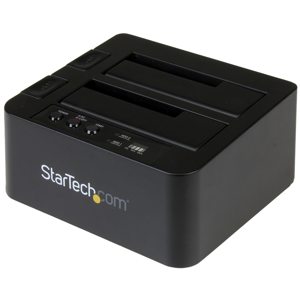
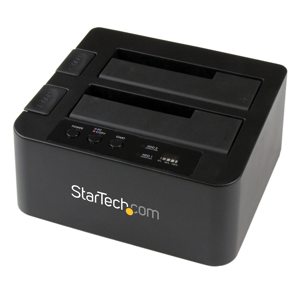
What's in the box:

  • StarTech USB and eSATA to SATA Standalone Hard Drive Duplicator Dock
  • eSATA Cable
  • USB 2.0 Cable
  • 3x Power Cord (NA/GB/EU)
  • Universal Power Adapter
  • Instruction Manual
  • StarTech 2 Year Warranty