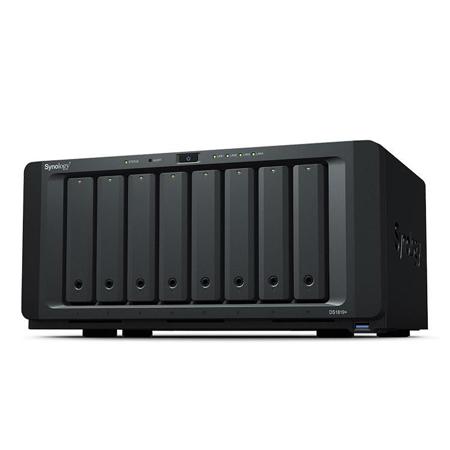
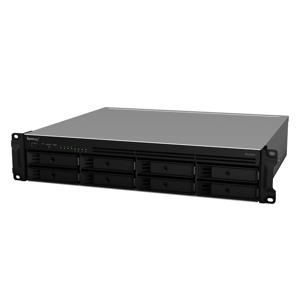
Synology DiskStation DS1819+ 8-Bay NAS Enclosure, 3.5"/2.5" SATA Drive Bays, RAID 0/1/5/6/10/Basic/Hybrid/JBOD, Diskless
SKU: SYDS1819P
This item is no longer available.
Recommended Alternatives
Share:
Overview
Compare
Accessories
Specs
Protection








About Synology DiskStation DS1819+
Ready to Grow as Your Business Thrives
DS1819+ is an 8-bay desktop NAS providing superior performance with great expandability, allowing for seamless expansion and upgradability to satisfy your growing business needs.
Fulfills Intensive Workloads with PCIe Expansion
DS1819+ comes with four Gigabit Ethernet ports and one PCIe expansion slot, providing great configuration flexibility, thereby satisfying your intensive workload demands.
Install one M.2 SSD adapter M2D18
Boosting random IOPS with M.2 NVMe/SATA SSD cache.
Install one 10GbE add-on card
Breaking through data transmission bandwidth with a certified network interface card.
Four built-in Gigabit Ethernet ports
Support for failover and Link Aggregation.
Real-time collaboration on your private cloud
Office is a collaboration package combining the convenience and usability of public clouds with the data privacy and security guaranteed by private clouds. It allows you to work seamlessly together on documents and spreadsheets in a protected environment.
Digital asset protection
Powered by Synology DiskStation Manager (DSM), Synology NAS offers advanced security measures to protect against sudden data loss and potential security holes.
Security Advisor
Analyzes system settings, password strength, network preferences and removes any possible malware.
AppArmor
A kernel-level enhancement that blocks malicious programs from accessing unauthorized system resources.
AES 256-bit encryption
Encrypt shared folders and network data transmission to keep data from unauthorized access.
2-step verification
Prevent others from logging in to your DSM by generating a one-time password (OTP) on your mobile device.
Trust Level
Customize the trust level in Package Center to avoid installing packages from untrusted sources, safeguarding your NAS from unknown or tampered package files.
Ultimate Backup Solution
DS1819+ integrates various backup applications to safeguard your important data on any device with an intuitive user interface and durable storage technologies.
Active Backup for Business
Centralize backup tasks for VMware, Windows and file servers. Restore whatever you want fast and reliably when needed.
Hyper Backup
Comprehensively back up your data to a local shared folder, an external device, another Synology NAS, an rsync server or a public cloud to ensure data safety.
Desktop Backup
Safeguard your PC with Cloud Station Backup. Effortlessly back up data stored on macOS to Synology NAS with Time Machine.
Active Backup for Office 365 / G Suite
On-premise backup solution with a centralized dashboard. Optimize storage efficiency with single instancing and block-level deduplication technology.
Fully certified storage virtualization solutions
Synology iSCSI storage fully supports most virtualization solutions to enhance work efficiency with easy management interface. VMware vSphere 6 and VAAI integration helps offload storage operations and optimizes computation efficiency. Windows Offloaded Data Transfer (ODX) speeds up data transfer and migration rate. OpenStack Cinder support turns your Synology NAS into a block-based storage component.
Powered by Synology DSM
DSM UI
Award-winning operating system with an intuitive user interface and powerful capabilities.
High Availability
Ensures seamless service transition between clustered servers in the event of a server failure.
Public Cloud Integration
Backup and synchronize data easily between your public cloud accounts and your NAS.
Snapshot Replication
Provides schedulable and instantaneous data protection for shared folders and virtual machines on iSCSI LUNs in the event of disaster.
Drive
A versatile solution for file management and synchronization.
Security
Comprehensive built-in security tools are constantly updated to tackle evolving threats and protect your devices.
Synology DiskStation DS1819+ Features
- CPU: Quad-core 2.1GHz with AES-NI encryption engine
- Memory: 4GB DDR4, expandable up to 32GB
- Scalability: Up to 18 drives with two DX517
- Performance: 2,045 MB/s sequential reading and 656 MB/s writing