
This item is no longer available.
Create directly on screen with our most natural pen experience
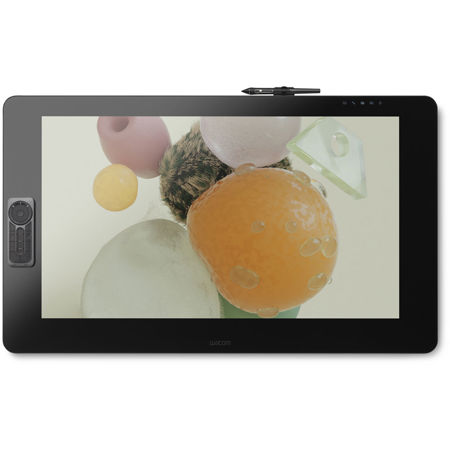
Our biggest screen yet. The Wacom Cintiq Pro 32 features a premium 4K screen with world class color performance and virtually no parallax. Combined with Wacom Pro Pen 2, it offers an experience designed to enhance every creative breakthrough.
Wacom Pro Pen 2: natural and precise
Our state-of-the-art creative pen technology. 8,192 levels of pressure sensitivity and unparalleled tilt recognition means that every stroke, every move of your hand is followed with unerring accuracy.
• 4x more pressure sensitive
• 4x more accurate
• Virtually no lag
• Natural tilt support
• No parallax
• No batteries or recharging
Space for your ideas to run wild
With 32" of 4K resolution (3840 x 2160px) to play with and superb color accuracy (98% of Adobe RGB), be immersed in every detail of your daring creations, whether that's 3D modelling or illustration for game development.
A display that looks and feels, totally natural
The etched glass screen provides a distinct, tactile experience as you draw, mimicking the feel of a pen on paper. And with minimized parallax and a screen strong enough to resist 'pooling' and rippling, each mark appears precisely where you expect it, every time.
Designed to increase your productivity
As a creative professional, time's rarely on your side. That's why Wacom Cintiq Pro puts productivity solutions right at your fingertips.
Connect your way
Connect to any Mac or PC with a single USB-C cable (included) to a USB-C port for both video and data. DisplayPort or HDMI are also included, which require USB port for data.
Make it match you
The ExpressKey Remote puts 17 programmable buttons within easy reach. The on-screen keypad and the radial menus offer further one-touch shortcuts.
A natural interface
Pan, zoom or rotate your work with multi-touch gestures - as simple as using your smartphone.
Add computing power - with Wacom Cintiq Pro Engine
Transform your Cintiq Pro 32 into a powerful standalone creative pen computer with the Wacom Cintiq Pro Engine (Sold separately) creative PC module. It features high-power processors, including Intel Xeon, NVIDIA Quadro graphics and user-upgradable SSDs and memory (up to 32GB). Its innovative design attaches seamlessly into the back of your Cintiq Pro 32, eliminating tangles of cables and creating a convenient working environment. Both configurations are VR capable for creating and reviewing VR content.
Create in comfort with Wacom Ergo Stand
To create in complete comfort, attach the Wacom Ergo Stand to your Cintiq Pro 32. It allows you to raise, tilt and rotate your pen display to easily adjust the viewing angle and find the most natural position for you. Once attached to Ergo Stand, your Cintiq Pro 32 becomes a stable surface on which to create - just like drawing at a drafting table. Plus, you can rotate the display as you'd move a sheet of paper to draw at a fresh angle.
Customize your Wacom Cintiq Pro
However you like to work, there's an accessory to make Wacom Cintiq Pro 32 suit you (each sold separately).
Wacom Cintiq Pro Engine
If you need the computing power of fast CPUs and optimized GPUs, combine the creative PC module Cintiq Pro Engine with your Wacom Cintiq Pro 32. It is designed for 3D modeling, CAD and manipulating high pixel-count images, turning your pen display into a powerful pen computer.
Wacom Flex Arm
The Wacom Flex Arm with cable management delivers flexibility, design and comfort. Incline, pan and rotate your Cintiq 32 at your convenience. Mount your Cintiq Pro on your desk, the edge of your desk or as free-floating monitor with a reach of 30" across the desk. The Wacom Flex Arm is sturdy enough to support pressure while using - better than any other display arm.
Wacom Color Manager
Wacom Color Manager is designed to give you precision color calibration, better image quality and improved uniformity in one easy-to-use device that calibrates everything in your workflow.
Taking creativity to another dimension
Designed with 3D creativity in mind, the Wacom Pro Pen 3D (Sold separately) provides full navigational control in 3D.
Wacom Pro Pen 2 performance included
4x greater pressure sensitivity, exceptional tilt-response and lag-free tracking provide greater creative control.
Control at your fingertips
Three fully customizable pen buttons let you tumble objects, pan, zoom, model, sculpt or modify creative tools in 3D and 2D applications.
Ready to Create
Works with Wacom MobileStudio Pro, Wacom Cintiq Pro or Wacom Intuos Pro (2017 model) and with any Windows or Mac application.