
This item is no longer available.
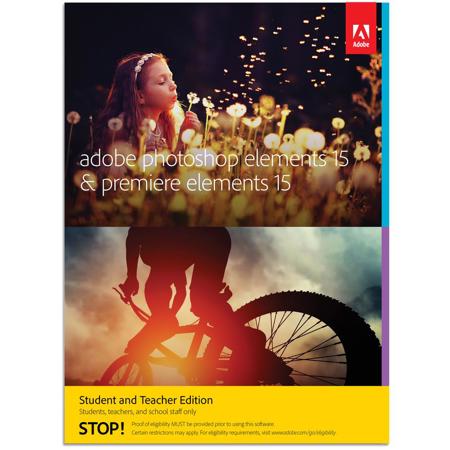
You take pictures and video of all your special moments. Adobe Photoshop Elements 15 & Premiere Elements 15 automates the organizing and editing so you can have fun creating and sharing amazing photos and movies.
Organize
It's easier than ever to find photos by the people in them, the places they were taken and the events they depict. And now you can automatically find photos based on subjects like sunsets, birthdays, cats, dogs and more.
Edit
Make any snapshot extra-special with everything from one-click fixes to artistic looks and turn rough clips into real movies you'll watch over and over. Photoshop Elements & Premiere Elements can guide you through or do it for you.
Create
Surround yourself with your memories by making beautiful photo slideshows, calendars, scrapbook pages and cards and bring collages to life with photos and videos together. Add style and polish to movies with effects, transitions, themes, titles and music.
Share
Share with friends and family the way that works for you-Facebook, YouTube, Vimeo, Twitter, disc, HDTV and more.
See what's new
NEW Turn frowns upside down
Transform frowns into smiles, adjust squinting eyes and make other quick tweaks, so everyone in your photos looks their best.
NEW Bring collages to life
Create dynamic collages with photos and videos that show many memories at once. Perfect for sharing on Facebook, YouTube and other social sites.
NEW Clear the haze
Hazy landscapes? Make every video look sharp in seconds.
ENHANCED Guided Edits for help along the way
Guided Edits step you through to fantastic results.
NEW Picture incredible text
Get step-by-step help turning a photo into cool visual text and then adding an embossed look and drop shadows to really make it pop. Great for collages, scrapbook pages, cards, signs and more.
NEW Easily create a signature look
Use a new Guided Edit to apply effects across multiple clips or your entire movie at once.
NEW Create a collage of effects
Get artistic by adding multiple effects to a single photo. Photoshop Elements walks you through it and gives you templates and themes to choose from.
NEW Pump up the action
Add a motion blur behind your subject to create a dramatic speed-pan action shot.
NEW Photo painting
Paint an effect over your subject and then add textures and color themes to create a unique work of art - perfect for sharing on social media or as a printed keepsake.
NEW Truly custom frames
Create your own frames to complement favorite photos, add polish to your scrapbook pages or share with others. This Guided Edit makes it a breeze.
NEW Remix music to the perfect length
Pick any music file and it automatically remixes to match the length of your movie. New Remix creates a natural sound, so you never lose the soul of your audio.
NEW Touch your way to great pics and videos
The Organizer and Quick Edit mode are now touch-friendly, so you can simply tap to do all your finding, sorting and quick enhancements.
ENHANCED Have more fun with filters
Filters are a great way to try on fresh new looks and show off your creativity and now it's even easier to choose the best filter for your photo and fine-tune the details.
NEW From quick clicks to incredible movies
Face Detection automatically brings faces front and center to make your movies more memorable. Works with auto-trimming, Favorite Moments and pan and zoom.
ENHANCED Fix photos by the batch
Now you can brighten, add color, enhance clarity or add effects to multiple photos simultaneously. And you can use touch, so it's even easier to get the look you want.
ENHANCED Search is a cinch
Find the exact photos and videos you're looking for by searching on a combination of things, including people, places, events and other favorite subjects. The Organizer is now touch-friendly so finding and viewing are even easier.
NEW Find photos faster with Smart Tags
Photoshop Elements suggests tags for your photos based on subjects like sunsets, birthdays, dogs, cats and more.
ENHANCED Easier social sharing
Now, sharing to Facebook and YouTube is faster and easier than ever.
ENHANCED The right tutorials, right away
Get the help you need - even if you don't know exactly how to describe it - right from eLive within Photoshop Elements.
Bye-bye, camera shake
Your selfies' best friend! Just click to remove the camera shake that comes from unsteady hands.