Orders placed during Passover Holiday (Wed 4/1 after 4PM ET – Thurs 4/9) will ship Fri 4/10. View our holiday shipping schedule.
This item is no longer available.
The software uses AI to automate tasks like matching color and tone, creating video Highlight Reels, and performing one-click photo edits. These features help streamline your editing process and enhance the quality of your work.
Guided Edits are step-by-step instructions that help you make adjustments, create custom creations, or apply eye-catching effects to your photos and videos. There are 88 Guided Edits available in the software.
Access to Adobe Stock photos gives you a vast library of high-quality images that you can use to expand your creative possibilities. You can use these images as new backgrounds, in collages, or for creating inspiring Quote Graphics.
The software allows you to auto-sync your photos and videos across the Elements Organizer and the web and mobile companion apps. This means you can work on your projects from anywhere and always have access to your latest edits.
The software introduces new audio effects like Reverb, Vocal Enhancer, and DeHummer. These effects can be used to improve the auditory experience of your video projects.
Review Summary
Download
8GB RAM
24
1
macOS 12, macOS 13 (13.4 or later)
Multi North American Language
Intel 6th Generation or newer processor; Apple silicon M1 or newer processor
macOS 12, macOS 13 (13.4 or later)
8GB of RAM
10GB of available hard-disk space to install application;
Additional space required for downloading online content and for temporary files during product installation and usage (cannot install on a volume that uses a case-sensitive file system or on removable flash storage devices)
1280 x 800 display resolution (at 100% scale factor)
Internet connection required for product activation and download of feature and online content
Intel 7th Generation or newer processor or AMD equivalent with SSE4.1 and AVX support
16GB of RAM for HD media
32GB or more of RAM for 4K media
4GB of GPU VRAM
Fast internal SSD for app installation and cache
Additional high-speed drive(s) for media
Adobe Premiere Elements: AVCHD (import), MPEG-1 (import), MPEG-2 (import), MPEG-4 (import), HEVC (import), DV-AVI (import on Windows), Windows Media (import on Windows), Apple ProRes (import), H.264, HDV, MP3, QuickTime (limited codecs), and many more
883919289250
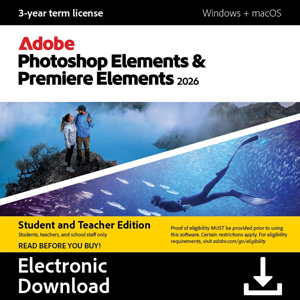
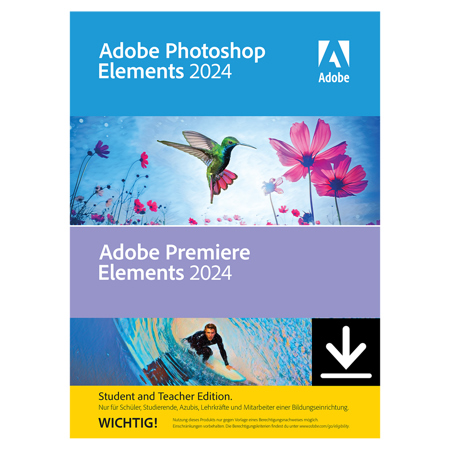
Whether you’re capturing a fun experience with friends or expressing a brilliant idea in a class project, you want your photos and videos to look amazing. Elements empowers you to bring your creativity and unique POV to every pic and clip so you can make an impact. With Adobe Sensei AI technology, automated edits, and step-by-step guidance in your corner, it’s quick and easy to create next-level content for social posts, group presentations, intramural sports flyers, and more.
Choose from built-in presets or use a photo or video of your own, click once, and then fine-tune hue, saturation, and brightness.
Automatic selections make it simple to enhance or replace just one area.
Reels zip through favorite shots, each with its own text, effects, and graphics. Save them as MP4s or GIFs for easy sharing.
AI and automation quickly turn your clips into videos that draw people in by focusing on motion, close-ups, and your highest-quality footage.
Align text horizontally, vertically, or on a path or a shape. Warp it and style it with gradients, textures, and patterns.
Try effects like Reverb, Vocal Enhancer, and DeHummer to improve your listening experience.

Try a new background, make a collage, or create an inspiring Quote Graphic with access to thousands of beautiful stock photos from right inside Photoshop Elements.
Emphasize key moments or just add some eye-candy with modern new graphics.

Popular one-click edits are now at your fingertips. Instantly blur or remove a background, smooth skin, dehaze or colorize a photo, and more.
Click once to enhance compressed JPEGs with this new option in the Quick Actions panel.

Discover modern fonts, icons, buttons, and colors that are easier on the eye. Plus, choose from light and dark mode options.

Add fun patterns plus overlays that frame your subject or create depth.

Automatically improve tone, remove backgrounds, fix white balance, and more with one-click Quick Actions. Plus, bring in pics from a wider range of files and folders on your phone, and view creations from Elements Web.