Automatic lens correction: Save time with automatic correction of lens distortions, chromatic aberration and vignetting. Adobe Photoshop CS5 uses an image file's EXIF data to make precise adjustments based on the type of camera and lens you used.
Lens Correction filter improvements: Work more intuitively with the Lens Correction filter. The Grid display is now off by default; chromatic aberration correction sliders allow decimal point adjustments; a third slider has been added to correct common green/magenta aberrations; and more.
Straighten Image tool: Quickly straighten any crooked image. Simply drag a straight line from the Ruler tool onto your image and the image will snap to the line.
HDR Pro: Create either photo-realistic or wildly surreal high dynamic range (HDR) images with unprecedented speed, control and accuracy. Get stunning results thanks to automatic ghost removal and greater control with tone mapping and adjustments.
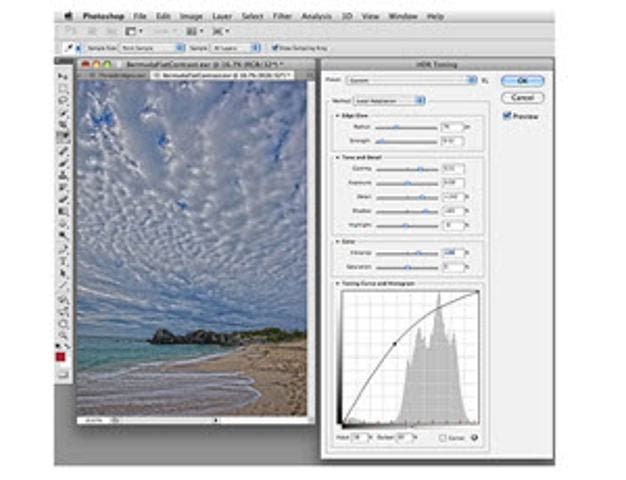
HDR Toning: Give any single-exposure image the photo-realistic or wildly surreal look of an HDR image. The HDR Toning feature offers an easy way to bring the rich aesthetic of high dynamic range to your 8-bit images.
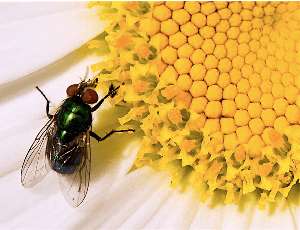
Noise removal: Remove the noise common to high-ISO images and consumer-camera shots while preserving color and detail. You won't need more than this reengineered noise removal technology to maintain a photo's natural look, avoiding an oversharpened feel as you maximize quality.
Better conversions with new demosaicing: Process raw images with the industry-leading Adobe Photoshop Camera Raw 6 plug-in, which offers new demosaicing technology for unmatched conversion quality.
Better selections with Truer Edge: Get better edge detection and masking results in less time with the Quick Selection tool -even when you're selecting the trickiest image elements, such as hair.
Color decontamination: Eliminate background color around the edges of your selection with the Quick Selection tool's automatic color decontamination capabilities.
Mixer Brush: Define multiple colors on a single Mixer Brush tip to paint with realistic color blends. Or use a dry Mixer Brush to blend a photo's colors and transform it into a beautiful painting.
Bristle Tips: Easily paint with lifelike, naturally textured brush strokes using defined bristle properties like shape, length and stiffness and experiment away by adding Bristle Tips to a variety of Photoshop brush tools
Paste in place: Paste an element into a Photoshop file in the same position it held in the original file, for example, when you create something on the wrong layer and need to move it to the exact same place on a new layer.
Multi-layer Opacity: Save time with the ability to adjust the opacity of many layers at once.
New shapes, swatches and gradients: Give your images and designs fresh looks using a variety of custom shapes, color swatches, styles and gradients.
New Actions and brushes: Quickly try out different editing effects and techniques using new Actions for black-and-white conversion and surreal Stars effects and paint with a new set of brushes.
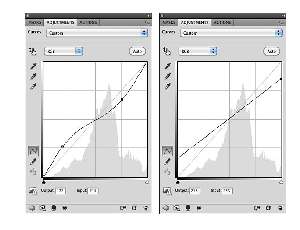
Adjustments panel: Use the convenient Adjustments panel to easily access every tool you need to nondestructively adjust and enhance color and tone. Open the On-image Adjustment tool with a keyboard shortcut.
Masks panel: Quickly create and edit masks from the Masks panel. This panel offers all the tools you need to create editable pixel- and vector-based masks, adjust mask density and feathering, easily select noncontiguous objects and more.
Efficient tile sizing and caching: Easily control tile size and use presets for simultaneously setting cache and tile size based on whether your output is for print or web.
Adobe Bridge CS5 and Adobe Mini Bridge: Easily manage media with more flexible batch renaming and access your assets in the context of what you're working on by using the customizable Adobe Mini Bridge panel in Photoshop.
Adobe PDF file support: Precisely control the size of PDF pages opened in Photoshop; add security controls and metadata, such as copyright and exposure details, to images within PDF presentations; and create a rich image display in PDF presentations and documents.
Adobe Photoshop Lightroom integration: Enjoy tight integration with Photoshop Lightroom (sold separately), easily moving files from Lightroom to Photoshop CS5 to create HDR images, panoramas and multilayered Photoshop documents. Roundtrip your files back to Lightroom.
16-bit to JPEG conversion: Let Photoshop CS5 automatically downsample your 16-bit image files so you can save them as 8-bit JPEG files.
File closing enhancement: Save clicks with the ability to close all open images without saving.
Adobe Configurator: Get and share custom panels that developers create to accomplish specific tasks - and easily create your own panels of tools, menu items, actions and more - with Adobe Configurator software.
DNG Profile Editor: Create your own color profiles using the publicly available DNG Profile Editor.