Overview
Compare
Learn
Specs
Protection

Reviews about this item

Review Summary

2015-01-05T19:00:00

Rated 5 out of 5

Yes!

Most of the full Photoshop, but much cheaper, and easier to use.

JONATHAN A.

2013-08-12T21:00:00

Rated 5 out of 5

Great product.

I use it to create artwork of the photo`s I take. Easy to use.

JOHN S.

2013-07-29T21:00:00

Rated 3 out of 5

Not a substitute for Photoshop CS6

In addition to my photography business I also teach and wanted to get this to know enough to recommend it to my students, especially since Photoshop is moving to rental rather than purchase. The interface is different, and it seems to lack a lot of the control that regular Photoshop offers, but it does enough to be useful for most photographers.

Andrew G.

2013-07-22T21:00:00

Rated 5 out of 5

Always a winner !

This product does all I need it to do. If you don't want all the "bells and whistles" of PHOTOSHOP (and the cost!), you can't go wrong here.

RICHARD H.

2013-05-28T21:00:00

Rated 5 out of 5

Excellent software. Easy to navigate.

Elements 11 does what I need it to do. I have an older version of Photoshop and for my photographic needs it has everything I need without the expense of the newer more expensive Photoshop programs. I know pros who use this program and it does the job for them.

Clickster

2013-05-27T21:00:00

Rated 5 out of 5

PERFECT!

Easier than Photoshop and works well with Lightroom 4. Thanks for the great price!

LINDA P.

2013-05-20T21:00:00

Rated 4 out of 5

Photoshop elements 11

Great program if it continues to work as permanent and not as trial. Definite improvement over elements 6 which I've used for years.

Marvinel

2013-04-29T21:00:00

Rated 4 out of 5

Photoshop Elements 11

Elements is the first Photoshop product I've ever used. Being new to DSLR photography, it would be hard for me to give a fair and partial review. I enjoy using it. However, let me say Adorama is a great place to shop and they are extremely easy to deal with and very agreeable.

Hattrick58

2013-04-11T20:00:00

Rated 5 out of 5

Works Well With My other Programs

Bought this program, to go with My Corel and Roxio Programs. I use the best features from each program, to make my pictures look the best. As you get to use each program, you can tell whitch features to use to get the best results.

13117fg

2013-04-10T21:00:00

Rated 5 out of 5

Love it!

I use it for personal use right now with the hope of starting a photography business once I've learned more.

CDK

2013-03-23T21:00:00

Rated 5 out of 5

I like it!

Once you get used to how Adobe has changed the tools interface, you'll love it.

kfordco

Adobe Photoshop Elements 11 Specifications

Related Articles & Videos

Wide Field Astro-Imaging, Part 1: The Gear You Need

Wide Field Astro-Imaging, Part 1: The Gear You Need

Here's the easiest way to get started capturing the night sky using your DSLR and some basic astrophotography equipment.

Read more
Photoshop CC, Elements, or Lightroom: Which Is Best For Your Photo Editing?

Photoshop CC, Elements, or Lightroom: Which Is Best For Your Photo Editing?

What's the difference between Photoshop CC, Elements and Lightroom? Which is best for you—or do you need more than one?

Read more
Compositing Part 2

Compositing Part 2

Mark Wallace returns to London with a memory card filled with studio portraits for Gavin Hoey to put into a composite with a photo he shot in the British countryside. In this episode, Mark Wallace re-joins Gavin Hoey  in London, and hands him card filled with stud...
Read more

About Adobe Photoshop Elements 11

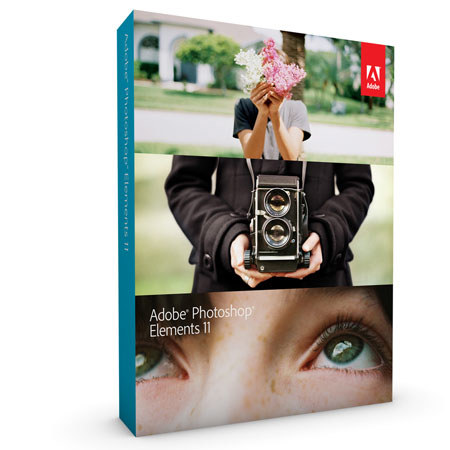
The Adobe Photoshop Elements 11 (Full Version) for Mac and Windows is a comprehensive yet simple solution for managing, enhancing and sharing your digital photos and video clips. The software supplies all the tools you need to crop photos, add effects and text, create online albums and upload photos and videos to your favorite social-networking sites. With Guided Edits, you get step-by-step assistance creating professional-quality effects.

With simple, effective tools that offer guidance, Elements helps every photo look its best: Whiten teeth instantly, crop according to Rule of Thirds composition and adjust colors in specific image areas. Based on Adobe's industry-standard image editing software, Photoshop Elements 11 also offers Photomerge technology, which lets you easily stitch together panoramic images and match one photo's style to the next.

When you're done, you can create scrapbooks or add templates to groups of photos to create online albums. Or simply share your results with your friends by employing the program's direct upload to Facebook, with integrated tagging based on your Friends list.

Photoshop Elements 11 improves upon version 10 in a number of key ways, starting with a brighter, more intuitive user interface. It's easier to navigate and still gives you the flexibility to customize it to your liking. Version 11 also advances the Photoshop Elements program via new Guided Edits and Filter Effects, as well as enhanced object selection. Plus, you can now import third party actions and take advantage of Adobe Revel connectivity. Additionally, you now have the ability to perform Google maps geo-tagging, share videos to Vimeo and print to CeWe (EMEA).