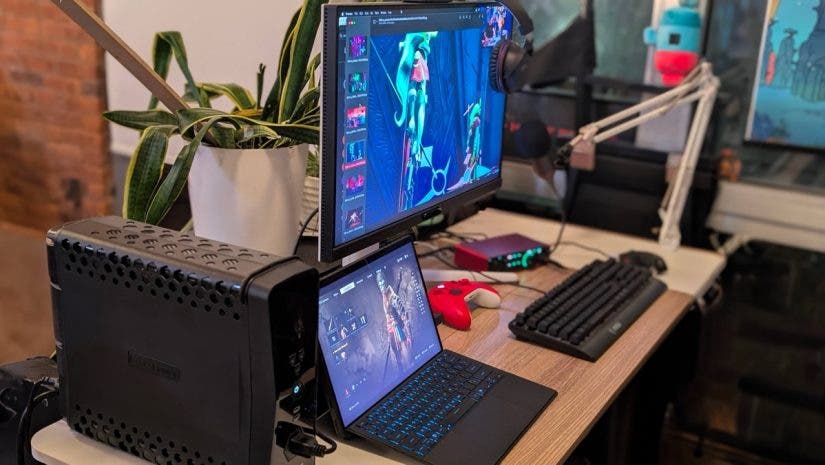
I make games professionally, and I play them consistently and at least somewhat seriously. That dual role determines how I configure my gaming workstation. I need a system that supports full development lifecycle workflows. This includes working in engines, handling large assets, building and testing, capturing footage, making trailers, and being on calls. I also need to be able to run modern, graphics-intensive games at the highest quality settings. It’s just so satisfying to be able to turn a game to Ultra everything!
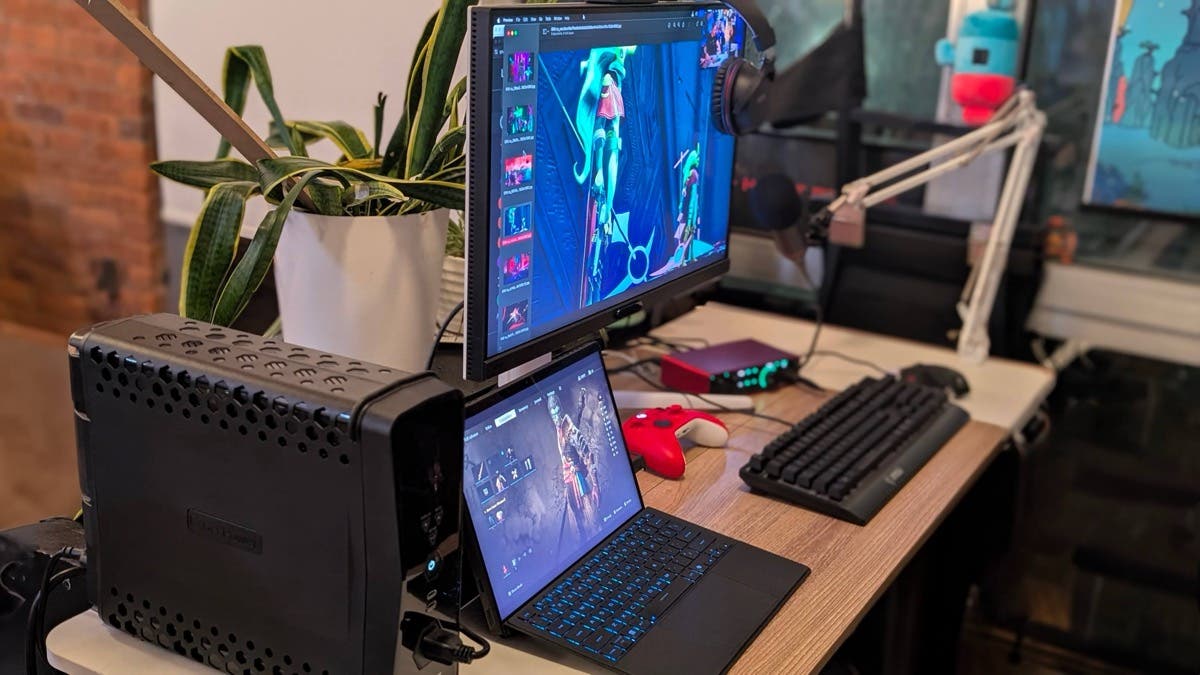
This setup (pictured) is built around those dual tracks. Together, the ASUS ROG Flow Z13, BenQ Mobiuz, Focusrite Scarlett 2i2 Studio, and CyberPower GX Series Sine Wave Battery Backup, along with a gaming keyboard and mouse, comprise a workstation-first environment that also performs reliably as a high-end gaming system.
Many gaming setups are optimized around spectacle or a single use case. This one is designed to remain stable, readable, and predictable during long work sessions. Further, it will deliver high performance when running demanding games without reconfiguration. I can use the same system for development, capture, communication, art, and play without a need for switching machines, rebuilding workflows, or compromising on graphics or sound quality.

The Core System – Productivity and Gaming Workstation
The ROG Flow Z13 functions as a premium primary development machine and gaming rig. In docked form, tethered to various peripherals, it operates as a full workstation, driving the external display and handling engines, capture software, and sustained workloads. Undocked, it remains a capable portable system without a meaningful drop in performance. This matters in game development, where iteration, testing, and review often happen outside a fixed desk environment. I can unplug it and walk across the room to desk after desk to share a particular issue I’m troubleshooting with my colleagues, without having to assemble a whole crew around me. The Flow Z13 provides sufficient CPU and GPU capabilities for modern engines, real-time previews, fast rendering, and shader-heavy scenes, and it remains stable under extended load.

Live Demos – A First Impression
At the other end of the game development process, you also eventually have to try to sell the game you’ve made, which usually involves getting people to play them. That means demos at conventions, festivals, and meetings where hardware reliability directly affects first impressions (especially ones from press or content creators). Because the Flow Z13 is a laptop, it is well-suited to this use case. It is lightweight, easy to transport, and capable of running demanding builds without external GPUs or complex setups. Setup is minimal: open the device, connect power if needed, and run the build.
At shows, performance issues caused by hardware are often indistinguishable from issues in the game itself…and players/reviewers can be very unforgiving. You only get one shot at a first impression! The Flow Z13 reduces that risk by delivering consistent behavior across environments.
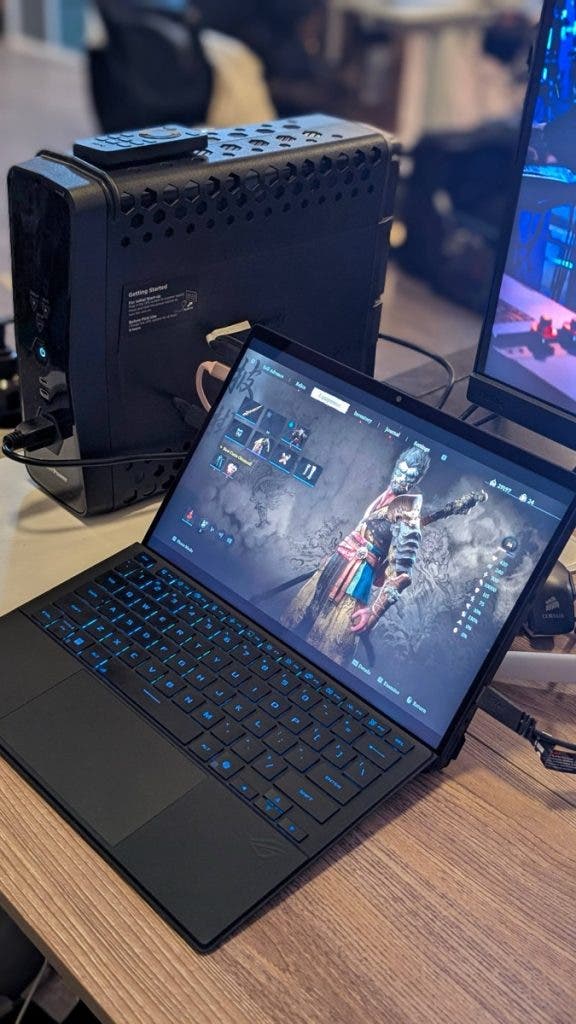
Touchscreen Testing
Additionally, the touchscreen on the Flow Z13 provides a practical advantage for mobile and other touch-focused development. Traditional mobile playtesting requires repeated build-and-deploy cycles to external devices, which adds friction and slows iteration. With the touchscreen, I can test touch interactions directly on the device, enabling me to roughly evaluate UI behavior, gesture timing, and various interactions’ clarity without pushing a build to a phone or tablet. This shortens iteration loops and keeps testing close to the engine environment. The touchscreen is also useful for UI reviews and interactive demos outside strictly mobile projects.
The Multi-talented Display
The BenQ Mobiuz is usually marketed as a monitor for programmers. Indeed, as I was unwrapping it, my colleague gasped, “Wow, that’s like…a really, really good monitor for writing code!” Productivity and IDE display aside, though, it also functions extremely well as a gaming and game dev monitor.
It goes without saying that for programming monitors, text rendering must be clear and consistent, so that long coding sessions are easier to sustain. As well, UI elements of engine interfaces (inspectors, timelines, settings, node graphs, etc.) need to be legible without aggressive contrast or oversaturation. The screen uses BenQ’s nano matte technology, which diffuses reflections and mitigates glare. This allows the monitor to be placed near windows or under changing overhead lighting without constant adjustment.
When I switch to gaming, the high refresh rate and low response time deliver smooth motion and responsive input without requiring any mode changes, making a huge difference when gaming. The same display supports development and gaming equally well, accomplishing excellent visual fidelity and rendering behavior across functions.

AAA Games as Intended
Together, the BenQ and the Z13 are capable of running modern, graphics-intensive games at absolutely peak settings. Baldur’s Gate 3 runs beautifully maxed out, allowing lighting, materials, and character detail to present as designed. For better or worse, you see…everything.
Deep Rock Galactic runs smoothly at max settings, including with online play, compared to my previous hardware, where it struggled with low frame rates and stuttering.
Black Myth: Wukong is visually dense, with heavy bloom, fast action, and high realism in characters and environments. This system was able to maintain smooth performance and visual clarity under tremendous load.
Audio Reliability
The Focusrite Scarlett 2i2 Studio is a significant improvement in my personal day-to-day. Like a lot of people in this post-COVID workforce, I spend a large amount of time on audio/video calls. Aside from taking meetings, part of selling games involves taking interviews, streaming, recording podcasts…Without a dedicated audio system setup, such conversations often start with level adjustments and troubleshooting. “Can you hear me? Wait hold on…Now, can you hear me? I think I’m using the wrong input…”
With the Scarlett system fully set up, the microphone input is stable and predictable. I join calls without testing or adjusting settings, and the recorded audio remains consistent.
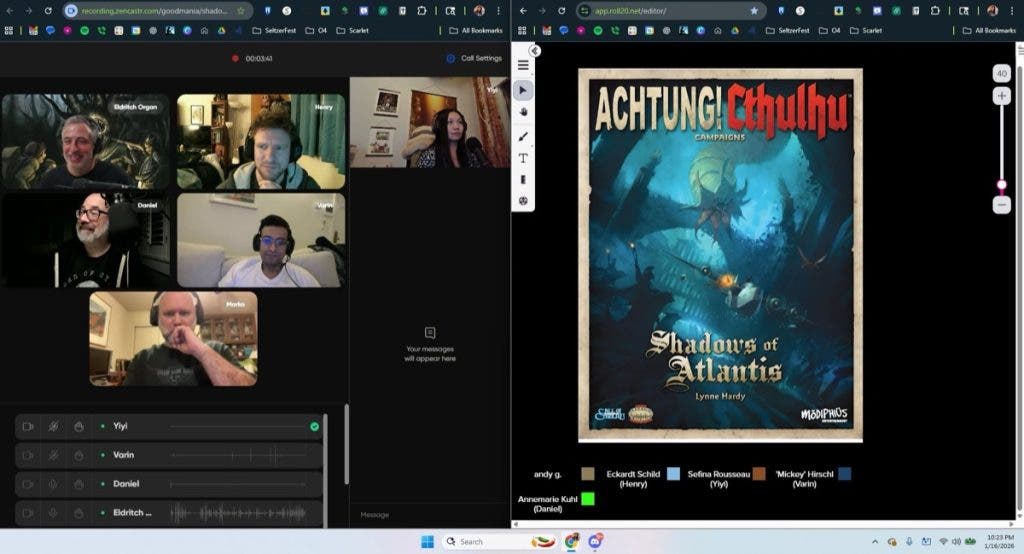
Professional Live Streming
One experience that illustrates the importance of having a dedicated system was when I was scheduled to livestream on Unity’s YouTube channel. They run a professional broadcast operation, so we did a full technical rehearsal the day before. Most of that rehearsal (nearly a full hour!) was spent working through my audio. We tried several headsets, microphones, adapters, and device configurations to get my voice to a level and clarity that met their standards. I had to ransack my apartment to find something suitable. We eventually arrived at an okay solution, but it was clearly a compromise rather than an ideal solution.
At the time, that kind of situation was common for me. My audio system was just not good. If I’d had the Scarlett Studio setup, that process would have been so straightforward. I don’t think I will ever stream without proper gain control, stable input levels, and reliable monitoring again.
One note: The folding cardboard mic holder that comes with the system is functional, but I recommend adding a boom arm for better positioning and ergonomics. A reliable option is the Rode PSA1+ Professional Studio Boom Arm, which clamps to a desk, reduces vibration, and keeps the microphone positioned correctly while freeing desk space.
Infrastructure Stability
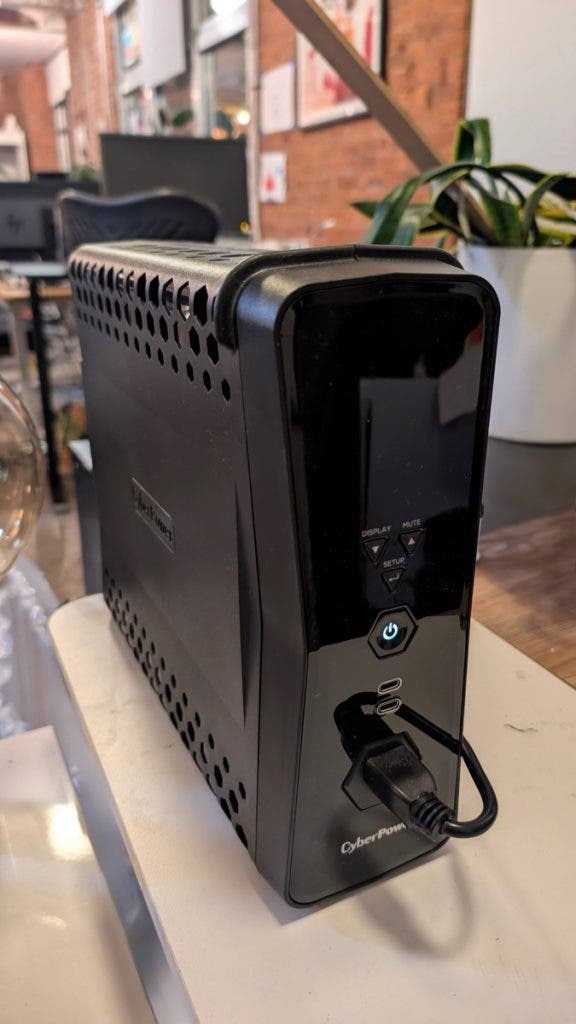
The CyberPower GX Series Sine Wave Battery Backup provides uninterrupted power to the entire setup, especially important during capture and recording sessions. It prevents interrupted takes, corrupted recordings, and lost progress when power conditions are less than ideal.
It also keeps audio and display equipment behaving consistently. While it is not visible during daily use, it is a foundational component of the system’s reliability. So if you’ve forgotten you even have it, but everything else is working beautifully, that’s the battery doing its job.
Aside from plugging the BenQ and the Z13 into it, I can imagine a slew of other peripherals, either highly useful or entirely critical, that could join this setup to make it the ultimate gaming and game dev productivity workstation. And because all connected peripherals (capture devices, audio gear, and displays) run through the same protected power infrastructure, the workstation as a whole stays stable rather than just one or two components.
Recommended Peripherals
Making trailers and capturing assets is a regular part of my workflow. External capture devices integrate directly with this system and allow me to record gameplay while the game is running at ultra settings.
- Elgato Game Capture 4K X for 4K capture with low-latency passthrough
- Blackmagic Design DeckLink Mini Recorder 4K for higher-end capture workflows
As I previously stated, eventually, there comes a time in everyone’s game dev journey where they have to actually go out and sell the game. Devices like these allow me to capture high-quality footage for trailers, marketing assets, and presentations without dropped frames or sync issues.
Art and visual iteration are essential parts of the game development process. Drawing tablets and pen displays integrate directly into this setup for concept art, UI exploration, and paintovers, taking advantage of the infrastructure provided by the CyberPower battery pack.
- The Wacom Cintiq 16 for detailed illustration, the Wacom One 13 Touch for pen-and-touch workflows, or
- The Wacom Intuos Pro for a non-display tablet with precise pen input. These peripherals extend the workstation without requiring a separate machine.
Summary
This setup reflects how I actually work. I build games, make trailers, capture footage, communicate with teams and collaborators, and play modern games at high fidelity on the same system. The combination of a portable but powerful core machine, a multi-purpose optimized display with nano matte glare reduction, clear and reliable audio, stable power, and a wide slew of compatible peripherals supports both development and gaming without requiring multiple machines or frequent reconfiguration.
This near-frictionless setup allows me to focus on making games, presenting them well, and experiencing them at the level they’re meant to be played.